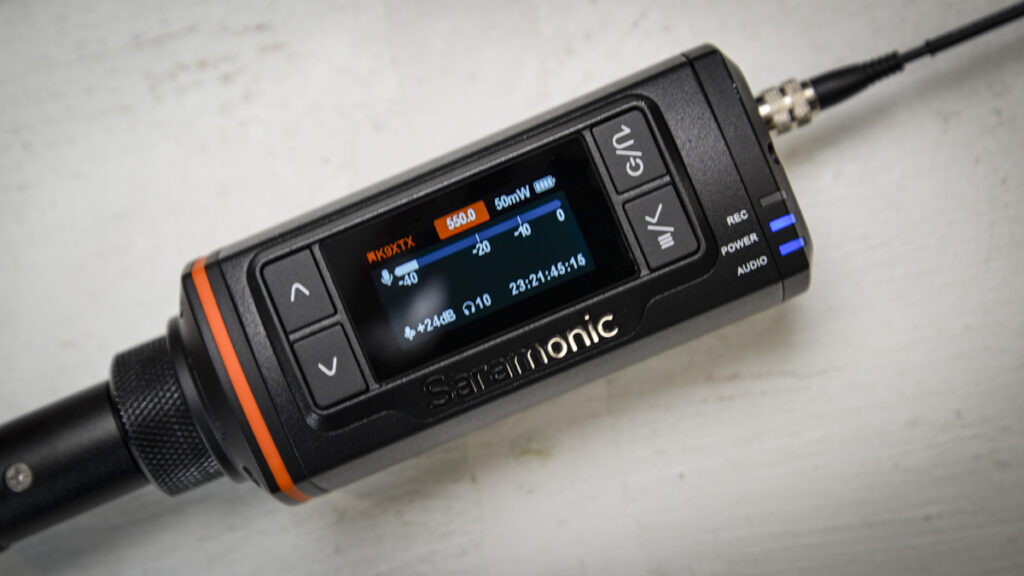

A feature-packed UHF XLR transmitter built for demanding professional location sound workflows
What is the Saramonic K9 XTX?
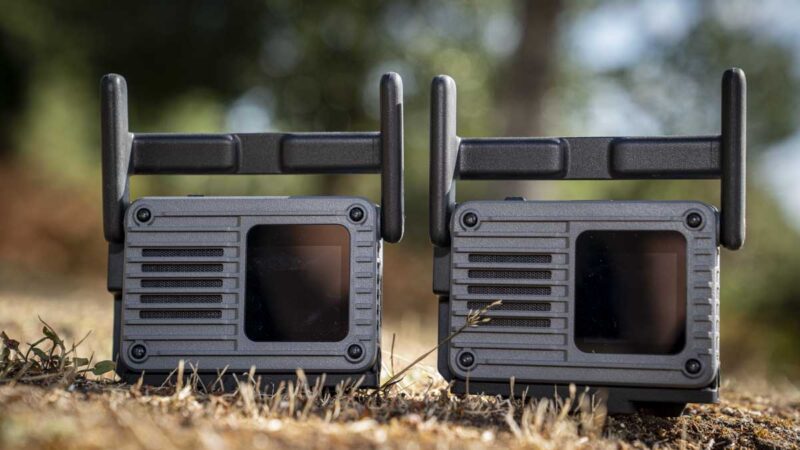
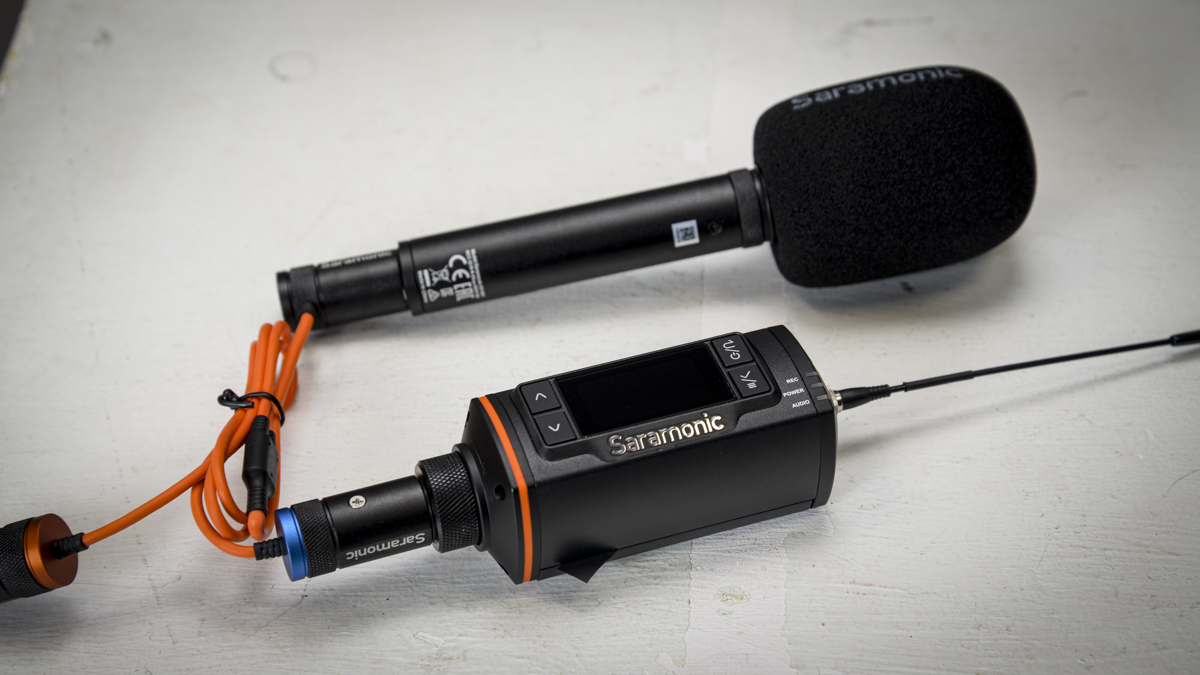
The K9 XTX is a digital UHF plug-on transmitter that turns any wired XLR microphone, such as a RODE NTG4+, into a wireless one. It plugs directly onto the base of an XLR mic, the same way a traditional plug-on radio mic transmitter always has. Still, it adds wideband UHF transmission, 32-bit float onboard recording as a safety backup, and a built-in LTC timecode generator and reader, none of which are standard on a plug-on at this size or price.
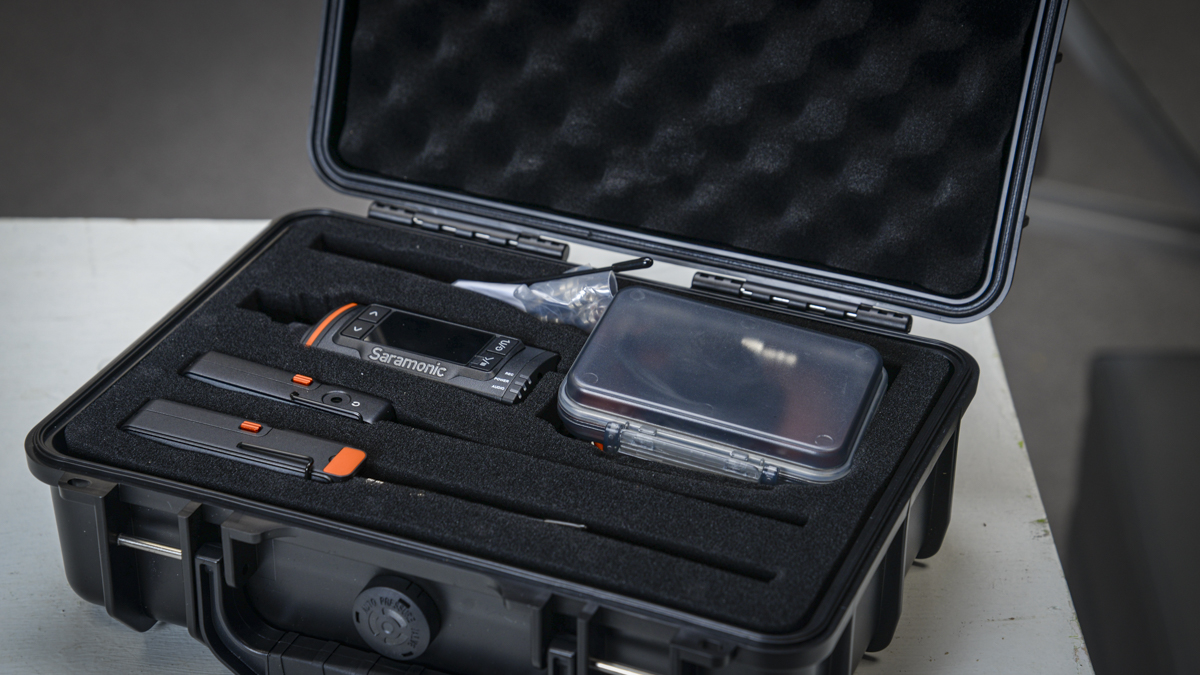
The K9 XTX is part of Saramonic’s wider K9 ecosystem, which is why my test kit arrived with more than just the XTX itself: a receiver and a second K9-series transmitter came in the same case, and the app, which takes a few seconds to download, manages them all together and is an essential part of the setup rather than a nice addition. On its own, the K9 XTX is built for boom operators, handheld interviews and ENG work, anywhere you would normally reach for a cable and would rather not.
Specification
Type: Digital UHF plug-on transmitter
Connector: 3-pin XLR, locking collar
RF range: 550-960MHz
RF power: Selectable 10mW / 25mW / 50mW / 100mW
Frequency response: 20Hz-20kHz
Dynamic range: 130dB
Phantom power: Selectable 3V / 5V / 12V / 24V / 48V
Onboard recording: 24-bit or 32-bit float WAV, 48kHz
Timecode: LTC SMPTE, 0.15ppm clock accuracy
Battery life: 4.5 hours measured with two standard alkaline AAs
Connector: 3-pin XLR, locking collar
RF range: 550-960MHz
RF power: Selectable 10mW / 25mW / 50mW / 100mW
Frequency response: 20Hz-20kHz
Dynamic range: 130dB
Phantom power: Selectable 3V / 5V / 12V / 24V / 48V
Onboard recording: 24-bit or 32-bit float WAV, 48kHz
Timecode: LTC SMPTE, 0.15ppm clock accuracy
Battery life: 4.5 hours measured with two standard alkaline AAs
Build and Handling
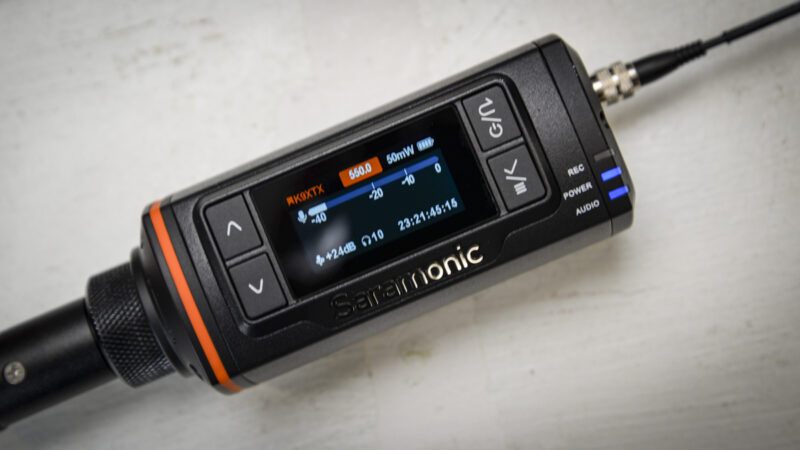
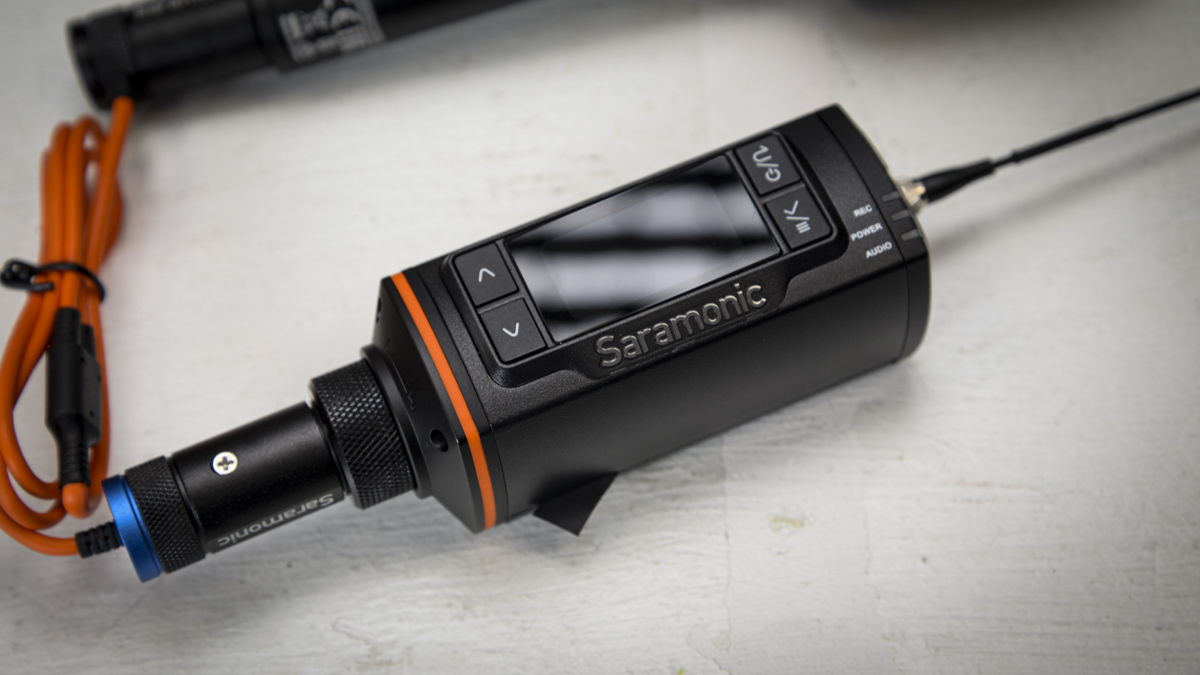
The aluminium build gives the K9 XTX a solid feel, and coupled with the small colour screen it makes switching settings and options easy once you know your way around the menu. There’s absolutely no doubt that this feels like a professional piece of kit.
It’s also nice to see some traditional choices in how it’s built. The first is that it takes two AA batteries rather than an internal LiPo, and given the battery life will get you through roughly half a day’s shoot on standard cells, being able to slot in a fresh pair rather than waiting for a charge is handy. There’s also a microSD card slot, so anything recorded onboard is stored locally, and you can swap the card if it gets full rather than having to download and clear the internal memory partway through a shoot.
Setup takes around five minutes once you know the process; effectively, you plug it into the XLR mic or audio interface, then make sure it is synced with the receiver, and you are done. You can use it with any XLR mic; you just need to select the mic input type. For the Saramonic SG MS1 and the RODE NTG 4+ I was using, that meant Phantom power 48V for the first and phantom power off for the second.
The other half of the setup is the app, and unlike many other devices of this type, the app’s use is not optional. It ties everything together, including any other transmitters you have running, and it works like a control board, letting you switch mics on and off and adjust levels remotely. In this test, I linked a second wireless K9 from the kit and could connect to and monitor both from the app at once. The app also asks to authorise location monitoring, and you need to say yes, because that is what sets the GPS timecode and the UHF frequency automatically. You can do all of this manually if you know what you are doing, but the one-tap version is fast, and I left it on automatic.
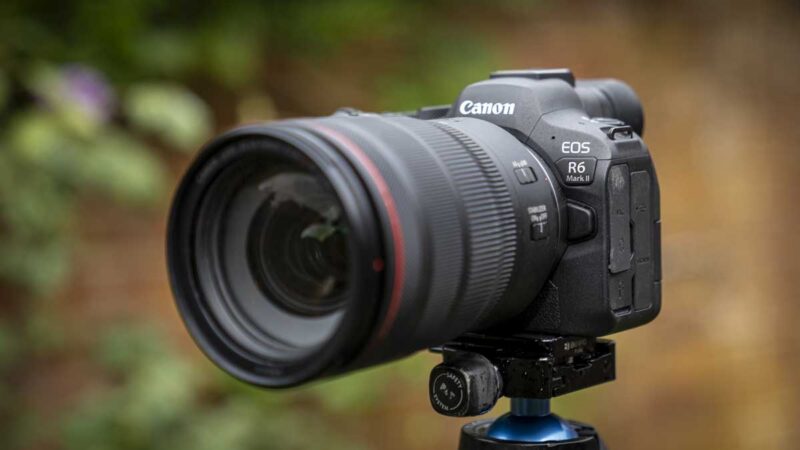
If you also have Saramonic’s TC-Neo units, you can sync into those and get every mic, audio recorder and camera running on the same timecode, which is where the savings in syncing footage and audio in the edit suite come into play. In this test I also have the TC-Neo for the video footage, sync’d with the Canon EOS R5 C.
Features
XLR is the key to this device and is the large socket that features on many pro-level mics. To get the K9 XTX to work with the mic, you simply plug it into this socket rather than the connecting cable, and you instantly have a wireless connection to the receiver, with timecode built in. That means you can get rid of the cables without losing audio quality. The transmitter works across 550-960MHz UHF, and this is one of those specifications that sounds impressive until you realise you are not quite sure what it means in practice, so it is worth a quick explanation. Only because it’s part of the specification list that I have taken for granted for years and never really looked into beyond thinking, well, that sounds good.
UHF public bandwidths vary by country, and you need to set the K9 XTX correctly so you don’t interfere with, say, police radios, a building site, or a taxi firm’s walkie-talkies. Saramonic’s GPS-assisted frequency management handles this automatically once you authorise location access in the app, taking the guesswork out of an important compliance requirement. The reason to use UHF rather than a newer wireless standard is range and strength; it will comfortably cover distances that Bluetooth or 2.4GHz connections are not built for, one of the reasons I still default to some ageing Sony Mics when recording professionally.
Across the three mics I tested, the Saramonic SG MS1, the RODE NTG 4+ and an old Audio-Technica stage mic, the quality and strength of the transmission were excellent, with the only differences coming from the mics themselves rather than the K9 XTX. That is exactly what you want from a transmitter; it should be transparent. Phantom power is selectable at 3V, 5V, 12V, 24V, and 48V, which covers essentially any XLR microphone you are likely to own, plus a line-level input mode for feeding it from a mixer or interface instead of a mic.
The 32-bit float onboard recording, backed by the included 64GB microSD card, gives you broadcast-quality safety recording stored on the device itself as a backup to the wireless transmission. Paired with the 130dB dynamic range, it suits quiet interiors and loud exteriors alike without you needing to ride the gain constantly.
One of the most important features is the built-in LTC timecode; this both generates and reads the timecode data, meaning every mic, recorder and camera on a shoot can share the same clock. On its own, that is useful; however, when paired with Saramonic’s TC-Neo units, it essentially connects up all the video components, so that in the edit suite you can quickly sync the timecodes for all tracks, video and anything else you may need.
The unit itself runs on two AA batteries, and these are, of course, replaceable rather than an internal LiPo; however, there is USB-C external power as an option if you’re shooting all day. In the box there are three antennas for different working distances between transmitter and receiver, so you can choose the one that matches the shoot rather than the one you happened to leave attached. In this test, I initially went for the middle range, but then found that for the majority of work the smallest was more than powerful enough.
Performance
Getting started with the K9 XTX isn’t quite plug-and-play. The units, of which there were three in my kit; the K9 XTX, the receiver and a second K9-series transmitter and all need batteries installed first.
Everything arrived paired out of the box, along with a full set of cables, so I didn’t need to raid a cable box to rig it to a camera.
I started by connecting the K9 XTX to the Saramonic SG MS1, connecting the receiver to my Sony A7 IV, selecting the mic input type, and choosing 48V phantom power. Everything looked connected, but I could not get the system to record. The reason was that I hadn’t installed the app, which isn’t an optional extra; it is a major part of the system. Once it was installed, I could connect each unit, sync timecode, and get moving. The key step is authorising GPS and location services, since that syncs timecode and sets the UHF frequency correctly for your country, and I left that on full automatic, only setting the mic type by hand.
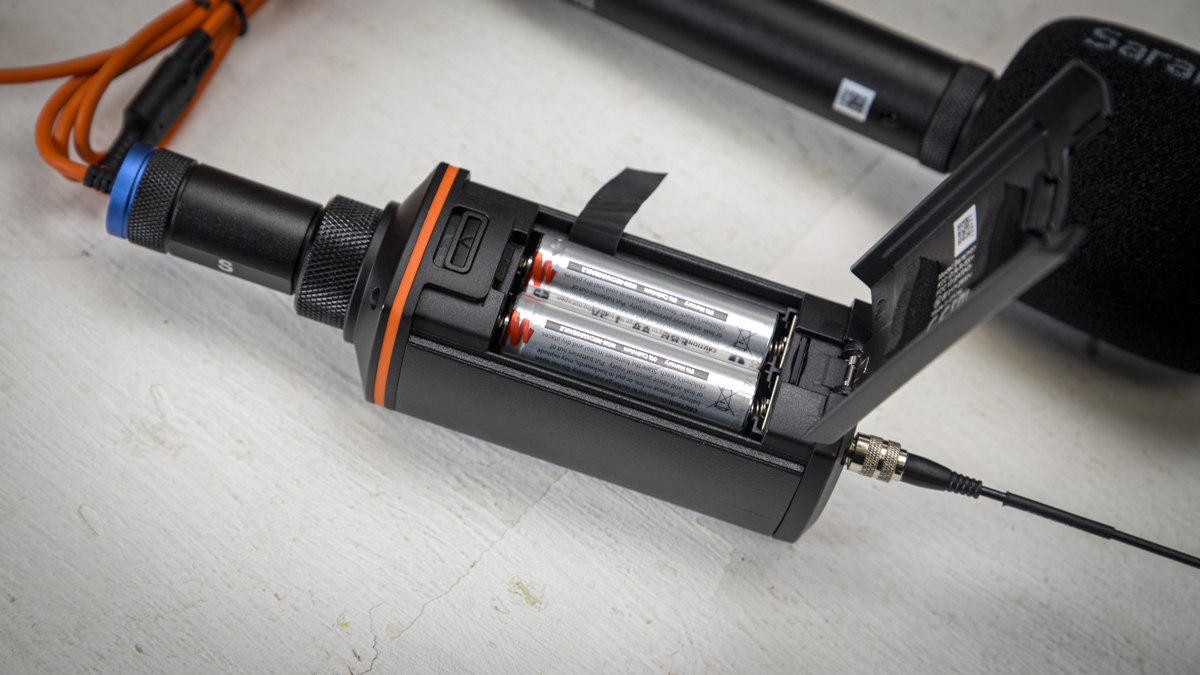
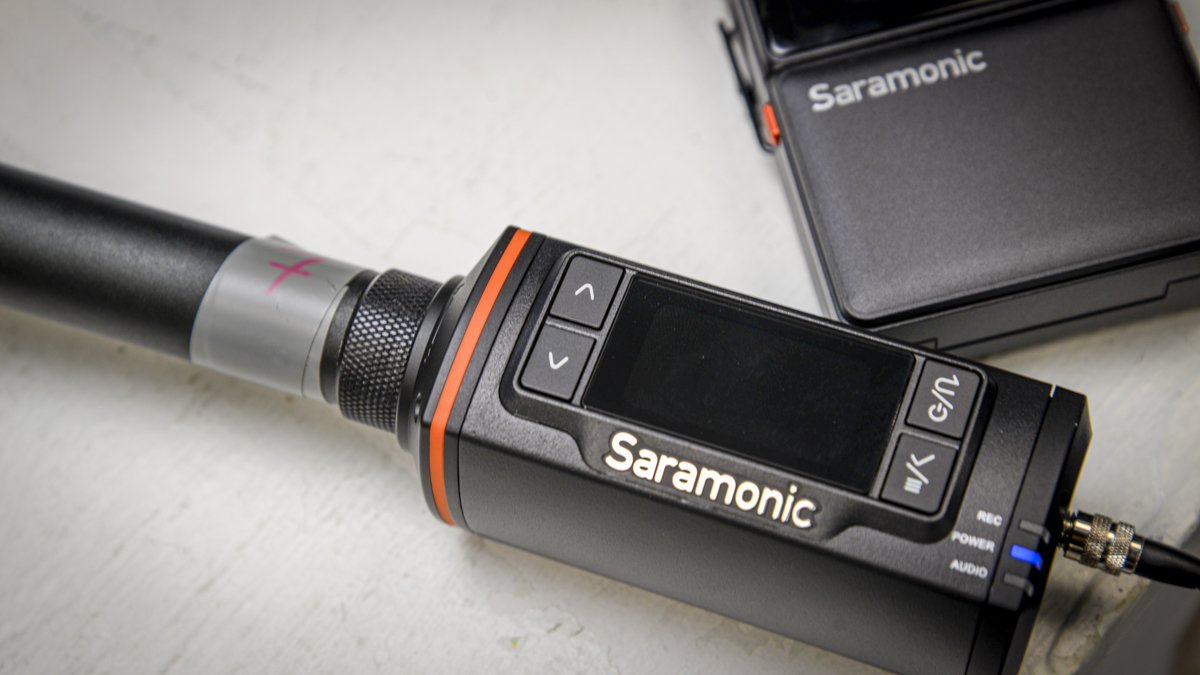
Two details of the physical setup stood out. The XLR connection uses a screw collar that tightens against the base of the mic, a simple lock mechanism that’s not foolproof but does the job. Powering the unit on requires a long press, which prevents it from switching on accidentally in a bag. Everything is controlled through physical buttons and the screen, which has a decent interface but, surprisingly, isn’t a touchscreen.
Once that initial setup was done, using the K9 XTX is surprisingly easy, and works like any other wireless mic, except now it works with any XLR mic that would previously have been tied to a cable. The Saramonic SG MS1 paired with the K9 XTX was a great combination, and performance with the Audio-Technica and RODE mics was no less impressive. There were a few small setup snags along the way, mostly around mic input selection, and one point where I had to watch input volume carefully.
I paired the system with Saramonic’s TC-Neo units and, through the app, synced everything to the same timecode across the K9 XTX and the Canon EOS R5 C. During filming, it feels different from normal. The difference shows up back in the edit. Loading the footage and audio in, everything was accurately timecoded, so dropping in B-roll synced and dropped into place without any manual alignment, and cutting between camera B and C was just as easy; no lining up waveforms or claps required, everything was essentially already synced.
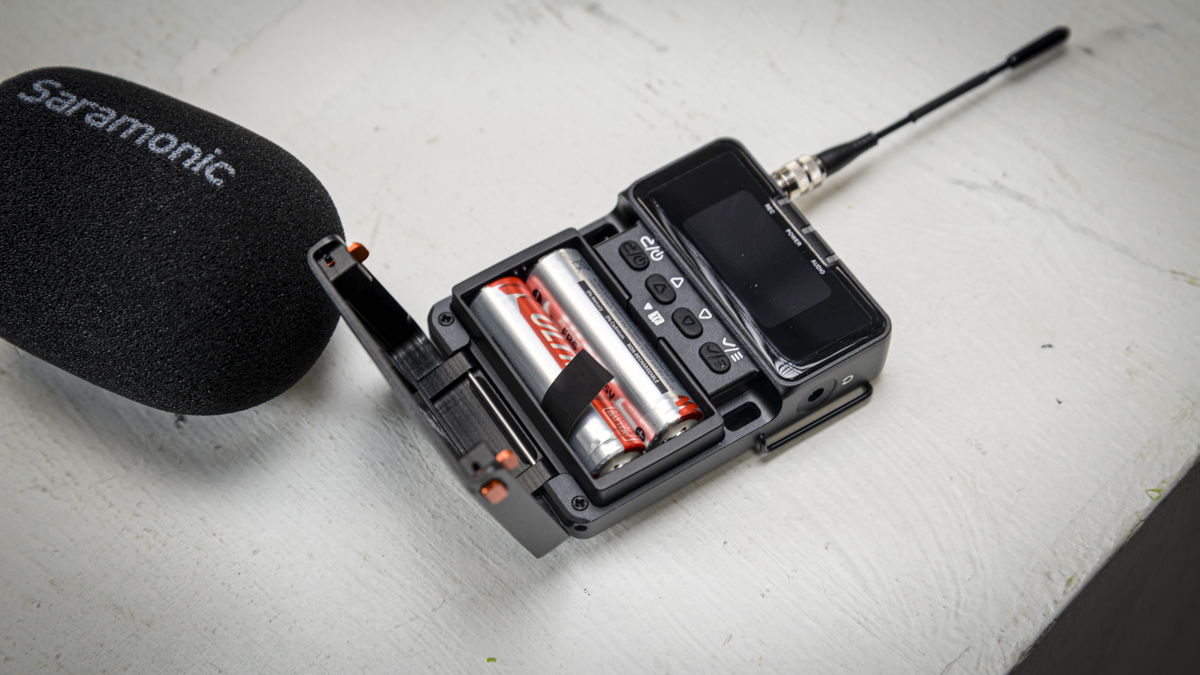
Through the test I found that it took around five minutes to setup the system at the start of a shoot, so a little longer than normal for the audio kit. Still, for timecoding audio against multiple cameras, this additional time was definitely worth it, especially as I started out in the edit suite and everything dropped into place using the timecode rather than me having to align many video tracks by ear. Until now, this level of workflow has really only existed at the pro end of the market and is certainly something I haven’t personally been able to afford up until now.
Through the test period and beyond, I found that a fresh set of AA batteries would inevitably see me through a complete shoot comfortably. Checking the specifications, Saramonic’s does highlight 7+ hours and adds that if you’re using Li-ion AAs, then to expect around 14 hours, and this all seemed to test out. I tested with standard Duracell alkaline AAs, which are not the recommended Li-ion type, and measured 4.5 hours per set of two, roughly half a day’s shoot. I also tried Eneloop NiMH rechargeables, which showed a slight drop in voltage compared with alkaline but otherwise worked fine, though I didn’t time a full set.
The gap between 4.5 measured hours and Saramonic’s 7+ hour claim comes down to battery chemistry, not the device. Li-ion AA cells hold their voltage more consistently under load than alkaline or NiMH cells, which is almost certainly why Saramonic’s figures are built around them. If you are buying standard batteries, plan around the 4.5 hours I measured, not the spec sheet number. Ten Li-ion AAs cost £18.49 from Toolstation versus £10.99 for ten Duracell alkaline, so if you run this day-to-day, the Li-ion cells are the better buy for both runtime and fewer battery changes. For occasional use, Duracell will do, as long as you carry spares.
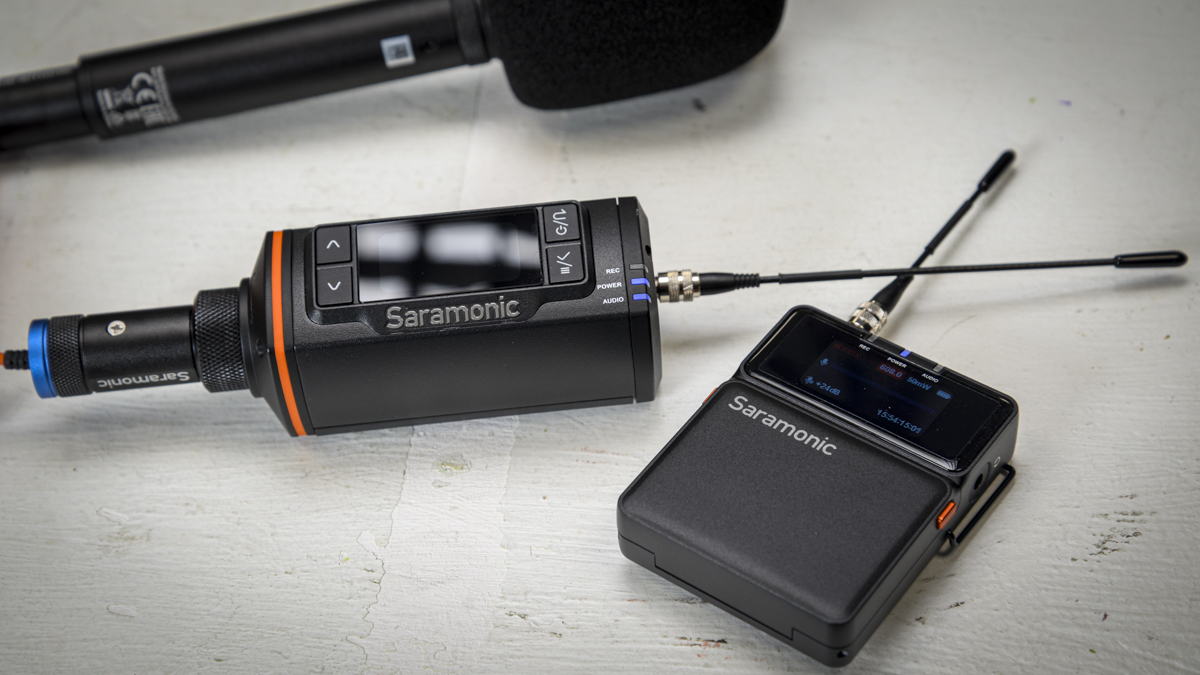
The manufacturer rates range at up to 150m, quoted at 50mW RF power, and the K9 XTX is built to avoid congestion in the 2.4GHz band where shorter-range wireless systems compete. I did not run a specific measured range test during this review.
Final Thoughts
The K9 XTX is a great idea, a simple plug-on transmitter that works with both Saramonic and third-party mics such as the RODE NTG4+. The feature set is professional rather than professional-sounding, and that brings a slight learning curve for anyone new to timecode and how it affects your editing workflow. The microphone support really stands out: it’s completely flexible, working with different XLR mics and offering five phantom power options, a line-level mode, 32-bit float backup, and 130dB dynamic range.
For me, through the test, it’s obviously the timecode feature that really makes the unit stand out, and it’ll change the way that you work, as it just makes syncing all audio tracks that much easier and when coupled with the TC-NEO units, it does suddenly make my small mirrorless setup feel incredibly professional, almost back on a par with the old FS7s.
If you shoot plenty of multicam and audio, then some type of timecode generation and capture is a great idea, and the Saramonic system, while taking a little time to work out, is exceptional value and will make a massive difference to your editing workflow.
Should you buy the Saramonic K9 XTX?
Buy it if you want a wireless XLR link you can trust with professional work, and especially if you are shooting multi-camera and want timecode to do the syncing for you in the edit. The flexibility to run almost any XLR mic through it, with matching phantom power, makes it a genuinely versatile piece of kit rather than a one-mic solution.
Look elsewhere if the extra weight on the end of a boom is a dealbreaker, if you are not willing to budget for the waterproof enclosure or the recommended Li-ion batteries, or if a receiver-plus-transmitter system is more than your workflow needs.
How we tested
I tested the Saramonic K9 XTX over two months, running it through the Saramonic SG MS1, a RODE NTG 4+ and an Audio-Technica stage mic, feeding a Sony A7 IV and a Canon EOS R5 C. Testing covered XLR pairing and phantom power selection, app-based setup and remote monitoring of two linked transmitters, onboard 32-bit float recording, and timecode syncing with Saramonic’s TC-Neo units across multiple cameras in the edit. Battery runtime was measured with standard Duracell alkaline AAs and compared against Eneloop NiMH rechargeables and Saramonic’s own Li-ion AA and spec sheet figures.
Saramonic K9 XTX FAQs
How long does the Saramonic K9 XTX battery last?
Saramonic quotes 7+ hours on the spec sheet and around 14 hours using its recommended Li-ion AA batteries. I measured 4.5 hours per set of two standard Duracell alkaline AAs, roughly half a day’s shoot, which is the figure to plan around unless you are using Li-ion cells.
Can the Saramonic K9 XTX be used with any XLR microphone?
Yes. You select the mic input type and one of five phantom power options: 3V, 5V, 12V, 24V, or 48V, or you can switch phantom power off entirely for a line-level source. I tested it across three very different XLR mics with no issues.
Does the Saramonic K9 XTX need an app to work?
Effectively yes. The Saramonic System App handles remote control, monitoring, and crucially the GPS-assisted timecode and UHF frequency setup. Skip installing it, as I did on my first attempt, and recording simply will not work.