
Our Verdict
The DJI SDR Transmission 2 addresses almost every gap I flagged with the original SDR Transmission. The biggest upgrades are the switchable transceivers, which remove the restriction of fixed transmitter and receiver units, and proper DCI 4K60 HDR wireless transmission rather than the previous 1080p ceiling. Both make the system considerably more flexible for small production teams and one-person crews.
Setup is extremely straightforward, connection strength proved excellent throughout testing, and the compact units are easy to integrate into handheld, cage-mounted or Ronin-based rigs. The deeper Ronin integration is particularly useful, enabling monitoring alongside remote camera and gimbal control through the app. The ability to switch between multiple transmitters also gives the system plenty of potential for multi-camera productions, although you still cannot preview several feeds simultaneously.
There are a few limitations. I experienced occasional app video dropouts caused by the USB connection to my iPhone, Wi-Fi fallback has disappeared, and I was unable to test DJI’s larger multi-transmitter and receiver configurations. UK pricing also remains unconfirmed.
Even with those caveats, the SDR Transmission 2 is an impressively complete, compact and easy-to-use wireless transmission system, particularly for anyone already working within DJI’s Ronin ecosystem.
What is the DJI SDR Transmission 2?
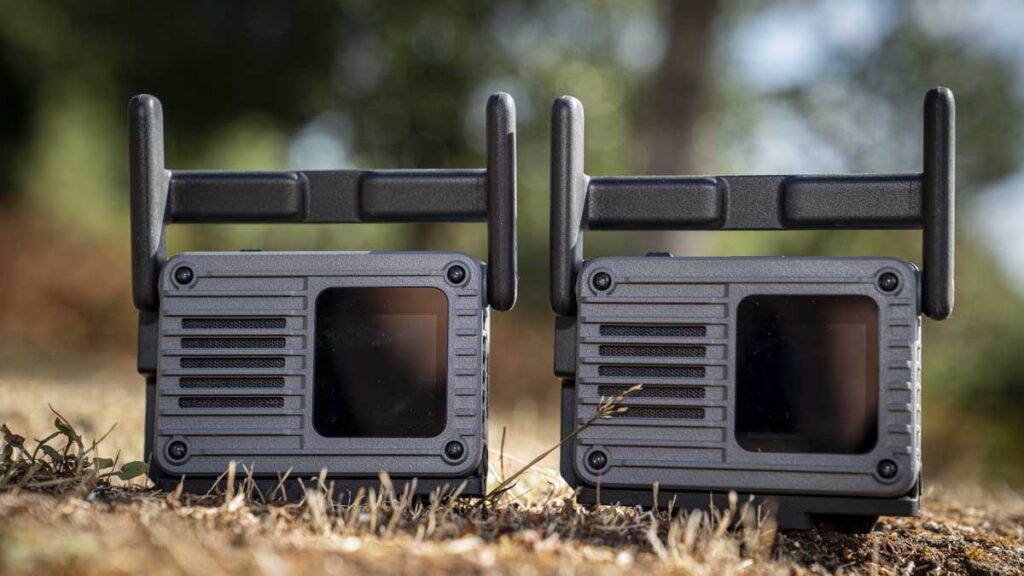
The SDR Transmission 2 is DJI’s second-generation wireless video transmission system, built around a pair of identical transceiver units that can each be switched to act as a transmitter or a receiver. It replaces the fixed TX and RX roles of the original SDR Transmission, which I reviewed in January last year, with a single interchangeable unit, and adds DCI 4K HDR wireless transmission where the original was limited to 1080p output despite accepting 4K input.
My original review gave the SDR Transmission a full five stars and called it an outstanding option, praising the ease of setup, the connectivity, and the roughly £250 entry price, but flagged audible fan noise after about 30 minutes of use, a lengthy setup and firmware process, and that 1080p-only wireless ceiling as the main drawbacks. The Transmission 2 is DJI’s answer to most of that list.
DJI positions it for small to mid-size film and video production teams, covering commercials, documentaries, short dramas, feature films and multi-camera live streaming, and I have been testing it across a couple of weeks of my own run-and-gun and Ronin-mounted work.
Specification
Transceiver weight: 136g
Transceiver dimensions: 61 x 53 x 25mm, excluding antenna and cold shoe adapter
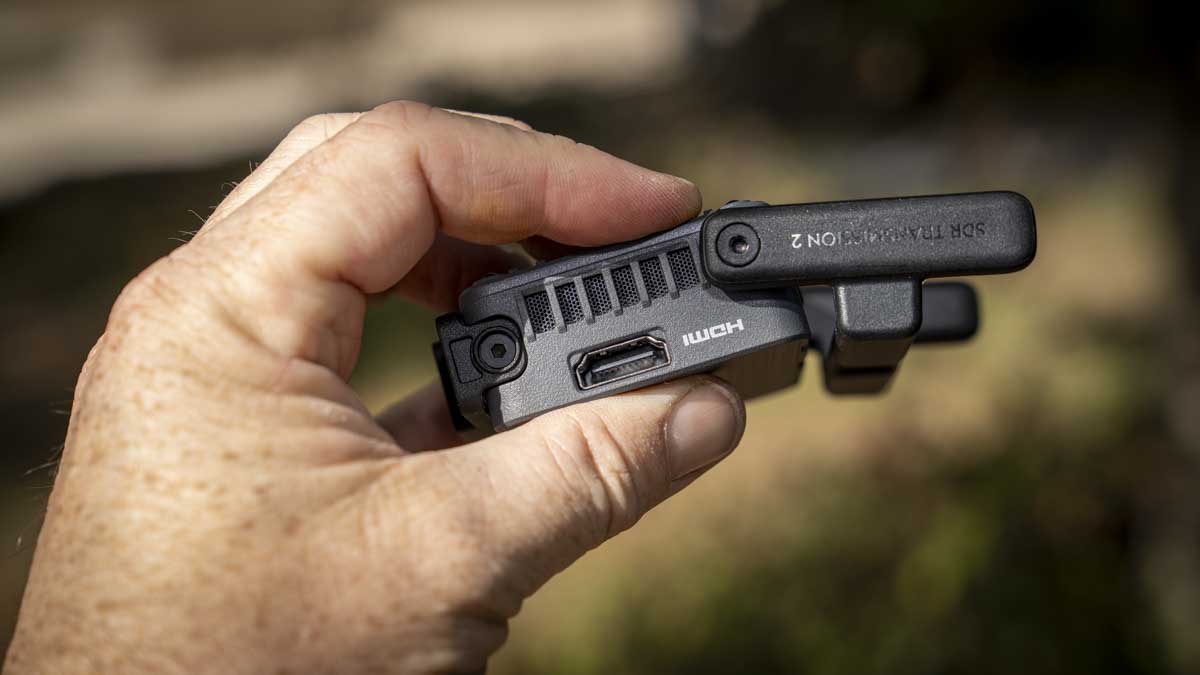
Transceiver video interfaces: HDMI x1 (up to DCI 4K60 10-bit HDR), USB-C (DP/UVC) x1, for Osmo Pocket or Osmo Action input in TX mode, phone or tablet output in RX mode, or Ronin ecosystem integration
With SDI expansion plate and cage: weight: 105g
With SDI expansion plate and cage: dimensions: 76 x 54 x 25mm, excluding cold shoe adapter
With SDI expansion plate and cage: video interfaces: 3G-SDI x1 (up to 1080p60), HDMI x1, USB-C x3, USB-C (UVC) x1
Max wireless resolution: DCI 4K (4096 x 2160) at 60fps over HDMI, 1080p/60 over SDI
Colour: 8-bit or 10-bit, RGB / YCbCr 4:4:4, 4:2:2, 4:2:0, HDR transmission supported
Codec: H.265
Max wireless bitrate: 50Mbps
Latency: 35ms at both 1080p/60 and 4K/60
Range: 4km, CE-rated
Frequency bands: 2.4GHz and 5.1 to 5.8GHz
Wi-Fi: No
Max connections: 1 transmitter to 8 receivers with control, recommended 5 transmitters active in one area, stated maximum of 5 TX / 40 RX
Channel management: Auto Channel 2.0, automatic frequency hopping and channel allocation with conflict warnings
Security: 4-digit verification code for encrypted connections
Power: USB-C PD or NP-F battery, cage-equipped unit can also pass power between transceivers
Ecosystem integration: DJI RS 5, RS 4, RS 4 Pro, RS 3 Pro, Ronin 2, Master Wheels
Camera control: PTP (aperture, shutter, ISO, photo/video trigger), Sony virtual menu control via CEC
Metadata pass-through: Supported, per DJI
Build and handling
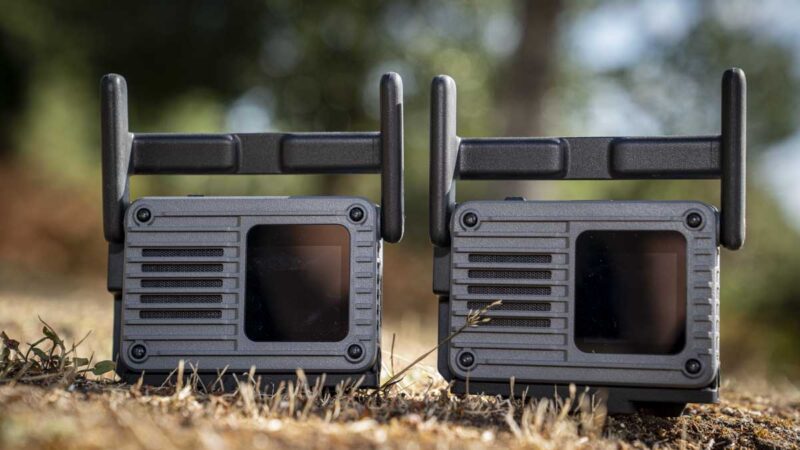
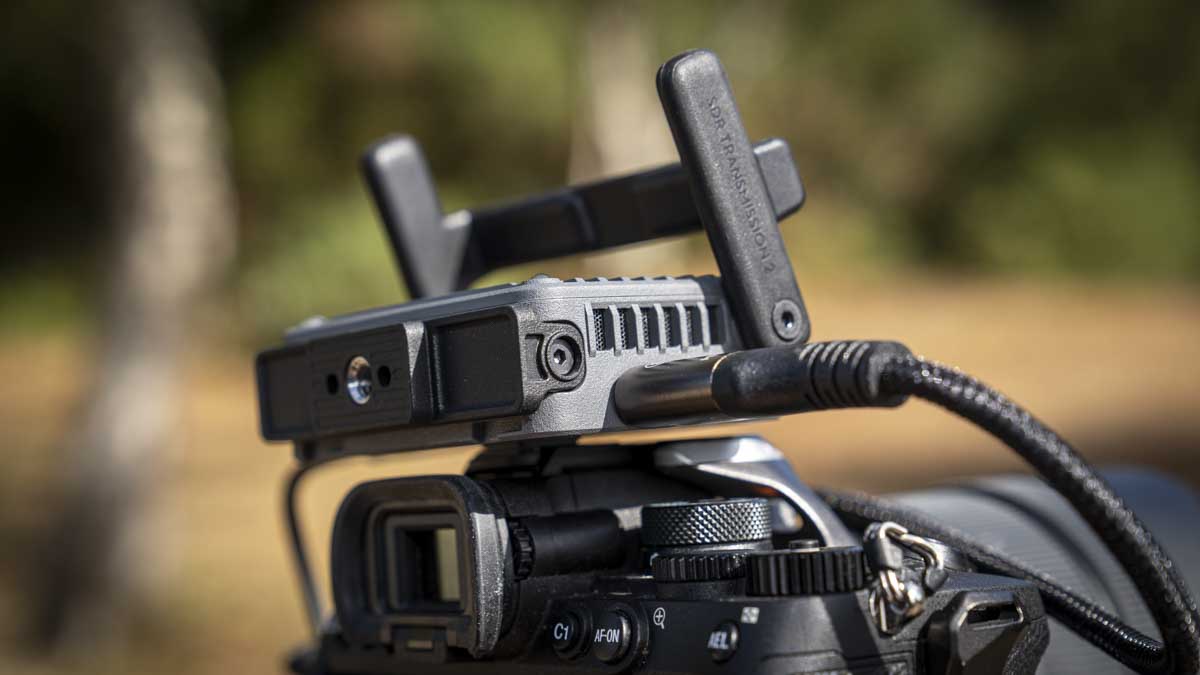
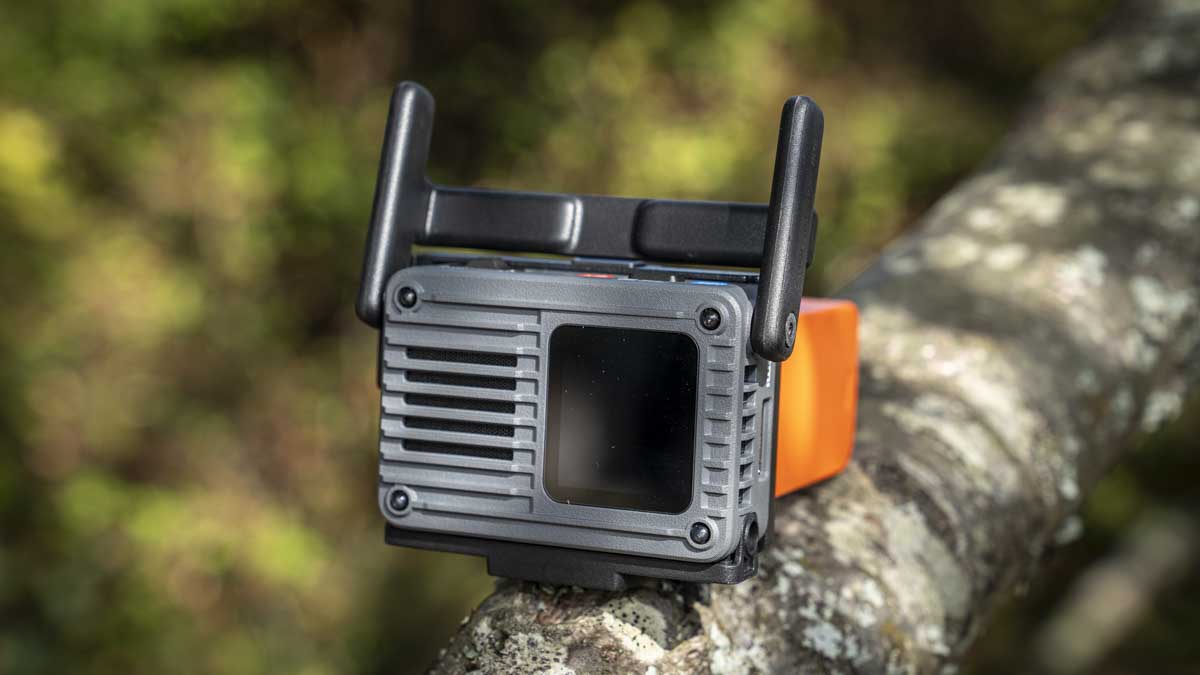
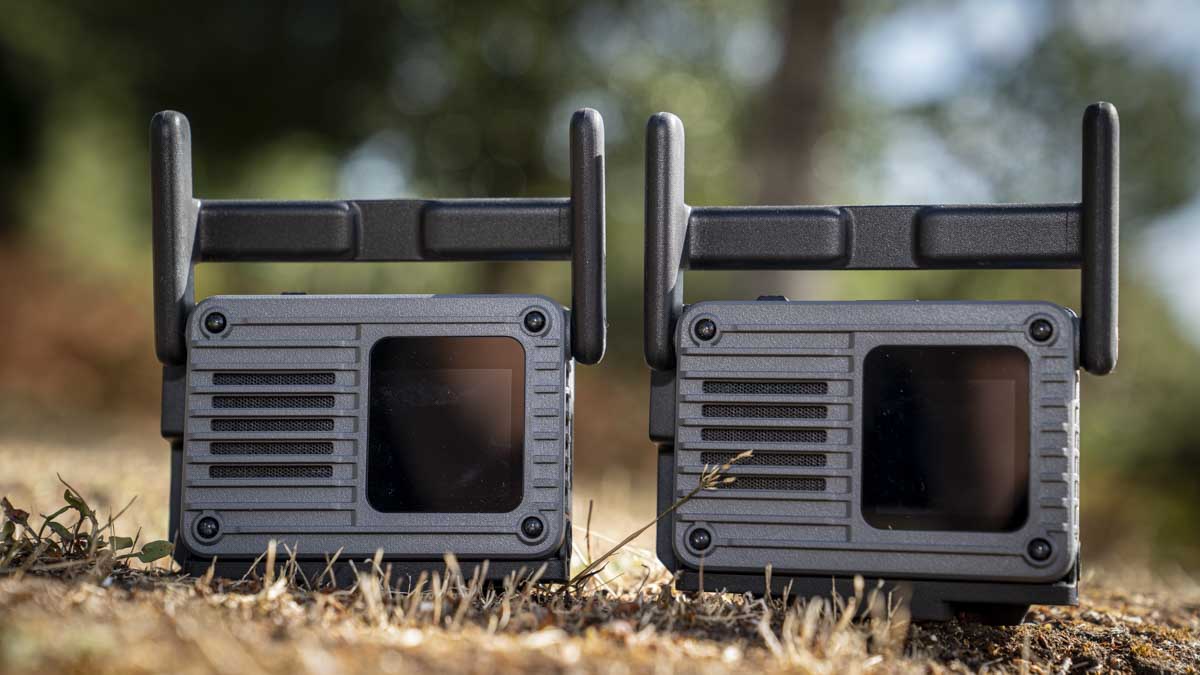
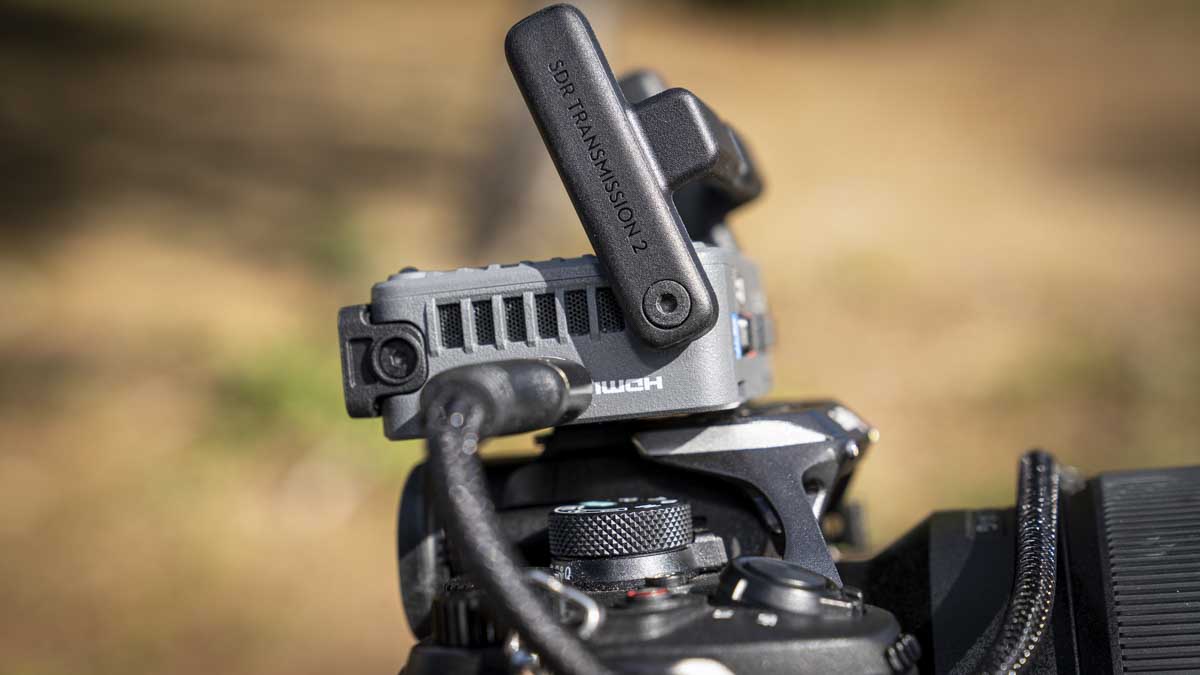
The new SDR units are compact, with an H-shaped aerial that folds down around the unit so it all packs away neatly. The entire design has been revisited and is a little more modular than the previous iteration, which makes it easier to customise the units to your setup. As a run-and-gun setup using just a pair of transceivers with a camera, it is simple: connect the battery caddy to the SDR Transmission 2, then the battery, mount it to the camera cage, I used a small rig 3/8-inch mount to 1/4-inch tilt, then plug in through HDMI to the camera. At the other end, do exactly the same, with the SDR Transmission 2 plugged into a monitor, in this case the Atomos Shinobi II. Switch on, wait for the scan, and you are off.
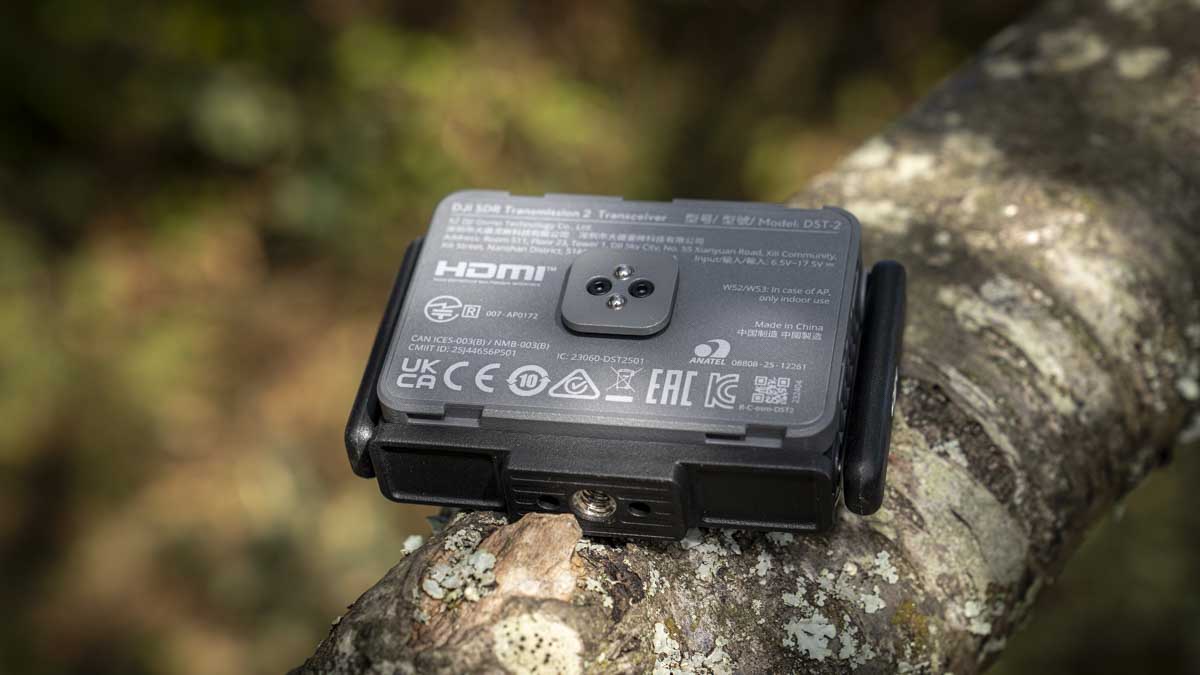
Each transceiver weighs 136g according to DJI’s own figures, which my scales agreed with exactly, and measures 61 x 53 x 25mm excluding the antenna and cold shoe adapter. On its own it carries one HDMI port, up to DCI 4K60 10-bit HDR, and one USB-C port that doubles as DP or UVC, for Osmo Pocket or Osmo Action input in TX mode, or output to a phone or tablet in RX mode, or Ronin ecosystem integration. Add the battery caddy and my chosen SmallRig NP-F 970 came in at 338g, giving a total of 508g without cables, which is not a great deal, and much of that weight could be cut by using a smaller NP-F battery. The transceiver can also be powered through USB-C if you have built up a rig, cutting the weight down to just that base 136g.
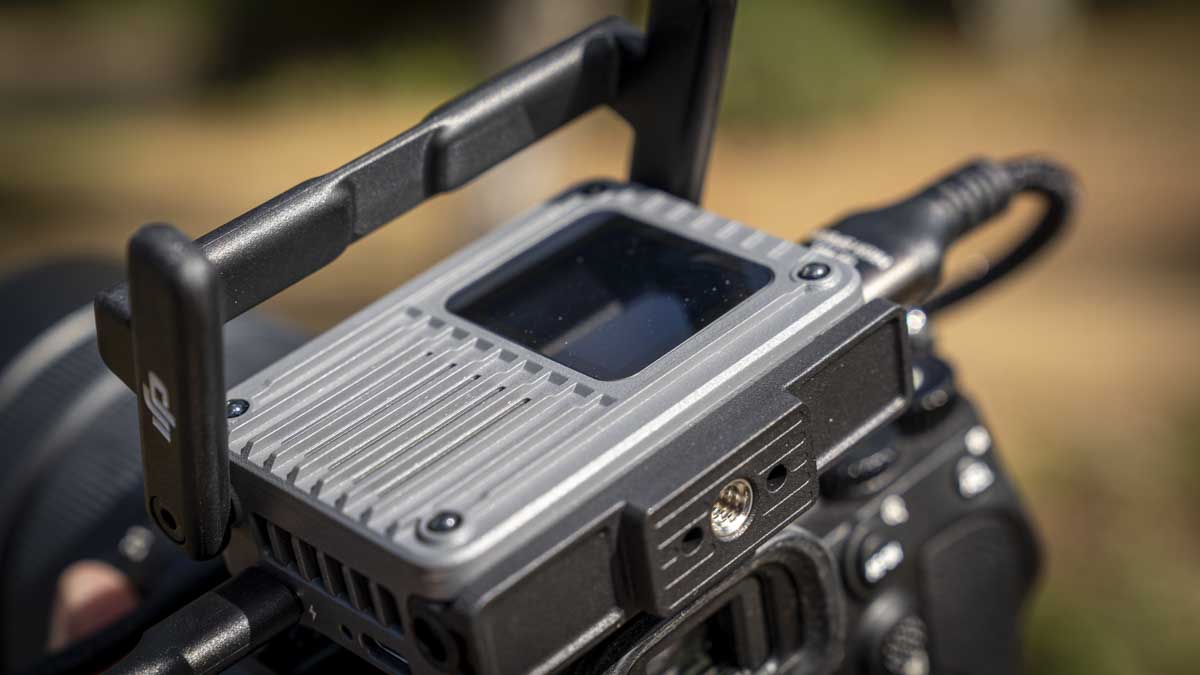
The expansion plate and cage that came with my review sample changes those figures: DJI’s own spec for that configuration is 105g and 76 x 54 x 25mm, excluding the cold shoe adapter, and it is this version that adds a 3G-SDI port (up to 1080p60), a second HDMI, three general-purpose USB-C ports and a further USB-C UVC port, plus the ability to pass power between transceivers rather than relying solely on the battery caddy.
Alongside the hardware you have the Ronin app, and this shows the closest integration of the SDR system with Ronin yet. Plug in a mobile device and, using the app, you can take full control of the Ronin and the camera, with the ability to quickly switch from one transmitter to the next, enabling you to control a series of cameras and Ronins from one place without needing people stationed behind each camera. For small and large setups this is incredibly useful, and systems like this would previously have cost tens of thousands, now it is a few hundred quid.
Features
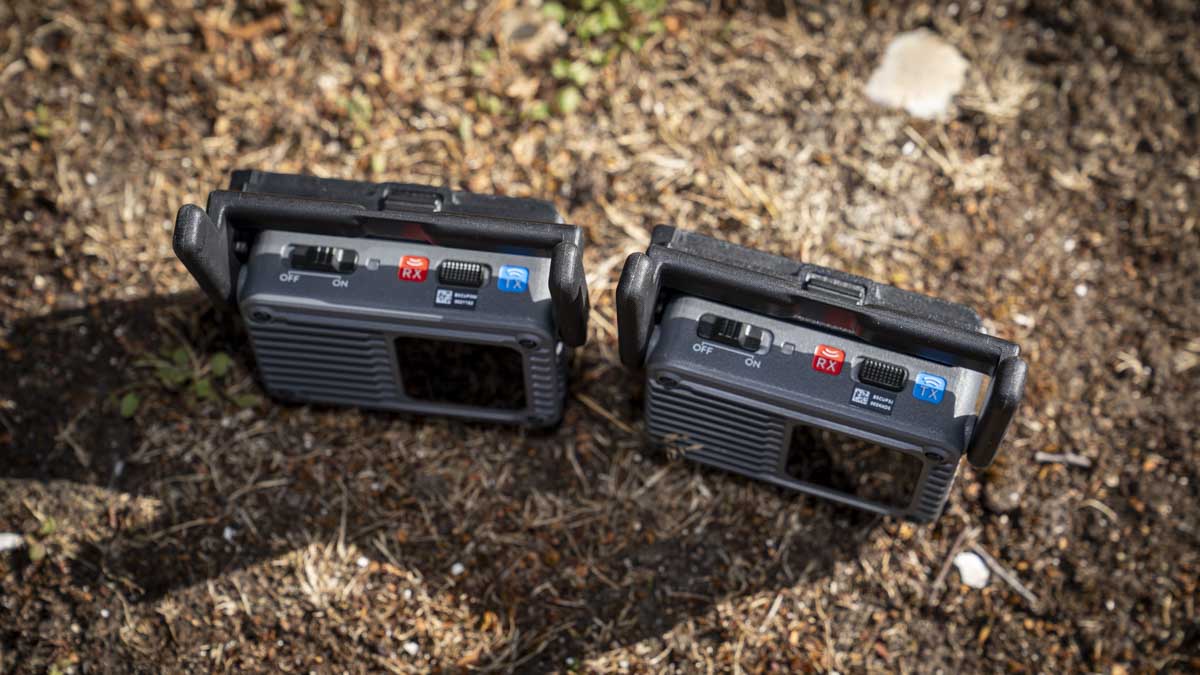
The big feature here is that the units are now switchable TX/RX transceivers, giving you far greater flexibility than the original’s fixed roles. The pairing process is straightforward: flip the switch for whichever role you want a unit to play, power it on, and the units automatically scan, find each other, and you are good to go. There is no traditional pairing between feeds, you scan, select the unit, and it is connected. I also liked that there are physical buttons on the unit and not just the touchscreen, which makes it easy to use even in low light.
You can rename each unit through the app, connecting either remotely or directly via USB, so you might end up with Receiver One, Receiver Two, and so on depending on your setup. While I could not test this myself with only two units, DJI says patching in more receivers or transmitters works the same way, scan, select, tap to confirm on the touchscreen, and it syncs.
One feature I looked at but was not able to test properly is quick source switching. If you are at the monitor looking over three to five cameras, you can select those feeds within the app and switch between them, though the app needs to be connected via USB, as far as I can tell. DJI rates one transmitter as supporting up to 8 receivers with control, and recommends no more than 5 transmitters working in the same area at once for the best connection, though it states you can push to 5 TX and 40 RX if you need to. This is quite an open network by default, so if you are working around other SDR users, you can lock your wireless transmission with a 4-digit code, so each unit connecting in has to enter it for authorisation.
The ability for one receiver to browse multiple camera feeds is the standout feature for me, and you can switch between them using the app with no repairing required, since all the transmitters are scanned and held ready. The only downside is you can only get one feed active at a time, so while you can switch quickly from one camera to the next, you cannot preview them all at once, so for a live broadcast you will still need a switcher box alongside it. Auto Channel 2.0 handles channel assignment automatically once a unit is selected, and flags conflicts if other people nearby are running the same system.
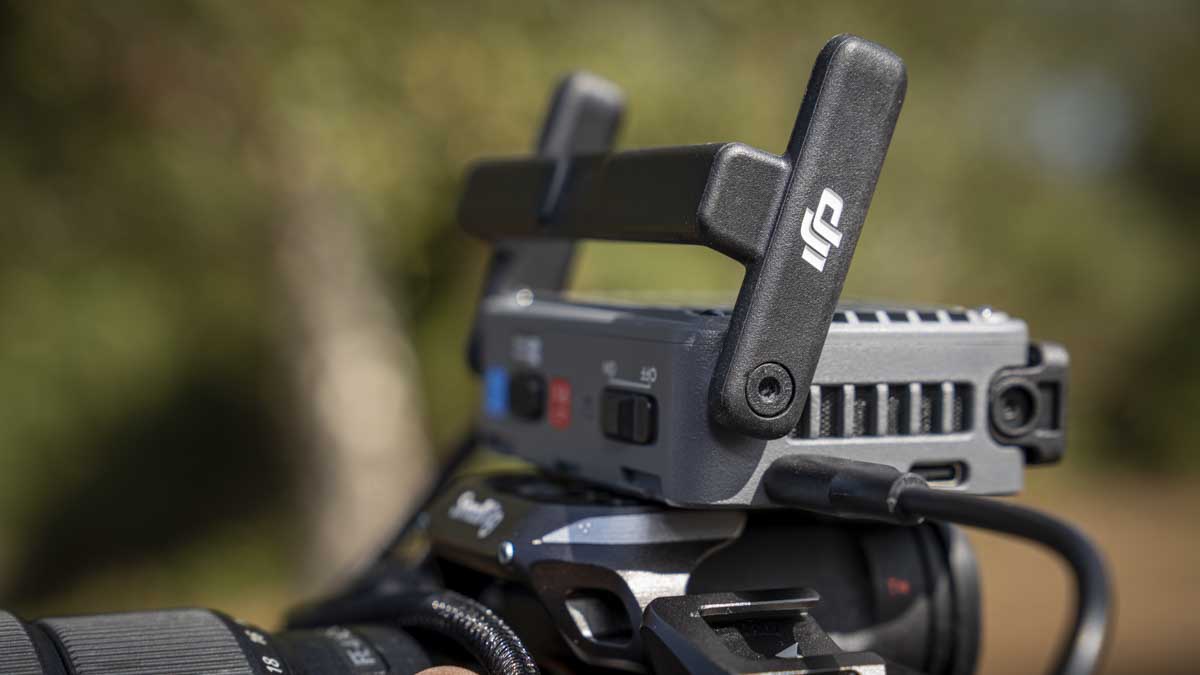
In the box with my review sample was the modular expansion plate and cage, which adds 3G-SDI alongside the HDMI standard, SDI being a more professional broadcast connector, running up to 1080p60. It also adds three USB-C connections plus a UVC USB connection, and lets you pass power between transceivers. The main transceiver itself stays small and lightweight, and the expansion plate and cage fitted neatly beneath the Ronin RS 5 when I attached it.
You can now connect an Osmo Pocket or Osmo Action directly into the SDR Transmission 2 via USB-C. You will need a few additional units to build it out, but this makes for a really small and lightweight rig, essentially a three-camera high-quality setup for less than two grand.
The app enables complete control over a connected DJI Ronin gimbal, RS 5, RS 4, RS 4 Pro, RS 3 Pro, Ronin 2 and Master Wheels are all natively supported, and over the camera itself, starting and stopping recording and adjusting exposure settings. PTP control covers aperture, shutter, ISO and photo/video triggering, and Sony’s virtual menu is accessible over CEC if your camera supports it. This is genuinely advanced remote control access to your camera and motion control rig through a system that used to just carry a picture.
The headline upgrade is resolution, up from 1080p60 to DCI 4K at 60fps, 4096 x 2160. Colour depth goes up to 10-bit with HDR transmission support, the codec is H.265, and the wireless bitrate increases from 20Mbps to 50Mbps, over two and a half times higher. Range increases to 4km, DJI’s CE-rated figure, up from 3km on the original’s SDR mode, though I have not had the chance to test that distance myself, it would be ideal for vehicle work, FPV, or very large venues. Latency stays at 35ms whether you are running 1080p or 4K.
Performance
Getting started with the SDR Transmission 2 is extremely quick, and the first thing I noticed was how much more flexibility there is in mounting these units. There is a small cold shoe mount so you can attach it directly to your camera or camera cage, and as both units are identical, the only difference is the switch you flip to set one as receiver and the other as transmitter.
To start the test, I plugged the first unit into an Atomos monitor via HDMI, added a SmallRig NP-F 970 battery through the Atomos’s own power delivery, then switched everything on and set that unit to receiver. On the camera side, I mounted the second unit with its battery caddy, an NP-F 970 for power, an HDMI cable, and the Sony A7 IV, and powered it up. Within a few seconds the monitor showed the camera feed. I walked out of the house and down the street with the camera while someone else checked the transmission, and the clarity and strength were absolutely superb, no break-up at all.
I then moved the setup onto the Ronin RS 5, running a USB-C cable from the transceiver to the RS 5, an HDMI cable from the RS 5 into the A7 IV, and a further USB cable from the A7 IV into the RS 5. Everything connected smoothly with really good clarity, but this is where the Ronin app starts to earn its keep. I swapped the Shinobi monitor for my iPhone 15, connected via USB, and the live stream came through the app, at which point I could control the RS 5’s movement, adjust exposure, and start and stop recording, all from the phone. It felt extremely professional, and with more units, this scales to a multi-gimbal, multi-camera setup controlled from one small phone.
What is really apparent, the more I use the SDR Transmission 2, is just how straightforward it is. There is nothing complex here, and the strength of connection over HDMI and SDI monitors was exceptionally good throughout. I did have a few glitches with the iPhone app specifically, the visual feed cutting out occasionally while camera and gimbal control kept working, and I eventually traced it to a slightly weak connection between my iPhone and the USB cable. If you are using this setup, make sure your phone case gives enough room for a tight fit in the USB port, since any wiggle interrupts the video feed. Once I had worked that out, performance was consistently good.
The one thing I could not properly test with only one transmitter is genuinely useful multi-camera preview, seeing a small live feed from several sources on the same screen at once rather than switching fully between them. That is where a dedicated live switcher still earns its place for now, and it is something I want to look at again once I can get hold of more units.
Otherwise, this is one of the most complete video transmission systems I have used at this price range. It is small, lightweight, and easy to use above everything else on the feature list, you plug it in, activate it, and it works, and the Ronin app is there for the more complex setups when you need them. The SDR is now a regular part of my kit, especially when lecturing or giving demonstrations, since I can use the transmitter and receiver together to give students a clear visual of what I am looking at through the viewfinder, the controls, and the effect of adjustments as I make them. On commercial shoots, having a monitor sat to the side rather than directly in front of me gives a good sense of what is going on, particularly when a second camera is filming a product while I present on the first, and the RS 5’s motion tracking makes running as a one-person crew considerably easier.
What excites me most, though, is not the mirrorless and Ronin integration, good as it is, but the Osmo Pocket compatibility. It means that before too long I could be walking around with a full framing filming crew, three cameras, three motorised gimbals, in one small backpack, and that is genuinely exciting.
Final Thoughts
DJI has addressed almost every gap I flagged in the original SDR Transmission. The switchable transceivers remove the awkwardness of carrying fixed transmitter and receiver units, the wireless signal finally carries proper 4K HDR rather than being capped at 1080p, and the Ronin app integration turns a simple monitoring link into genuine remote control over camera and gimbal. What I have not been able to confirm is UK pricing, and DJI has not published it even in its own comparison materials, so the value side of this verdict comes with that one open question attached.
Should you buy the DJI SDR Transmission 2?
Buy it if you are already inside DJI’s Ronin ecosystem, or you regularly run multiple cameras and want a wireless system flexible enough to reconfigure on the day rather than being locked into fixed transmitter and receiver units. Look elsewhere, at least for now, if you need confirmed pricing before committing, or if you specifically rely on a Wi-Fi fallback mode, since that has been dropped entirely on this generation.
Buy it if
+ You run a Ronin gimbal and want wireless camera and gimbal control built in
+ You need a compact system that scales from one camera to several
+ You want a backup-ready system where any unit can become transmitter or receiver
+ You need proper 4K HDR wireless transmission rather than a 1080p ceiling
Don’t buy it if
– You need confirmed UK pricing before committing, currently TBD
– You rely on a Wi-Fi fallback mode, dropped entirely on this generation
– You need to preview several camera feeds on one screen at once, not yet supported
– You need the 5 TX / 40 RX ceiling verified at scale, this review only tested two units
How we tested
I tested the DJI SDR Transmission 2 over, roughly a couple of weeks, using a pair of transceivers across a Sony A7 IV, a DJI Ronin RS 5, and an Atomos Shinobi II monitor, both handheld and mounted on the gimbal, with monitoring through the dedicated monitor and through the Ronin app on an iPhone 15. Testing covered HDMI and SDI-style monitoring, app-based camera and gimbal control, and source switching between two units, but not the multi-transmitter and multi-receiver claims DJI makes at scale.
Frequently Asked Questions
What is different between the DJI SDR Transmission 2 and the original?
The Transmission 2 replaces the original’s fixed transmitter and receiver units with identical, switchable transceivers, and raises the maximum wireless resolution from 1080p to DCI 4K at 60fps with 10-bit HDR. Range increases to a claimed 4km from 3km, bitrate doubles and a half to 50Mbps, and the app now offers considerably deeper Ronin gimbal and camera control. Wi-Fi, present on the original as a fallback mode, has been dropped.
Can the DJI SDR Transmission 2 units be used as both transmitter and receiver?
Yes, this is the headline change. Every transceiver can be switched to act as either a transmitter or a receiver, which means you only need to decide how many total units you need, rather than buying fixed transmitter and receiver pairs, and it gives you a built-in backup if one unit fails.
Does the DJI SDR Transmission 2 support 4K wireless transmission?
Yes, up to DCI 4K (4096 x 2160) at 60fps with 10-bit colour and HDR support over HDMI, a genuine step up from the original’s 1080p-only wireless output. SDI output, via the optional expansion plate and cage, is capped at 1080p60.