
Fast Gen4 storage with excellent power efficiency

Our Verdict

The 990 is not the drive its name suggests. Sitting below the 990 PRO, EVO and EVO Plus, it’s Samsung’s value Gen4 SSD, and it gets there by dropping the dedicated DRAM cache and moving to QLC flash. In its place is a Host Memory Buffer, which borrows a slice of your system RAM to hold the drive’s mapping tables. That is a compromise, and it is one worth understanding before you buy.
What Samsung has bought with it is power efficiency, so if you’re using this in an external enclosure, it will draw less power from the host device; in the case of this review, that’s my ever-ageing MacBook Pro M1 Max. The 990 manages 1,686MB/s per watt reading and 1,697 writing, against 1,221 and 1,254 for the 990 PRO, around 38% better.
Through the test, I found that everyday work in Photoshop and Premiere Pro was quick, and I have had no complaints about responsiveness.
My reservation is the sustained write speeds over time. QLC flash and a DRAM-less design both point the same way: fine in short bursts, slower once the SLC cache fills. For a photographer dumping a day of cards that matters more than any headline figure, essentially the downloads start fast and then slow down, however, with max trasnfer rates up in the 7000MB/s and the port limited the transfer rates I did see as I downloaded hundred of images was still impressive.
Who it’s for: photographers and video editors who want a fast, efficient Gen4 drive for general storage and read-heavy work, and who are not routinely writing very large files in one go.

What is the Samsung 990 2TB?

The naming needs explaining, as it confused me at first. Samsung’s 990 family already contained the 990 PRO, the 990 EVO and the 990 EVO Plus. The plain 990 doesn’t start a new generation; it slots in underneath them as the entry drive in the range, so you’d think that would be the first to be released.
It pairs Samsung’s own PiccoloQ controller with V9 QLC flash in a DRAM-less design that relies on Host Memory Buffer. That means it borrows a slice of your system’s RAM to hold the address-mapping tables that a drive like the 990 PRO keeps in its own dedicated DRAM.
Both choices are cost decisions, and both affect performance, at least on paper. QLC flash stores four bits per cell against TLC’s three, which makes it cheaper per gigabyte but slower to write and less durable, hence 800TBW here against the PRO’s 1,200TBW at the same capacity, and a three-year warranty rather than five. HMB works well in everyday use but has less to draw on under sustained load.
Samsung SSD 990
None of that makes it a bad drive. It makes it a drive with a specific job, and that job isn’t the same as the PRO’s.

Specifications

Model: MZ-V9V2T0
Capacity: 2TB
Form factor: M.2 2280, single-sided
Interface: PCIe 4.0 x4, NVMe 2.0 (backward compatible with PCIe 3.0)
Controller: Samsung PiccoloQ, in-house
NAND: Samsung V9 QLC
Cache: Host Memory Buffer — no onboard DRAM
Sequential read: Up to 7,250MB/s (rated)
Sequential write: Up to 6,450MB/s (rated)
Random read: Up to 850K IOPS (rated)
Random write: Up to 1,200K IOPS (rated)
Endurance: 800TBW
Power: 4.3W read, 3.8W write (rated)
Encryption: Class 0 AES 256-bit, TCG/Opal v2.0, MS eDrive (IEEE1667)
Heat spreader: None fitted
Weight: 9g (measured)
Warranty: Three years

Build quality?

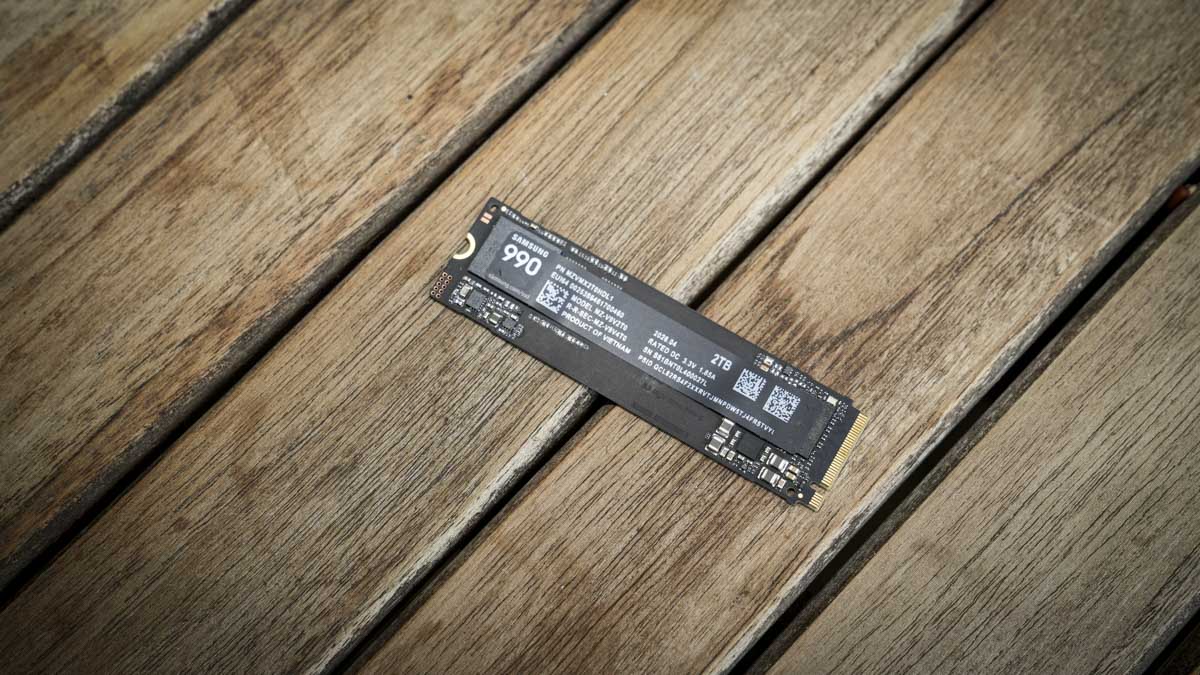
The 990 PRO is a standard M.2 2280 stick, 80 x 22 x 2.3mm and a maximum of 9g, so it disappears into any slot built for that format. It’s a PCIe 4.0 x4 drive running the NVMe 2.0 protocol, and Samsung sells it in 1TB, 2TB and 4TB capacities, with the 2TB unit the one I’ve got in for testing (model MZ-V9P2T0BW).
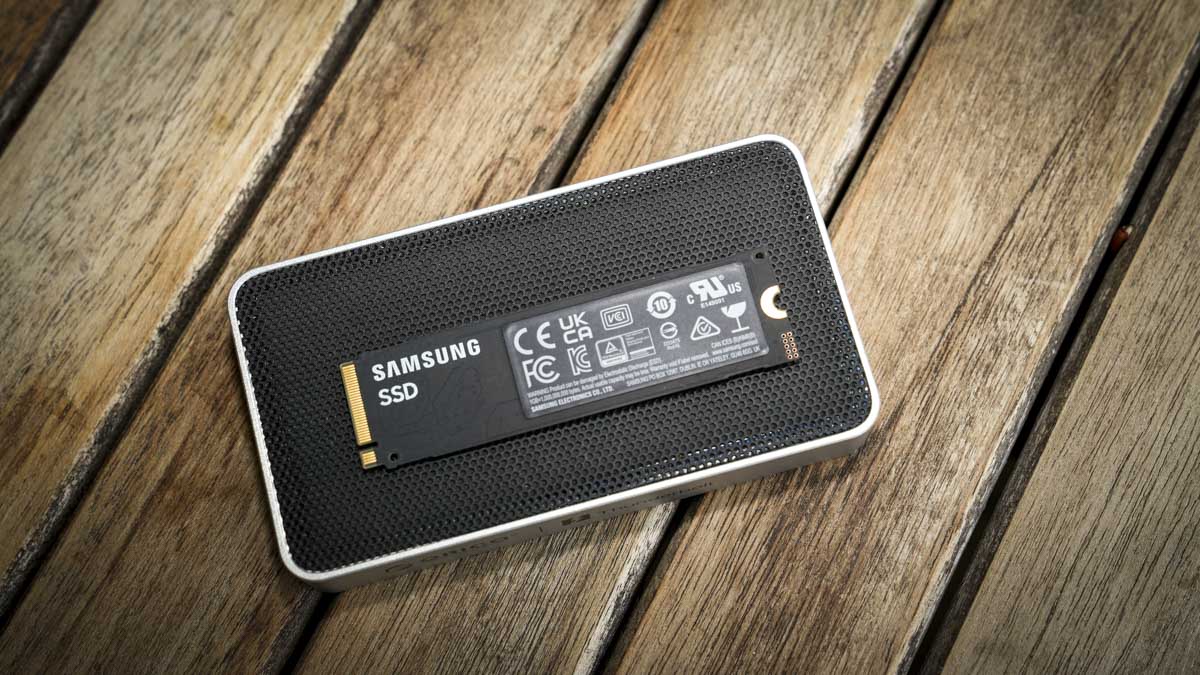
Samsung SSD 990 There’s no heatsink in the box. Samsung’s own heatsink edition exists if your motherboard doesn’t have one built in, and that’s the version to buy if you’re not sure. The controller is nickel-coated under a heat-spreader label, working with what Samsung calls Dynamic Thermal Guard to manage heat under sustained load rather than relying on a chunk of metal.

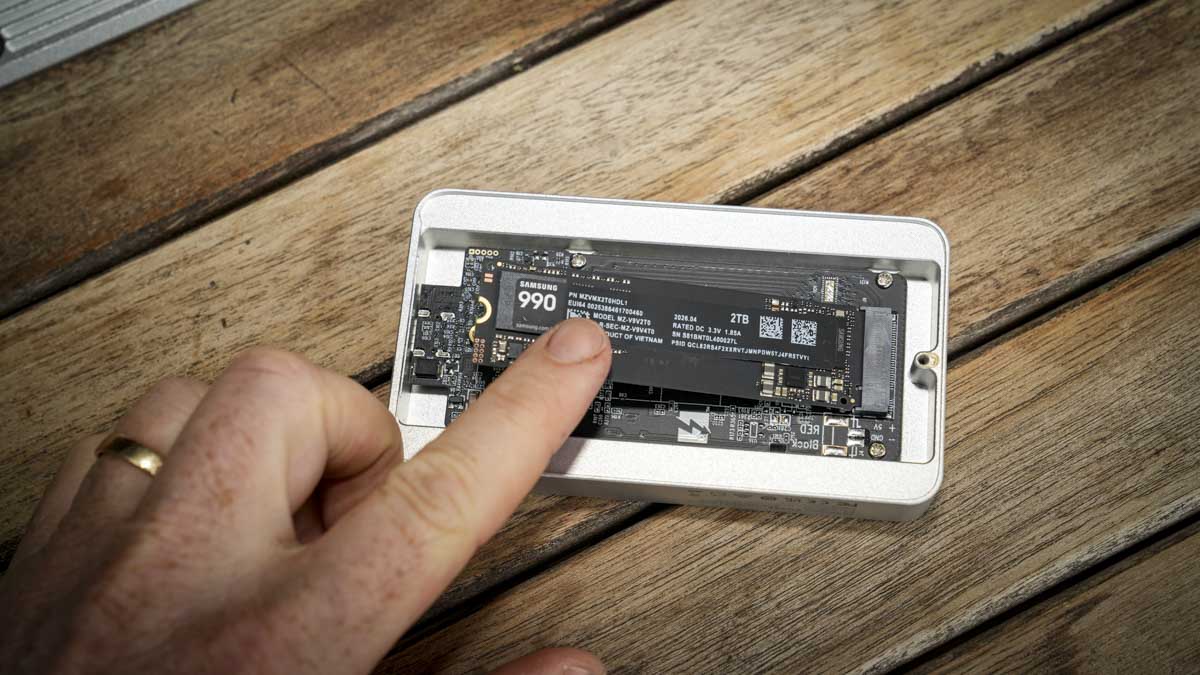
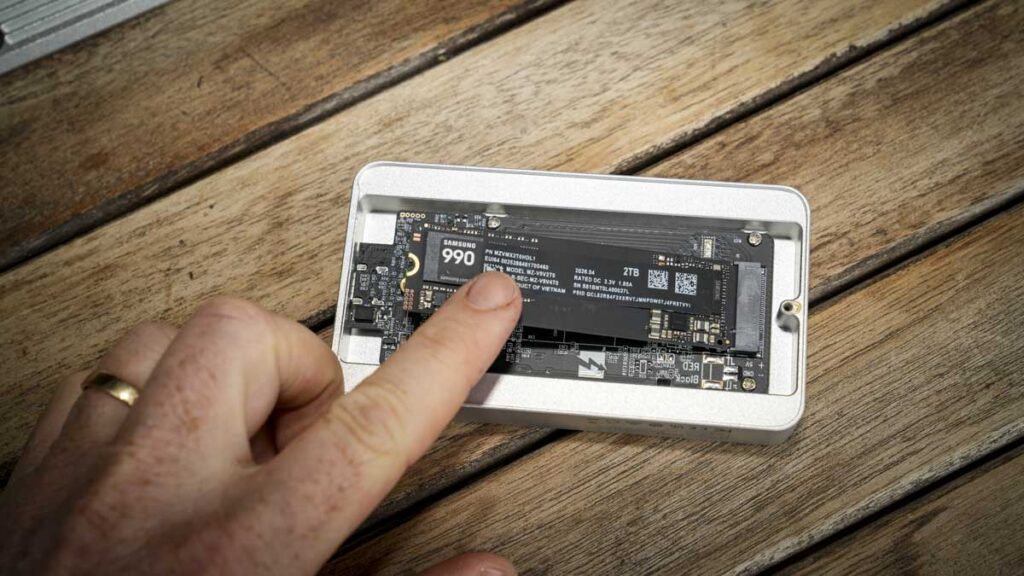
Fitting it is as straightforward as any M.2 drive, tool-free into a compatible slot, and I’ve had no trouble sliding it into the ORICO Thunderbolt 5 X50 enclosure I’m using for the initial testing.

Features
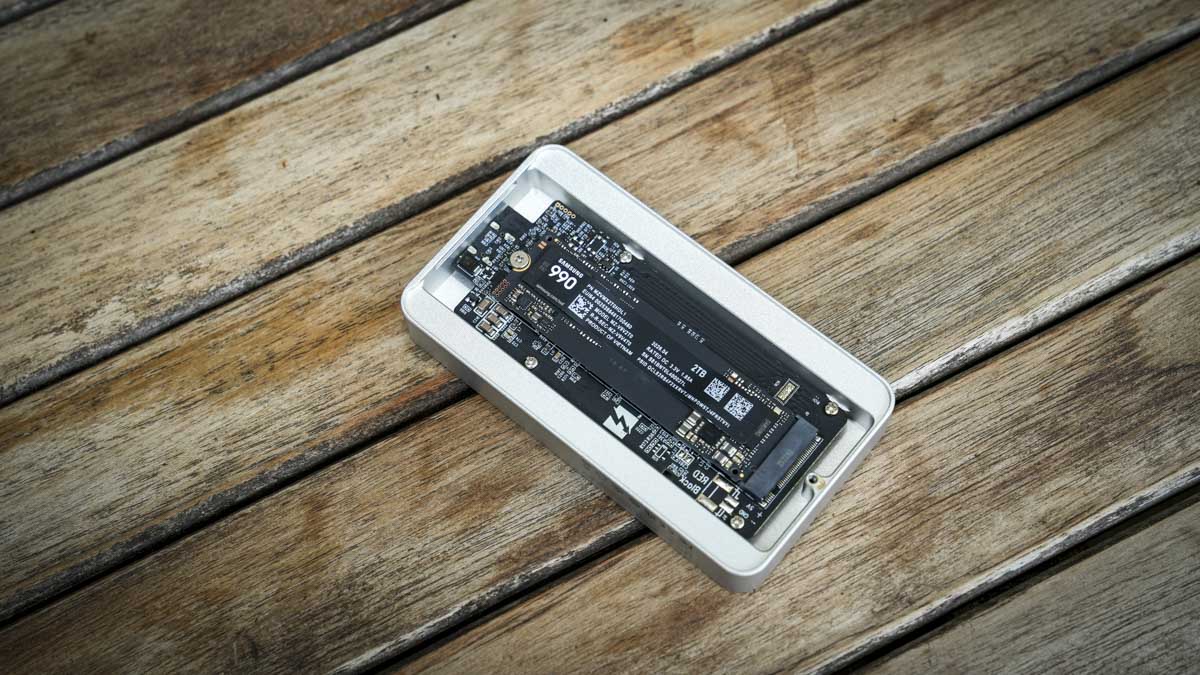
The feature list on a value drive is necessarily shorter than on a flagship, and Samsung has been sensible about what it kept.
Efficiency is the headline, and the figures are genuinely impressive. Samsung quotes 1,686MB/s per watt reading and 1,697 per watt writing for the 2TB model, against 1,221 and 1,254 for the 990 PRO. That is roughly 38% better performance per watt, and it is the clearest argument for this drive over its more expensive sibling, particularly in a laptop, where it means less heat and better battery life, or in a bus-powered enclosure where thermal headroom is limited.
Encryption is unchanged from the flagship: Class 0 AES 256-bit, TCG/Opal v2.0 and MS eDrive. Samsung has not cut corners there.
Samsung SSD 990
Magician, which you download separately, remains one of the best drive-management tools I have used from any brand. Drive-health monitoring, firmware updates, benchmarking, optimisation, TRIM and S.M.A.R.T. support all sit in one place, and it has never failed to find a firmware update or misreport a drive’s health for me.
PCIe 5.0 drives are becoming more common, but PCIe 4.0 M.2 slots still dominate, and for both stills and video, the compatibility here will match the vast majority of what you need.

Performance

Everything I have measured so far went through the ORICO Thunderbolt 5 X50 enclosure connected to my MacBook Pro M1 Max, and that host negotiates at Thunderbolt 4.
One of the main reasons for focusing in on the use of this in an enclosure is that it draw very little power compared with some of the more expensive options, therefore meaning that it’s resources for running don’t rely so heavily on your laptop. My MacBook features a Thunderbolt 4 port so there’s already some bottle necks on speed, but as you’ll see the results are still impressive.
AJA System Test Lite: 2,674MB/s read, 2,906MB/s write
AmorphousDiskMark: 3,438.87MB/s read, 2,600.52MB/s write
Blackmagic Disk Speed Test: 2,626.9MB/s read, 3,132.0MB/s write
None of that is close to Samsung’s rated 7,250 and 6,450MB/s, and none of it is the drive’s fault. Thunderbolt 4 negotiates at 40Gbps, which is 5,000MB/s in theory before overhead, and I have seen this exact ceiling before. When I reviewed the ORICO enclosure itself I ran a Crucial T710 through the same case on the same M1 Max and recorded 2,958MB/s read and 1,848MB/s write on AJA, 3,415.83 and 1,726.83MB/s on Amorphous, and 2,989.5 and 2,921.5MB/s on Blackmagic. Two very different drives, the same enclosure, the same machine, the same issue. That issue is the Mac’s Thunderbolt 4 port.Samsung SSD 990
The number to plan around from this test, then, is not a drive figure at all. It is roughly 2,600 to 3,400MB/s, which is what any fast PCIe 4.0 drive will return through this enclosure on a Thunderbolt 4 host. If that is your setup, expect that ceiling with whichever drive you fit, and it is still comfortably quick for real work.
One result needs explaining rather than shrugging off. AJA and Blackmagic both showed write outpacing read, which is backwards from what a drive normally does. The likely explanation is that the SLC cache absorbs the short write bursts these tools generate, while the read side has no equivalent cache to lean on and shows something closer to the link’s actual ceiling.
On a QLC drive that matters more than it would on a TLC one. QLC flash writes slowly in its native state, and the pseudo-SLC cache is what hides that. Fill the cache with a large sustained write and the drive falls back to native QLC speed, which can drop dramatically. That is the single most important test remaining, and it is the one that will decide whether this drive suits a photographer’s offload workflow.

I’ll update the review shortly with the test results inside a PC rather than through an exterior enclosure.

Final thoughts
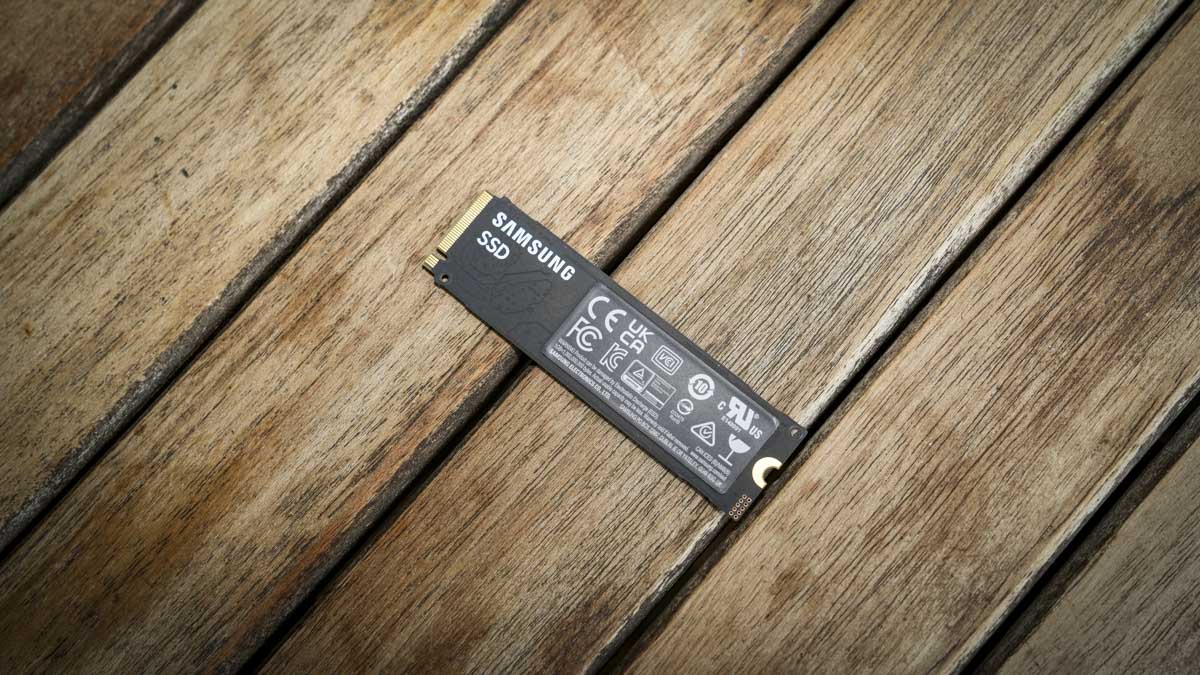
The 990 is a more interesting drive than its position in Samsung’s range suggests, but it is not the drive to buy on the strength of the name alone. Dropping the DRAM and moving to QLC has bought a genuine efficiency advantage over the 990 PRO, and in a laptop or a small enclosure that is worth having. Everyday responsiveness and speed have been excellent, the encryption support is still there, and Magician remains the best drive software out there, which, as photographers, is definitely worth taking note of.
Samsung SSD 990
What it has cost is headroom. Eight hundred terabytes of endurance against the PRO’s 1,200, three years of warranty against five, and a design that will slow under sustained write in a way a DRAM-equipped TLC drive will not. Whether that matters depends entirely on how you work.

Should you buy the Samsung 990 2TB?

Buy it if you want a fast, efficient Gen4 drive for general storage, game installs or read-heavy creative work, and you value low power draw and low heat — in a laptop or a compact enclosure, this is a genuinely sensible choice. Look elsewhere if you routinely write very large files in one go, want the endurance and warranty of a TLC drive with dedicated DRAM, or need PCIe 5.0 headroom. For sustained professional write workloads, the 990 PRO remains the better buy despite costing more.

Buy it if
+ You want excellent performance per watt in a laptop or enclosure
+ Your work is read-heavy rather than write-heavy
+ You want Samsung reliability and Magician at a lower price
+ You are adding general project or archive storage
Don’t buy it if
– You regularly write very large files in a single pass
– You want TLC flash and dedicated DRAM
– You need a five-year warranty and higher endurance
– You specifically want PCIe 5.0 headroom

Alternatives

Samsung 990 PRO: the step up, with dedicated DRAM, TLC flash, 1,200TBW endurance and a five-year warranty. Faster on paper at 7,450 and 6,900MB/s, and the one to choose if sustained write performance matters more than efficiency.
Samsung 990 EVO Plus: sits between the two, with dual PCIe 4.0 x4 and PCIe 5.0 x2 support, which gives it a route onto a newer platform later.
Crucial T710: the drive I tested in the same ORICO enclosure on the same MacBook Pro M1 Max, making it a useful direct comparison since it hit the same Thunderbolt 4 ceiling.

How we tested

I tested the Samsung 990 2TB over a week, fitted to an ORICO Thunderbolt 5 X50 enclosure and connected to my MacBook Pro M1 Max over Thunderbolt 4, alongside everyday use in Photoshop and Premiere Pro. Benchmarking covered sequential read and write using AJA System Test Lite, AmorphousDiskMark and Blackmagic Disk Speed Test. A native PCIe 4.0 test on an ASUS Prime motherboard, including a sustained write test past the SLC cache, is still to run.