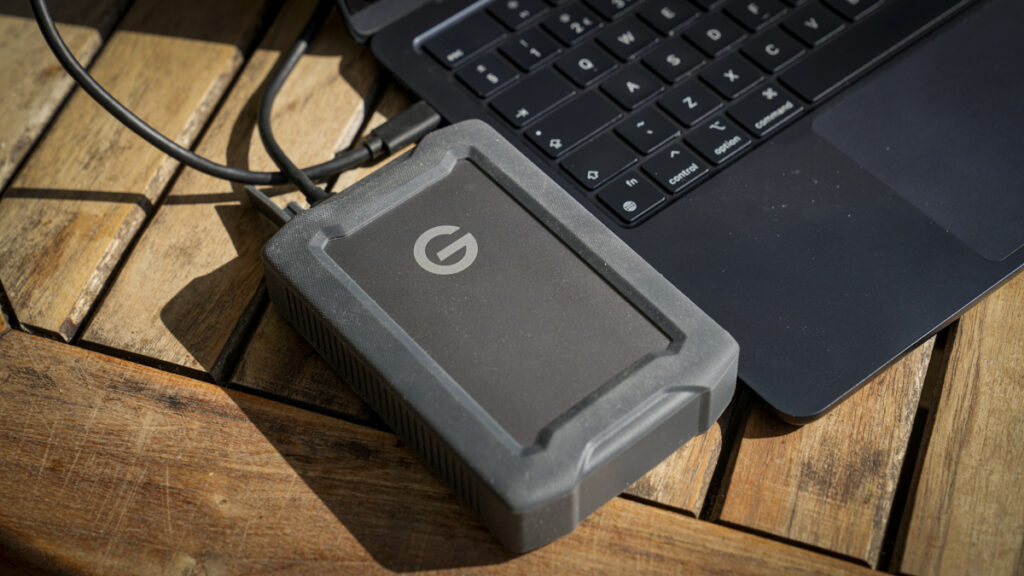

The G-DRIVE ArmorATD 5TB is rugged, high-capacity storage for photographers working beyond the studio.
Our Verdict
I’ve had the 5TB G-DRIVE ArmorATD in my kit for three months now, and it’s become the drive I reach for when something needs backing up, and I don’t want to think twice about it. It’s a rugged, all-terrain portable hard drive built to withstand the sort of knocks, rain, and dust I often encounter while working, and with 5TB capacity, it can store a huge amount of RAW/JPEG files and 4K footage from my Sony A7 IV.
It’s worth pointing out from the start that this is a spinning hard drive (HDD), not an SSD, so while it’s never going to be as fast as a modern portable SSD, you get loads of storage for a fraction of the price.
That speed is considerably slower than I’ve come to expect with the latest SSD portable hard drives, and during the test, it settled at around 100 MB/s, which is exactly what you’d expect from a drive like this. That is slower, but then for backing up and archiving, that’s perfectly fine.
The other point is that, as an HDD, it is larger, but with the rubberised outer and tough build, there’s plenty of protection, and it comes with a decent three-year warranty that adds a bit of peace of mind.
What is the G-DRIVE ArmorATD 5TB?
The G-DRIVE ArmorATD is a rugged, portable hard drive built around a standard 2.5-inch mechanical HDD. The point of this drive is that it is designed for photographers and videographers who need dependable, high-capacity storage that can handle use in the field as well as in the studio.
In this review, I have looked at the 5TB version, which is towards the top of the range, with capacities of 1, 2, 4, 4, 5 and 6TB, with a price that is aimed at creatives who generate a lot of data and need somewhere robust and cheaper than the equivalent SSD to back it up while away from the studio.
The drive connects via USB-C at USB 3.2 Gen 1 speeds and is compatible with Thunderbolt 3, 4 and 5, so it’ll plug into most modern machines without any issues. Through this test, I plugged it into the usual MacBook Pro M1 Max and the ASUS ProArt P16 and ProArt Desktop, both fitted with Thunderbolt 5.
When the drive arrived, it was formatted for Mac, which means it’s Time Machine-ready straight out of the box. If you’re a Windows user, then you’ll need to reformat it first, which takes a few seconds, and then it’s ready to go.
Where this drive sits in the production workflow is that you can think of a portable SSD as the tool for editing and fast transfers; the ArmorATD is a backup and archive drive. What I like about the whole design is that it has been built around durability and capacity rather than speed. If you want somewhere tough with a decent capacity to keep your footage and RAW files safe, then this is a great option.
Specification
Capacity: 5TB
Storage type: HDD (2.5-inch)
Interface: USB 3.2 Gen 1 (5Gbps), Thunderbolt 3 compatible
Connector: USB-C
Claimed read speed: up to 130MB/s
Dimensions: 133 x 89 x 32mm
Weight: 380g
Durability: IP54 rain/dust resistance, 1,000lb crush resistance, 1m drop resistance
In the box: drive, USB-C to USB-C cable, USB-C to USB-A cable, quick start guide
Compatibility: macOS 11+ (Time Machine ready), Windows 10+ (via reformat)
Warranty: 3-year limited
Model: SDPH81G-005T-GBA1D
Price: around £179
Storage type: HDD (2.5-inch)
Interface: USB 3.2 Gen 1 (5Gbps), Thunderbolt 3 compatible
Connector: USB-C
Claimed read speed: up to 130MB/s
Dimensions: 133 x 89 x 32mm
Weight: 380g
Durability: IP54 rain/dust resistance, 1,000lb crush resistance, 1m drop resistance
In the box: drive, USB-C to USB-C cable, USB-C to USB-A cable, quick start guide
Compatibility: macOS 11+ (Time Machine ready), Windows 10+ (via reformat)
Warranty: 3-year limited
Model: SDPH81G-005T-GBA1D
Price: around £179
Build and Handling
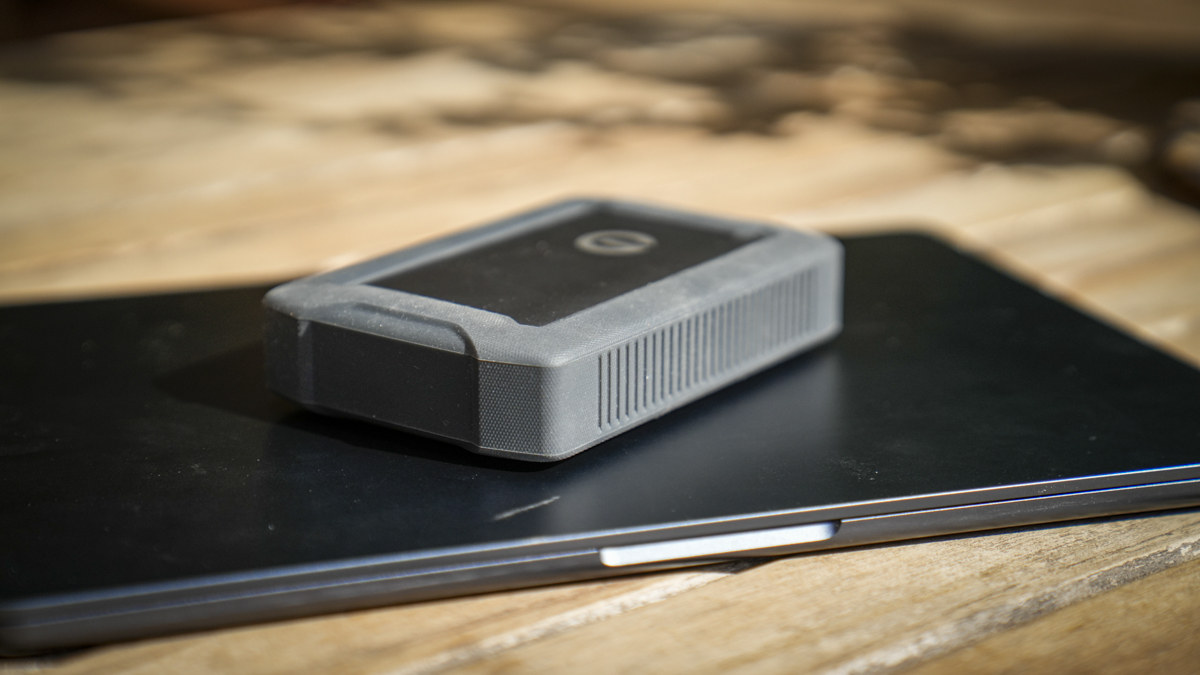
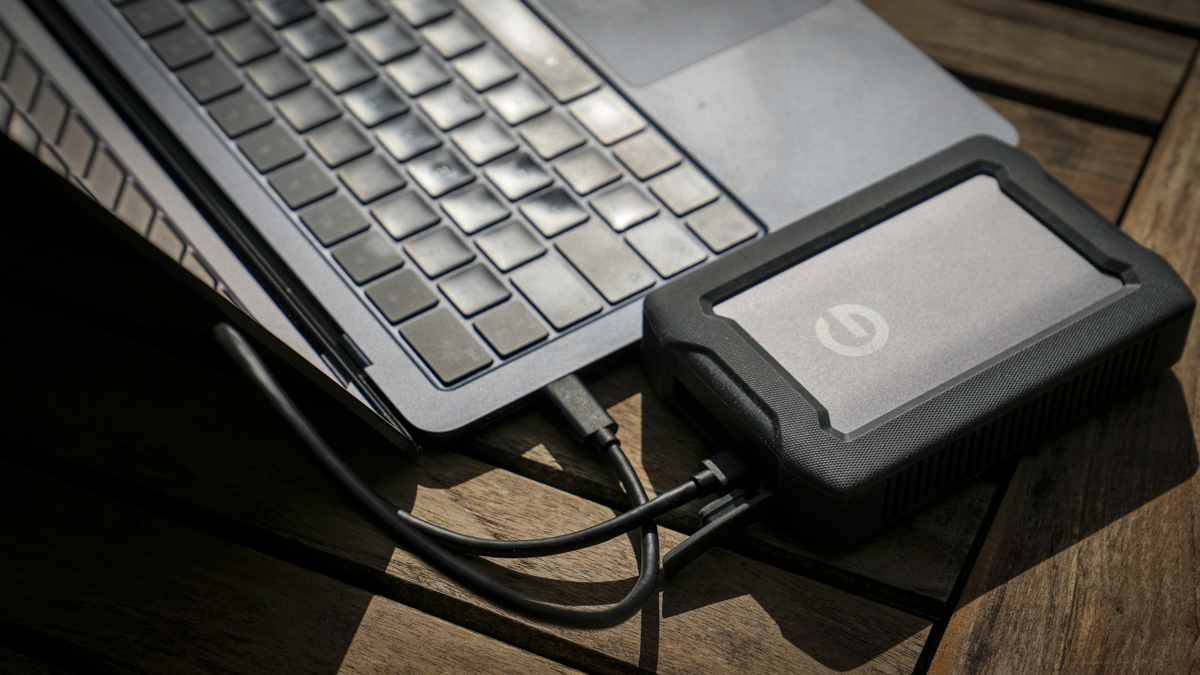
Picking up the ArmorATD, the first thing I noticed was just how well-made and solid it is, with a tough drive and rubberised edging that offers additional protection. The drive itself is contained within an anodised aluminium enclosure, which is itself wrapped in a thick, rubberised bumper to protect it if dropped, or at least to soften the fall. Ultimately, this build quality ensures that it’ll withstand more than most if thrown into my kit bag with the rest of the kit.
That rubber exterior is also nice and grippy, which makes it easy to handle, and if you place it on a surface, it tends to stay put, even at an angle. What’s more, in the construction of the drive, there’s internal shock mounting that further helps protect the HDD’s mechanism when it gets knocked around a bit.
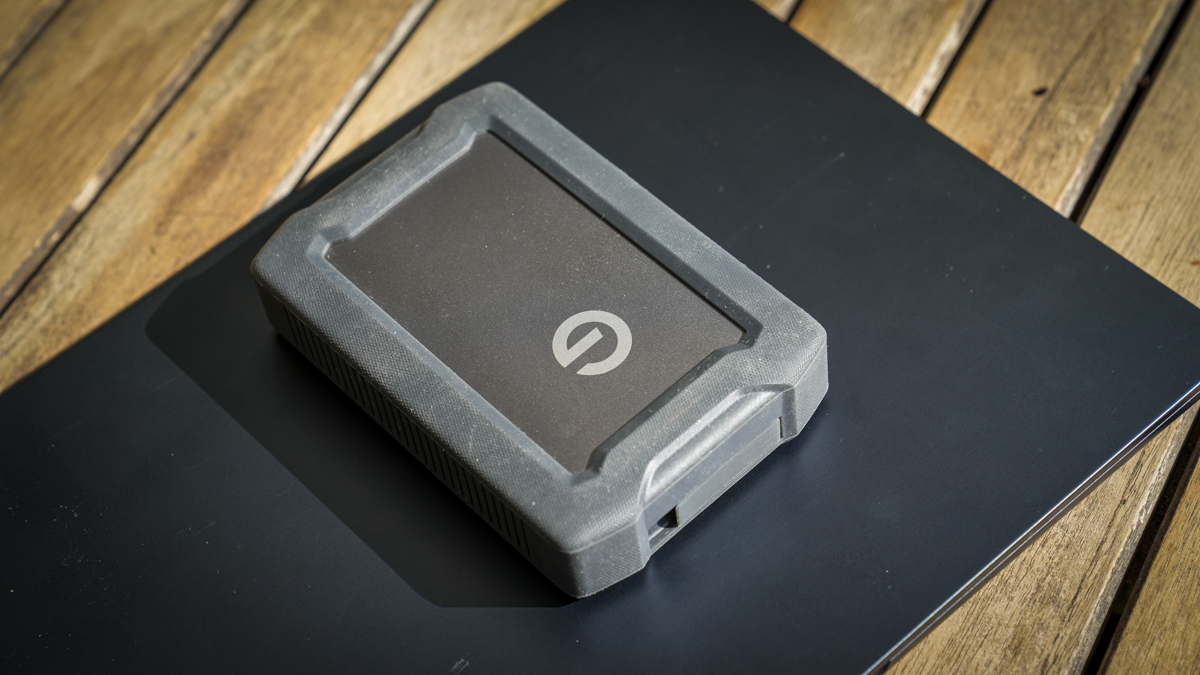
As this drive is designed to be tough, or at least tougher than most HDDs, reinforcement and protection come at a cost, adding to the overall bulk and weight. At 380g and 133 x 89 x 32mm, it’s noticeably heavier and thicker than a bare portable HDD, and far larger than a standard SSD. Through the test, I also found that the additional weight compared with an SSD action works in its favour, as it sits still and doesn’t move around or sit at an angle due to the way I’ve positioned the cable, which is often a slight issue with lightweight SSDs.
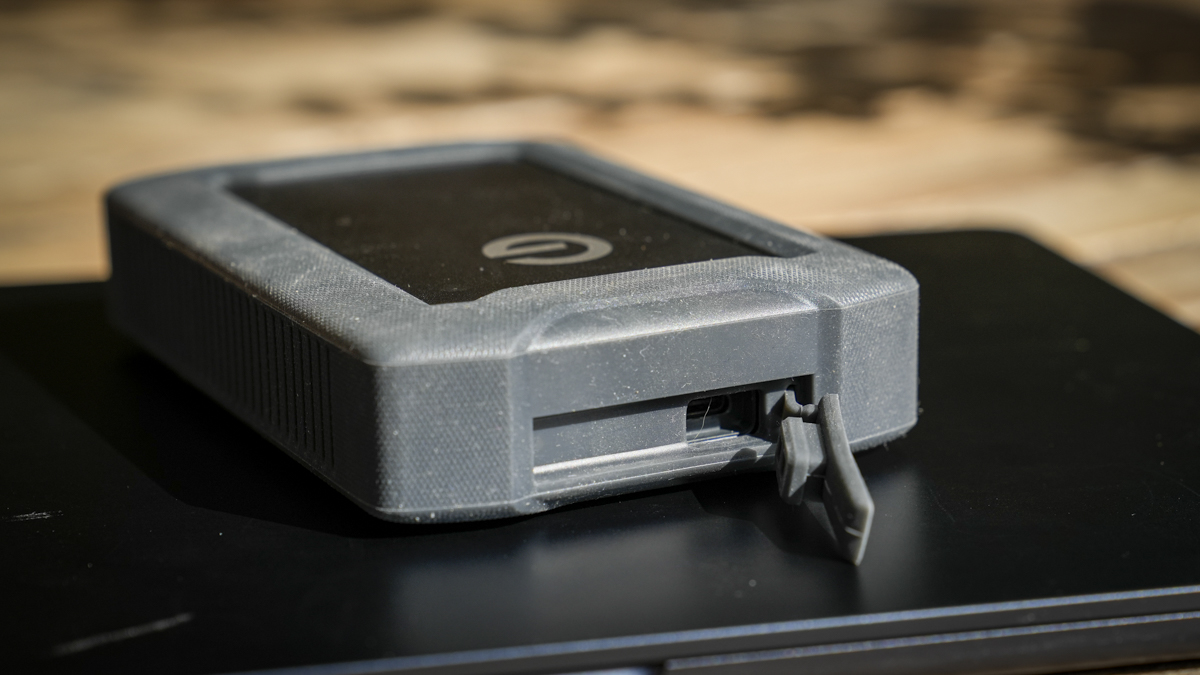
Taking a look at the body of the drive, it’s all kept simple with the USB-C port recessed into the body and protected by a rubber flap connected to that protective exterior wrap. The port is a standard USB-C, so as long as you have a cable with your kit that’s USB3.2 Gen 1 compatible, then you should be good to go. Of course, cables in the box, but if, like me, you have a cable aplenty, knowing that it has wide compatibility is useful. If you do need cables, there are USB-C-to-USB-C and USB-C-to-USB-A cables, so whichever machine you have, one of these will connect.
When it comes to aesthetics, I rather like the simple rectangular shape and rugged look; the size and shape mean it slots neatly into my backpack, and when it’s used, it stacks tidily and, most importantly, doesn’t slide off surfaces. After three months of being carried around and used regularly, this review sample shows some wear, but, surprisingly, after a wipe-down for the photos, it cleaned up surprisingly well.
Features
The G-DRIVE ArmorATD is instantly recognisable as a rugged drive, and, alongside its use of tough materials, it is styled to match. However, it’s not just about aesthetics; this drive actually has some pretty decent credentials, including IP54 rain and dust resistance, so it’ll handle being caught in a rain shower without too much issue. IP54 simply means the drive is resistant, not waterproof, so don’t go throwing it into a stream to test the water resistance. Alongside that resistance is the fact that it’s also rated to survive a one-metre drop and up to 1,000lb of crush resistance, so if you want to stand on it, you can, although I don’t think that’s the point!
If you’re a working photographer or videographer, then those ratings can give you a bit of confidence that the drive will survive being carried with you on shoots away from the studio, and here at camera jabber, I had it as my backup drive in the kit bag when testing other kit and on a few recent professional shoots elsewhere.
Knowing that it’s water-resistant and knock-proof is reassuring for a field backup drive, and while it still can’t really compete with the durability of SSDs, when you look at the cost-to-capacity ratio, a drive like this makes a huge amount of sense. Look at a 4TB SSD, and you’re looking at £450 or more, so over double the price of this.
I will just pop back to the connectivity side, and that one USB-C port is Thunderbolt 3-compatible as well as being bus-powered, so there’s no separate power supply to carry; the drive essentially draws what it needs from the machine it’s plugged into, which will drain your computer battery a little quicker, but at the same time is far more convenient for field use.
As previously mentioned, the drive comes Mac-formatted and, as a backup drive, is, of course, Time Machine compatible, which, for Apple users, makes this a simple plug-and-play setup. When it comes to support, there’s a three-year limited warranty just in case something goes wrong.
Performance
On my Mac, getting started was as simple as plug-and-play, and if I wanted to use it with a PC running Windows or Linux, it would just need a quick reformat. Through this test, I used my MacBook Pro M1 Max, and, running the usual set of tests, the ArmorATD returned 103 MB/s read and 94 MB/s write on the AJA System Test, and 99 MB/s read and 90.9 MB/s write on the Blackmagic Disk Speed Test. That’s a touch under the claimed 130MB/s, but perfectly in line with what a 2.5-inch mechanical drive of this capacity would do when tested in the real world. What was impressive was that it maintained this speed for 30 minutes.
These days, I am most definitely spoiled by portable SSDs and the incredible speeds that they offer. The difference in those transfer rates is stark: an SSD will be many times faster, and there’s no getting around that. At the same time, they’re incredibly expensive, and for simple mass storage backup, this drive perfectly balances what’s needed.
For backing up a card full of RAW files from the Sony A7 IV at the end of a shoot, or copying a footage archive over to keep it safe, the ArmorATD’s speeds are perfectly good. The transfer rates proved consistent and reliable, and large files were copied without issue.
There are, of course, times when you can feel the limitations, and while this can be a useful drive for editing images and some video, editing 4K footage directly can be slow. I did think that running a large Lightroom catalogue from it would be an issue, and while thumbnails took a while, it actually coped OK. However well it coped with Lightroom, that’s not what this drive has been built for, and if that’s what you’re expecting, you’re going to be disappointed. However, if you have a smaller, cheaper 1TB for working and editing, and this is for backup, it makes perfect sense.
What I will highlight is that filling 5TB takes a while at these speeds; in this test, transferring nearly 5TB to the drive took several hours. I can’t give an exact time as I was doing something else, but suffice it to say it was hours. However, if you’re using something like Time Machine for machine backups, then after the main backup is in place, incremental additions after each shoot are far quicker.
Final Thoughts
After three months with the G-DRIVE ArmorATD 5TB, it has more than proved itself as a solid backup and occasional working drive. The fact that it has that huge 5TB of internal storage makes a huge difference, so when the card starts to fill, you can offload to this drive whenever you need.
I also found it useful that if I had several video edits, I could copy them to the drive and then back up to the NAS when I got home.
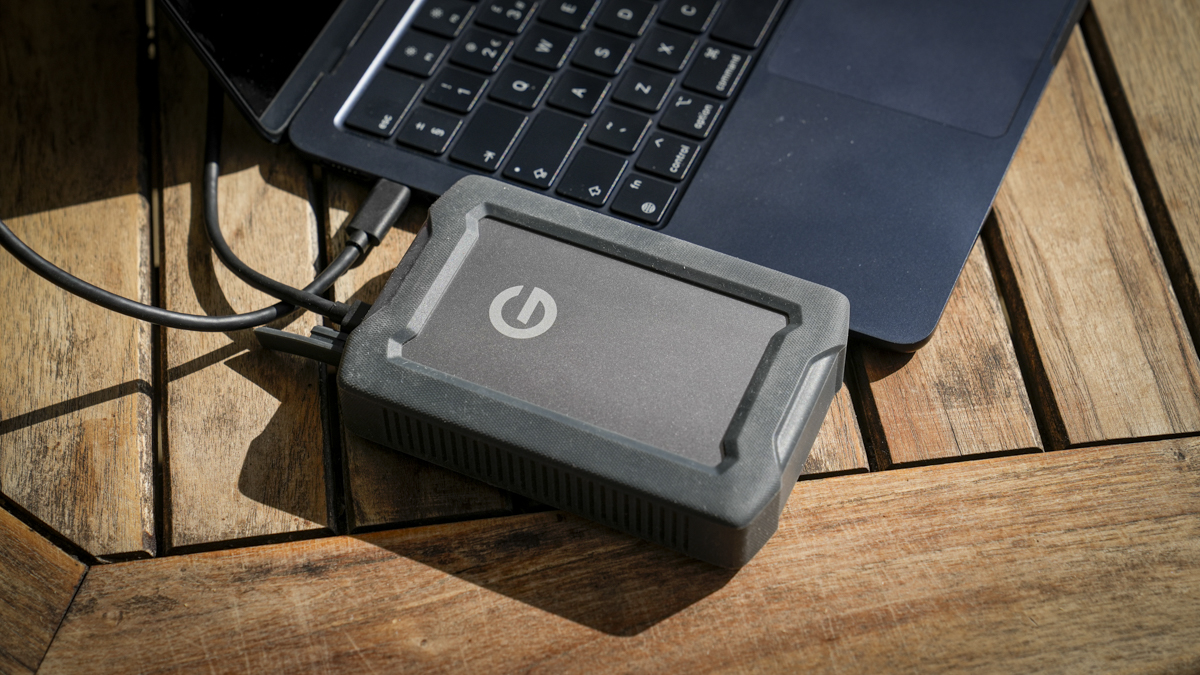
One of my worries about this drive is that it’s an HDD, and compared with SSDs, it can be delicate when carried around. However, advances in technology and design have made this drive exceptionally tough, and it has continued to work without issue over the three months of use.
Really, if you are looking at this drive, then speed is the thing to understand. This is a mechanical hard drive, so it’s slower than an SSD, but that makes it less than half the price, making it an excellent value for money.
At around £179 for the 5TB, it’s not the cheapest way to buy 5TB of storage, and you are paying a premium for the ruggedness and, of course, the G-Drive brand. But if you’re a working photographer or videographer and you need a genuinely tough, high-capacity drive to keep your work safe out in the field, it’s definitely money well spent.