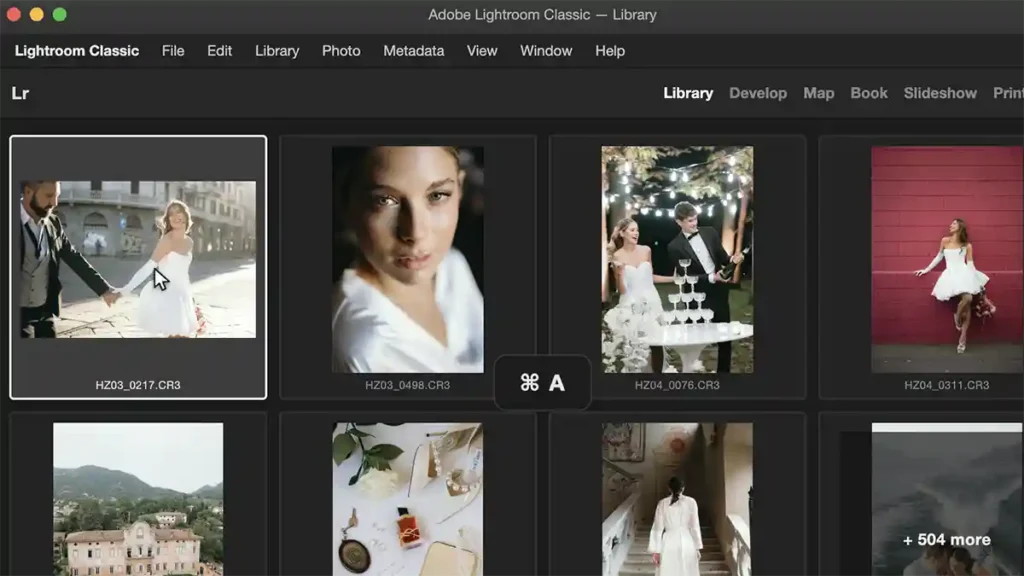

If you photograph schools, sports teams or nurseries, you’ll know the tedium that Neurapix has just gone after. It isn’t the editing, it’s the cropping, setting the same frame individually across hundreds of near-identical portraits. Neurapix Studio Crop, out now as a feature of the company’s Lightroom Classic plugin, does that job in one pass, and edits the series in your own style while it’s at it. Details are on Neurapix’s site.
What it does
Studio Crop applies a predefined crop across an entire series of portraits. You decide how tightly the subject sits in the frame, a little room around them, a half body, or a three-quarter portrait, and the AI recognises the person and applies that framing to every image in the shoot. Neurapix is clear that it does this without capturing any biometric data, which is worth stating for anyone photographing children.
You set it once in the usual editing dialog, tick the box, and the whole series runs through without further input. Crucially, the crop happens alongside Neurapix’s existing party trick, editing the batch in the photographer’s own learned style, so a school shoot comes out cropped and graded in a single automated pass.
The eye-line detail is the clever bit
Two things lift this above a simple auto-crop. You can pick the aspect ratio freely, 2:3, 4:5, square 1:1, or 9:16 straight away for clients who want social stories and reels. And there’s an “Align to eyes” option that puts the eye line at the same height in every frame of a series.
That last one is the detail a working portrait photographer will appreciate most. On a class or team set, consistency is what makes the final gallery look professional rather than thrown together, and matching the eye line across dozens of children is fiddly, repetitive work by hand. Automating it is a genuine time-saver, and it’s the sort of unglamorous fix that actually earns its place in a workflow.
What it costs, and the honest caveat
Studio Crop is part of the Neurapix Lightroom Classic plugin and arrives automatically with an update or a fresh install. On the Neurapix Unlimited plan it’s included at no extra charge. On Pay-per-Picture it adds 1 cent per image, taking the maximum to 5 cents per photo, which for high-volume school and sports work is negligible against the time saved.
Worth being clear about what this is and isn’t. It’s a batch-portrait tool, aimed squarely at high-volume, repeatable shoots, and Neurapix says its existing general AI crop, tuned for composition in reportage work, stays unchanged for everything else. It also lives inside Lightroom Classic, so it’s no use to anyone who’s moved to another editor. And as with any AI framing, I’d want to see how it handles the awkward cases, an unusual pose, someone half-turned, a child who won’t sit still, before trusting it unsupervised across a paid job. That’s exactly what we’d test with hands-on access.
But for the specific photographer it’s built for, the one facing 400 nursery portraits that all need the same crop, it looks like a genuinely useful piece of automation.
Neurapix Studio Crop: what to know
What it is: a predefined AI crop for portrait series, part of the Neurapix plugin for Adobe Lightroom Classic. Framing options: adjustable subject tightness (room around subject, half body, three-quarter); free aspect ratio choice (2:3, 4:5, 1:1, 9:16); “Align to eyes” for consistent eye-line height across a series. Editing: applies alongside Neurapix’s existing style-matched batch editing. Privacy: recognises the subject without capturing biometric data. Availability: out now via a plugin update or new install. Cost: included on Neurapix Unlimited; +1 cent per image on Pay-per-Picture (maximum 5 cents per photo). Note: Lightroom Classic only; the existing general Neurapix AI crop for reportage remains unchanged.