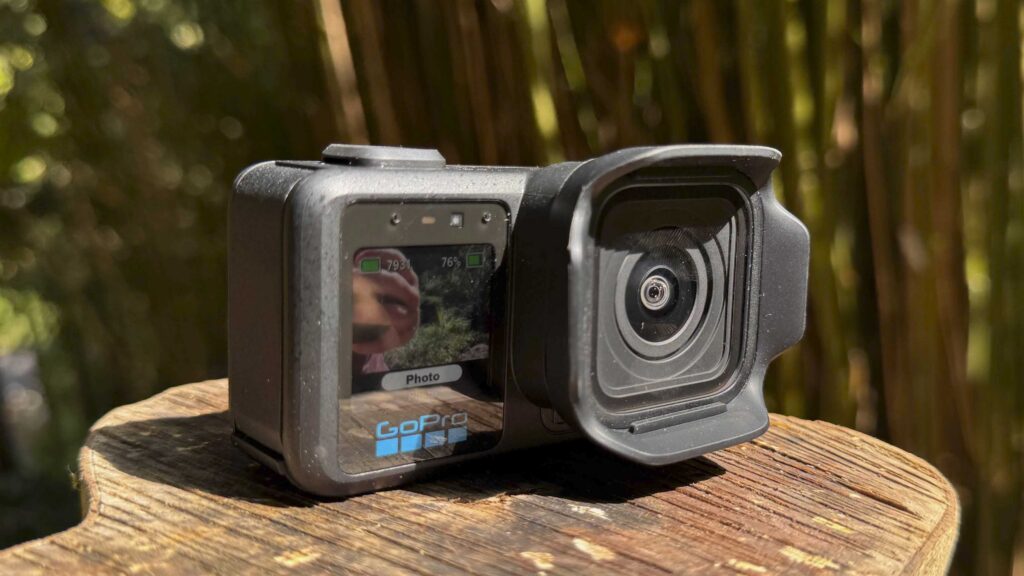

A larger GoPro that feels like the beginning of a serious compact filmmaking camera category
What is the GoPro MISSION 1 PRO?
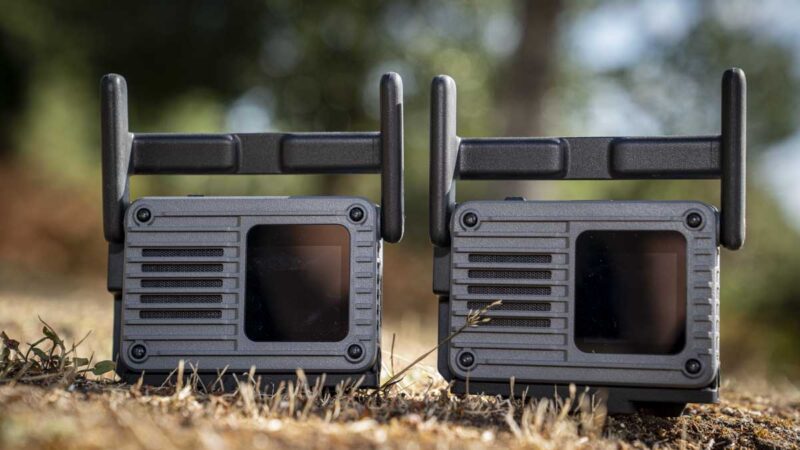
GoPro’s action cameras have been getting a little bigger and heavier for some time, something I have reported in past reviews, but despite the increase, the MISSION 1 PRO is still a small camera. What has changed is not just the physical size, but the intent. This feels like GoPro moving away from simply making another action camera and instead creating a more serious option for filmmakers, creators and production users who want high-end image quality in a compact, rugged body.
That shift is hammered home by the wider MISSION line-up. Alongside the MISSION 1 PRO, GoPro is also releasing the MISSION 1, a slightly lower-specified model, and the MISSION 1 PRO ILS, which features a Micro Four Thirds lens mount for far greater lens flexibility. The MISSION 1 PRO is the flagship fixed-lens model, with 8K60, 8K30 Open Gate, 4K240, 1080p960 burst slow motion, 50MP RAW photos, HLG HDR, GP-Log2 and HyperSmooth with AutoBoost.
This gives GoPro a much clearer range. If you want a small, simple GoPro, there is the standard HERO. If you want the full traditional GoPro experience, there is the HERO Black line, presently the GoPro Hero13 Black. But the MISSION 1 Series feels like something different: a serious filmmaking option designed to compete not just with action cameras from DJI and Insta360, but also with the lower end of the compact cinema and creator-camera market.
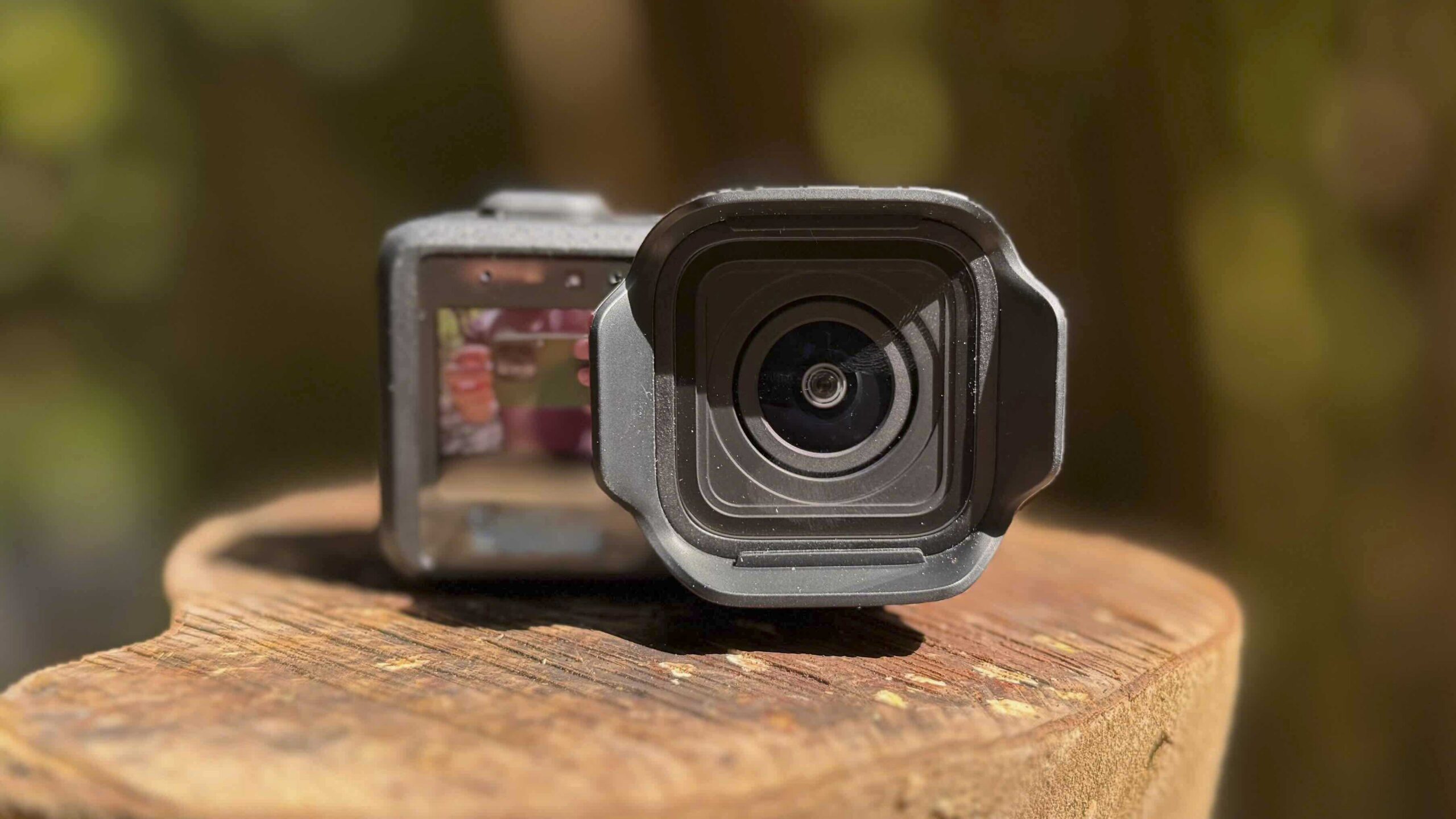
In that sense, GoPro is stepping slightly into Blackmagic Design territory by offering a small filmmaking camera at a fraction of the cost of traditional movie cameras. It’s also clearly aware of professional production requirements. The MISSION 1 PRO includes high bitrates, 10-bit colour, GP-Log2, HLG HDR and Timecode Sync, and GoPro’s reviewer guide even highlights the 240Mbps high bitrate mode in relation to published Netflix capture requirements.
That does not suddenly make this a replacement for a full cinema rig, but it does open up a new space. This camera can be used for action, travel, documentary, vlogging, education, underwater work, crash-cam placement, remote production, and wide-angle filmmaking. It’s still very much a GoPro, but one with a more serious purpose.
GoPro Mission 1 Pro Specifications
Sensor: 50MP 1-inch sensor
Processor: GoPro GP3 processor
Video: Up to 8K60 16:9
Open Gate: Up to 8K30 4:3 and 4K120 4:3
Slow motion: 4K240 (NTSC) 4K200 (PAL) continuous and 1080p960 burst (NTSC) 1080p800 burst (PAL)
Photos: 50MP photo and RAW capture
Colour: 10-bit, GP-Log2 and HLG HDR
Stabilisation: HyperSmooth with AutoBoost and Horizon Lock
Audio: Four microphones, 32-bit float audio, Bluetooth 5.3 and USB-C audio support
Display: 2.59-inch rear OLED and 1.4-inch front LCD
Waterproofing: Waterproof to 66ft / 20m without housing
Battery: 2150mAh Enduro 2 battery
Lens: Removable lens hood and hydrophobic lens cover
Bitrate: Up to 240Mbps on stock firmware
GoPro Labs: Support for extended controls, including higher bitrate options
Price: $699.99 MSRP, or $599.99 for eligible existing GoPro subscribers
Processor: GoPro GP3 processor
Video: Up to 8K60 16:9
Open Gate: Up to 8K30 4:3 and 4K120 4:3
Slow motion: 4K240 (NTSC) 4K200 (PAL) continuous and 1080p960 burst (NTSC) 1080p800 burst (PAL)
Photos: 50MP photo and RAW capture
Colour: 10-bit, GP-Log2 and HLG HDR
Stabilisation: HyperSmooth with AutoBoost and Horizon Lock
Audio: Four microphones, 32-bit float audio, Bluetooth 5.3 and USB-C audio support
Display: 2.59-inch rear OLED and 1.4-inch front LCD
Waterproofing: Waterproof to 66ft / 20m without housing
Battery: 2150mAh Enduro 2 battery
Lens: Removable lens hood and hydrophobic lens cover
Bitrate: Up to 240Mbps on stock firmware
GoPro Labs: Support for extended controls, including higher bitrate options
Price: $699.99 MSRP, or $599.99 for eligible existing GoPro subscribers
Build and Handling
The first impression of the GoPro MISSION 1 PRO is that it feels like a blend of a larger GoPro and a tiny cinema camera. It is obviously bigger and more weighty than a HERO Black-style camera, but not massively so. In real terms, it remains extremely compact, especially given the sensor size, video resolution, and feature set GoPro has managed to include.
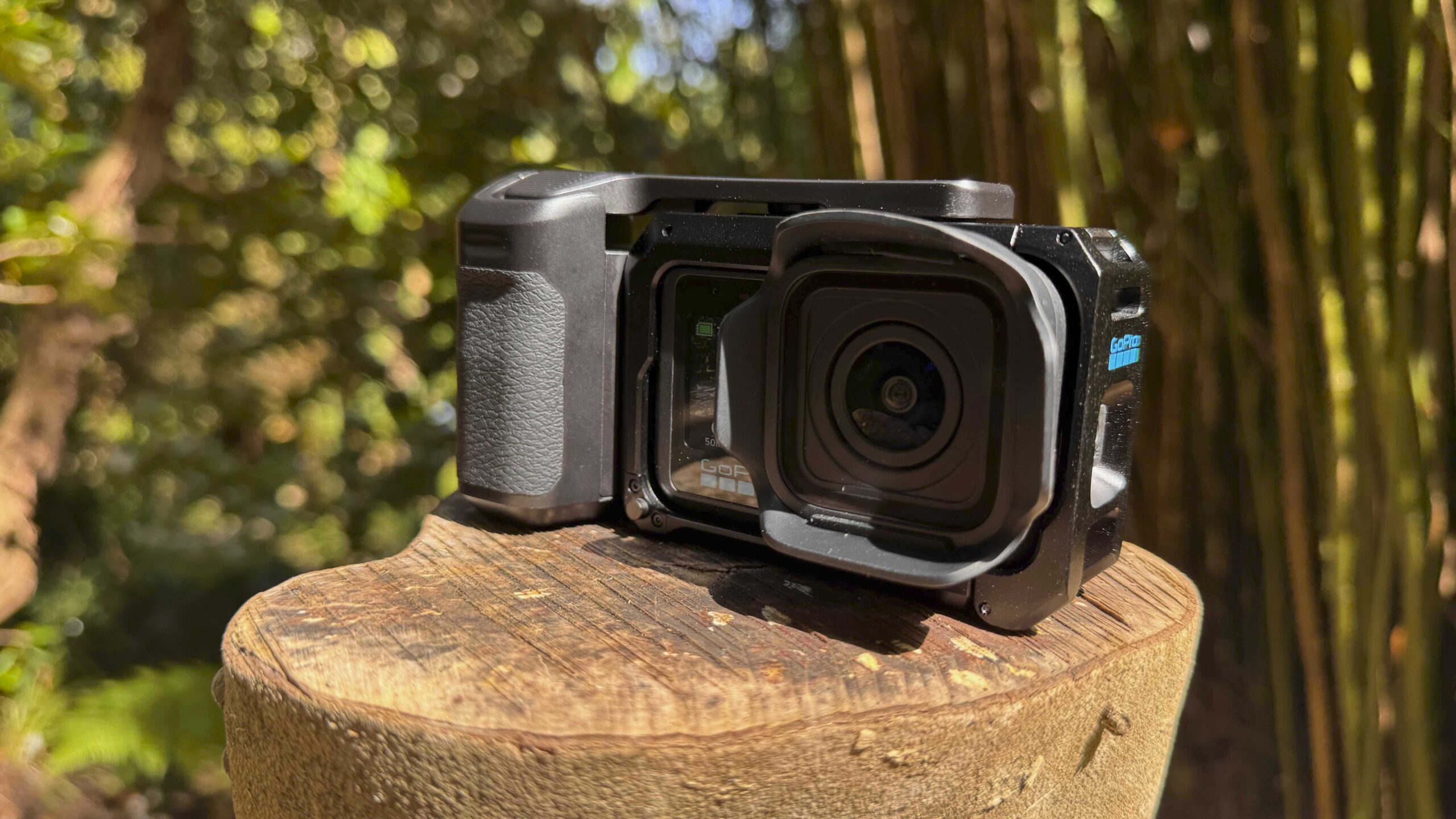
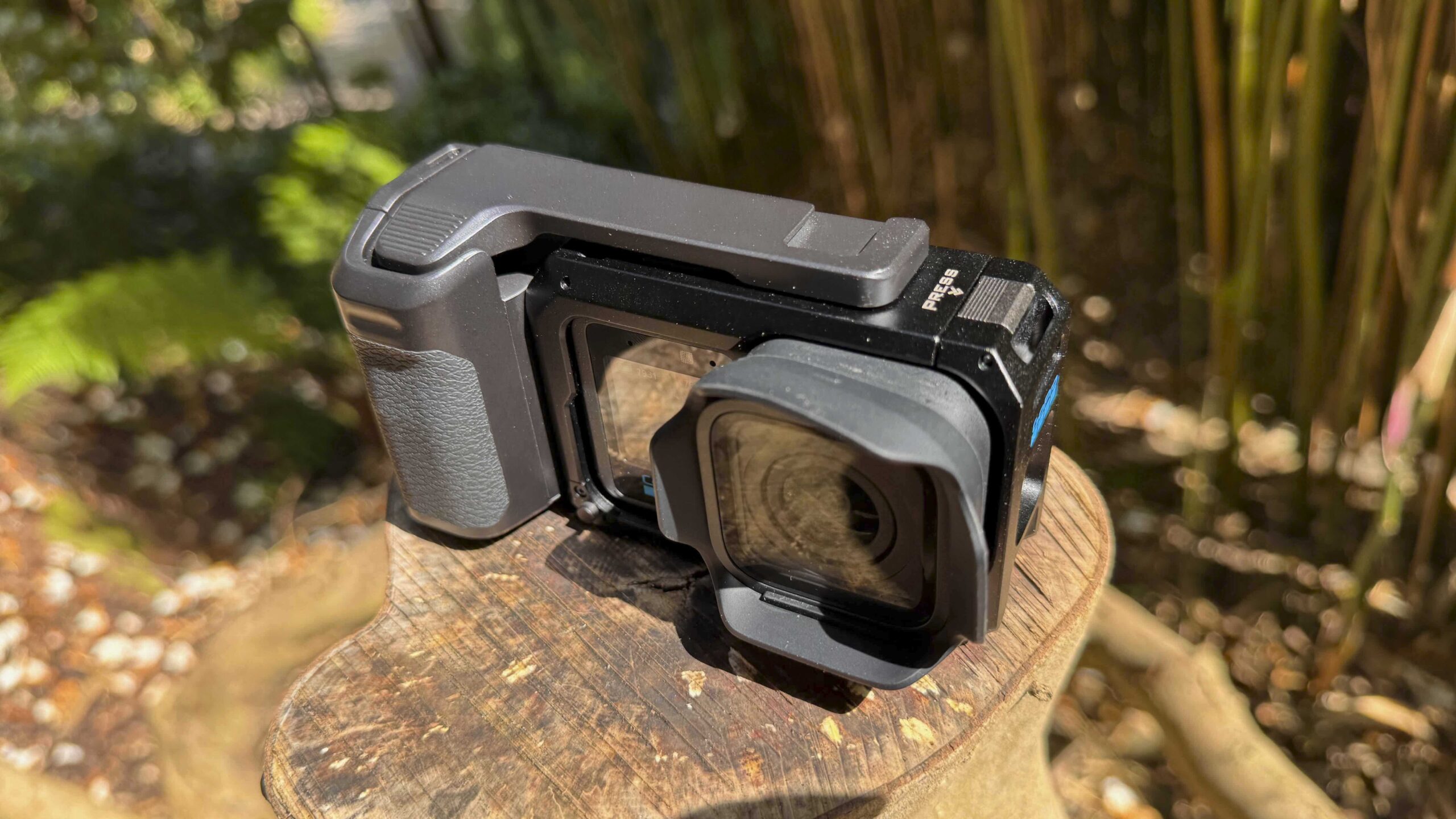
GoPro supplied the camera in a cage rather than just naked, as in just the camera, which instantly gives a very different impression. Instead of feeling like a slightly oversized action camera, the MISSION 1 PRO starts to feel like a rugged compact camera. It sits in the hand with more purpose and gives the sense that it’s intended to be built into a system.
The cage itself is nicely designed and I liked that the shutter release bar can be removed, as it immediately opens up future customisation options. I have already 3D printed my own, which shows how quickly this system could appeal to users who like to adapt and modify their kit. The shutter release itself feels a little spongy, and I would prefer the reassurance of a more precise mechanical press, but it works easily enough.
The raised buttons make a real difference. I tested the camera while sitting in the awning of my van with the temperature pushing towards 30ºC, which is unusual for the UK in late spring / early summer. The air temperature was hot, unlike the sea’s, which was still reassuringly freezing. Even dipping my hands into the water was enough to bring on the early stages of frostbite, which, while painful, made for perfect conditions to test the new raised buttons before my fingers acclimatised or fell off.
In those conditions, the taller buttons are a big improvement, making it easier to locate even when your fingers are numb. Traditional GoPro buttons can be difficult to locate by touch when your hands are cold, wet or gloved, but the MISSION 1 PRO is easier to operate by feel. With the default settings, I did find the camera almost too sensitive when switching on. Press a button, and within a couple of seconds, it’s ready for action. Ultimately, though, in hot, cold or wet conditions, that responsiveness and raised button design make the camera easier to use.
The rear OLED screen was also easy to see and operate in bright sunlight, though in practice I tended to set everything up in advance and then use the shutter button to start and stop recording. Once the Media Mod arrives, I will attach an Atomos Shinobi II to use as a proper external monitor, which feels like the natural next step for a camera with this level of video ambition. The Media Mod adds micro-HDMI output, expanded audio ports and monitoring options, which should push the MISSION 1 PRO further towards a true compact production setup.
Features
The feature set is where the MISSION 1 PRO starts to pull away from being just another GoPro. The headline is the 1-inch 50MP sensor, which gives the camera a much stronger foundation for both video and stills. Looking through the spec’s and it shows the sensor features larger 1.6µm pixels when shooting 8K and 3.2µm fused pixels in Quad Bayer 12MP mode for 4K, all helping to improve low-light performance and dynamic range.
The MISSION 1 PRO can shoot 8K60 in 16:9, 8K30 Open Gate in 4:3, 4K120 Open Gate, 4K240 continuous slow motion and 1080p960 burst slow motion, these are all the NTSC settings – if you like me are in PAL territory the specifications are still good by do drop to 8K50 in 16:9, 8K25 Open Gate in 4:3, 4K100 Open Gate, 4K200 continuous slow motion, and 1080p800 burst slow motion.
It also supports 50MP RAW photos, 10-bit colour, HLG HDR and GP-Log2. These are all significant improvements over the GoPro Hero13 Black and start to give you an insight into how you should start to think about using the camera.
Open Gate is the current buzzword in camera specifications, but here on such a small, versatile camera, it really makes sense. Rather than using only part of the sensor depending on the selected output format, Open Gate enables the camera to capture a taller 4:3 image. That means you can crop and reframe in post, and it also means you do not have to think quite so much about whether you are capturing for landscape or portrait at the point of filming.
In Quik, it’s easy to crop Open Gate footage to the desired format, whether portrait or landscape. That will be extremely useful for creators who need to produce content for multiple platforms from the same shoot. Shoot once, reframe later, and the 8K Open Gate resolution gives you considerable flexibility before quality starts to suffer.
The high-speed modes are also impressive, although there is a practical limitation. The 1080p960 (NTSC) / 1080p800 (PAL) and 4K240 (NTSC)/4K200 (PAL) modes are limited to 10-second captures. At first, that seems restrictive, but slowed down, the playback duration is more than long enough for most uses.
Essentially, 10 seconds of 1080p960 translates to 5 minutes 20 seconds of playback at 30fps, while 10 seconds of 4K240 produces 1 minute 20 seconds of playback.
Essentially, 10 seconds of 1080p960 translates to 5 minutes 20 seconds of playback at 30fps, while 10 seconds of 4K240 produces 1 minute 20 seconds of playback.
The bigger issue is not the length of the final slow-motion clip, but the timing of the capture. You need to decide when those 10 seconds begin. Some other high-speed systems work effectively in reverse, allowing you to stop the recording after the action and still capture the key moment. Here, you press the button and get your 10 seconds, which means there is a risk of going too early or too late. For controlled action, this is fine, but for unpredictable moments, a pre-record or buffer option would make the feature much more practical.
The MISSION 1 PRO also feels like a camera that should have built-in ND filters. In bright Devon sunlight, I did not have ND filters with me, so exposure was trickier than it needed to be. Full auto worked, and as with the HERO13 Black, you can adjust shutter speeds, but a camera so clearly aimed at filmmakers needs ND control if you want natural motion blur and sensible shutter speeds. GoPro’s M-Series ND Filter 4-Pack is likely to be an essential accessory rather than an optional extra.
Audio has also been improved, with four microphones, 32-bit float recording, Bluetooth 5.3 and USB-C audio support. In practice, the onboard audio is fine if you forget your wireless mics and are within around a metre of the camera, or if you speak loudly from slightly further away. It captures vocals with reasonable clarity, and processing the audio through Adobe Podcast can make a noticeable improvement. However, if you want the best audio, you should still use wireless mics, and GoPro now makes its own Wireless Mic System for exactly that purpose.
Performance
Most of my filming was carried out in bright sunlight, and the image quality was exceptional. The 8K footage looked superb, with a level of detail and refinement that immediately separates the MISSION 1 PRO from more conventional action cameras. I did not notice any obvious rolling shutter, heavy sharpening, excessive digital noise reduction or the sort of processed “action camera” look that can sometimes make footage feel artificial.
The bigger surprise came at night. Low light has always been one of the main areas where GoPro cameras and most of their competitors struggle, including the HERO13 Black. The MISSION 1 PRO is different. Filming in standard colour and GP-Log2, I was amazed by the lack of noise and by how much more clarity, tone, and detail the camera captured in darker conditions.
That improvement changes the camera’s appeal. Traditional action cameras are often brilliant in daylight but quickly fall apart as the light drops. The MISSION 1 PRO feels much more capable after dark, making it more useful for travel, documentary, event, street, and general filmmaking work.
HyperSmooth is also better than ever here. When I first came across HyperSmooth, it was one of those features that genuinely changed what was possible with a small action camera. On the MISSION 1 PRO, with the larger vertical sensor area, it feels even stronger. It even seemed to reduce the familiar bobbing you often get when walking, making handheld movement look more controlled and less obviously action-camera-like.
Battery performance was notably impressive during mixed shooting, though I have not yet set an exact timeframe. During testing, I was switching modes, changing resolutions and watching footage back, so it was not a controlled runtime test. Once I run the camera continuously at 4K and 1080p, I will update the review with firmer figures. GoPro’s own material claims more than 5 hours at 1080p30 and more than 3 hours at 4K30 in Endurance Mode, and to be honest this does seem to be so far pretty close to the mark.
Thermal performance has also been good so far. At 8K50 and 4K200, the camera seemed to handle shooting without issue, and at all the settings I used, it continued to work perfectly. However, I am not making a final judgement on heat performance yet. The weather during testing was unusually hot for the UK, and the real limitation on filming was me, not the camera. At one point, I had to stop for an ice cream before the camera showed any signs of needing a break.
Just a few comments on use, and starting with the stills. At present, in order to adjust the zoom, you need to dip into the menu, and there doesn’t seem to be an easy way to add the zoom to the main screen, as you can with the Hero13 Black. I’m sure there’s a setting in there somewhere, but as yet I haven’t located it. The other point about the still camera is that there is a shutter release delay, and it’s noticeable. If you’re trying to capture something moving, then at present forget it. Whatever the subject is by the time the shutter has fired, it will be gone.
The final point about the in-hand use of the GoPro as a compact camera is that the cage, while nice to hold, does offer a spongy shutter release. I like the reassurance of a click, even if it’s a digital noise, but something mechanical that gives you that traditional clicking feel rather than just a push.
Minimal focus distance is something else worth noting, as you’ll find if you get too close to the subject, the subject will obviously be out of focus, but through the test, I would say around 60 cm, I can’t be too accurate at present as I’m away from the office and while I have packed loads of kit, I haven’t packed a tape measure.
Otherwise, the rest of the still features are impressive, and there’s a good amount of manual control, especially over the ISO and Shutter speed, although a little surprising is that there is no aperture control as we’ve seen with the DJI Action 6. Although GoPro might argue that this is something that we’re going to see in a very real sense once the ILC is released.
Moving onto the video, which is the core focus for the camera and again the use and feel is decidedly GoPro with vastly enhanced video quality with loads of potential. The only real thing that I would change at the moment is that there are no built-in NDs, and as these are always essential, it just seems a bit of a shame that nothing was added to this end.
The other point, which is more regional than GoPro, is that if you’re in a PAL format country, then the framerates do drop, but then this is universal and something that we’re already well aware of.
The new GoPro workflow is also less intimidating than the specifications might suggest. The 8K and high-bitrate files are large, but most modern computers and mid- to high-end mobile phones should handle them with relative ease. I would still use a decent laptop over a mobile device for serious editing, especially with Apple devices, where storage can become a bigger issue than processing power.
The Quik app’s ability to handle 8K footage and use proxy files should also help make the workflow more manageable for creators who want a simpler route from capture to delivery.
Final Thoughts
At the end of the MISSION 1 PRO test, this camera has impressed me. GoPro needed to do something significant. DJI and Insta360 have been pushing hard on quality, features and usability, and that competition for the top spot is now more real than ever. The DJI Action line is formidable, and while DJI is a technology company and GoPro is more focused on imaging, the pressure has clearly forced GoPro to rethink its next major step.
With the MISSION 1 PRO, GoPro has either entered a new market or created one for itself. At present, I do not yet have the Media Mod to push the camera into a fuller video rig, and the MISSION 1 PRO ILS is still to come, but that is what makes this system so interesting. Mission 1 will make sense for vloggers and creators who want the best possible visual quality from a compact, action-style camera. The MISSION 1 PRO builds on that with more advanced slow-motion options and greater appeal for filmmakers. When the MISSION 1 PRO ILS arrives, with its MFT lens mount, things could become very interesting indeed.
There is a wider shift happening in affordable filmmaking. Traditional camcorders were large and expensive. DSLRs and mirrorless cameras reduced the size, but many still remain fundamentally still-focused products adapted for video. More recently, Canon has made definite inroads into this new market with cameras such as the EOS R50 V and EOS R6 V, bringing more affordable high-end video tools to a broader audience. We have just purchased 30 Canon EOS R50 V bodies for our students, which underscores how important this type of camera has become.
The GoPro MISSION 1 PRO adds something different to those cameras, as, out of the box, it will handle wide shots and action as an action-style camera is still very mountable and easy to use. Then you have the MISSION 1 PRO ILS, which should bring another more advanced tool to filmmakers with the ability to use any Micro Four Thirds lens.
As it stands, the MISSION 1 PRO is one of the most exciting action-style cameras to be launched in a while. It’s not perfect by any means, and the cage shutter release could feel more precise, and the small time delay between pushing the shutter and a picture being taken is notable. I also wish it had a built-in ND filter system, as these are essential in bright conditions. However, image quality is outstanding, and the low-light performance is a major leap forward compared with previous GoPros.
The real test for GoPro will come over the next few months, and I’m interested to see if users stick with the HERO line and its tried-and-tested credentials, or will they accept the new slightly larger Mission 1 camera in exchange for far more impressive image quality and filmmaking potential? What GoPro really needs now is a major filmmaker competition or creative push to show what this system can do. If that takes hold, the MISSION 1 PRO and MISSION 1 PRO ILS could be massive.