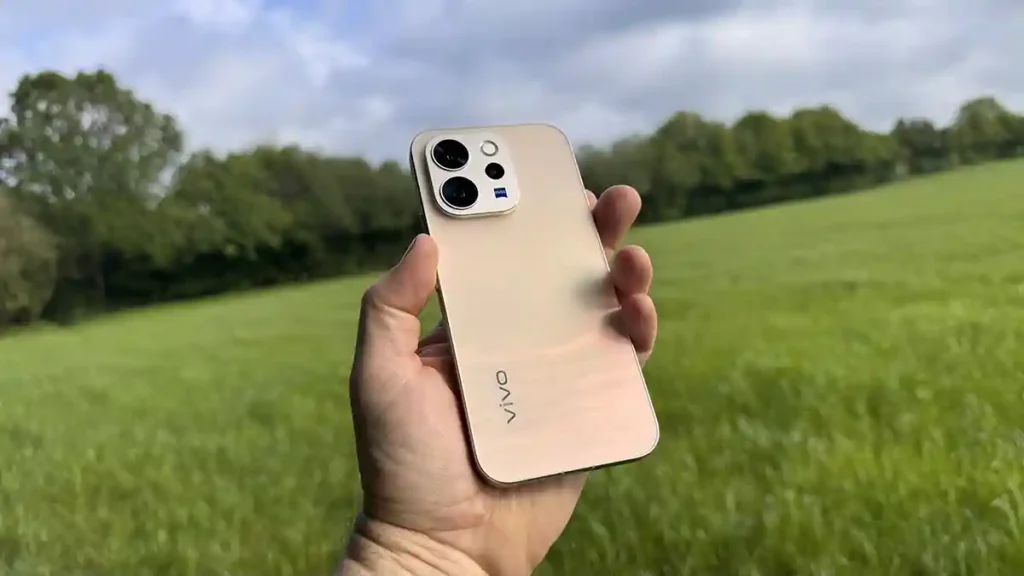

The vivo V70 delivers ZEISS-quality camera performance and all-day battery life at a price that makes the obvious alternatives look expensive.
Our Verdict
Vivo V70 verdict
What is the vivo V70?
The vivo V70 is a mid-range Android smartphone from vivo, and I’ve looked at a good selection of their phones in the past, including the excellent Vivo X200 Pro
This new phone launched in February 2026, and I’ve been testing it since it arrived, with a view to it being a great option for photographers due to its ZEISS-tuned triple camera system.
This collaboration, as with all camera manufacturer partnerships, means the V70 has a slightly higher price than some of the company’s other phones. But with both the optical hardware and the colour profiles, you are getting something a little bit different from the straight run-of-the-mill phones.
The V70 is aimed at all who are looking for a phone that’s also great for photography but doesn’t come with the high price tags of others. It’s also a great option for anyone looking to create social media content, both stills and video, without the high price tags of many other phones of this type.
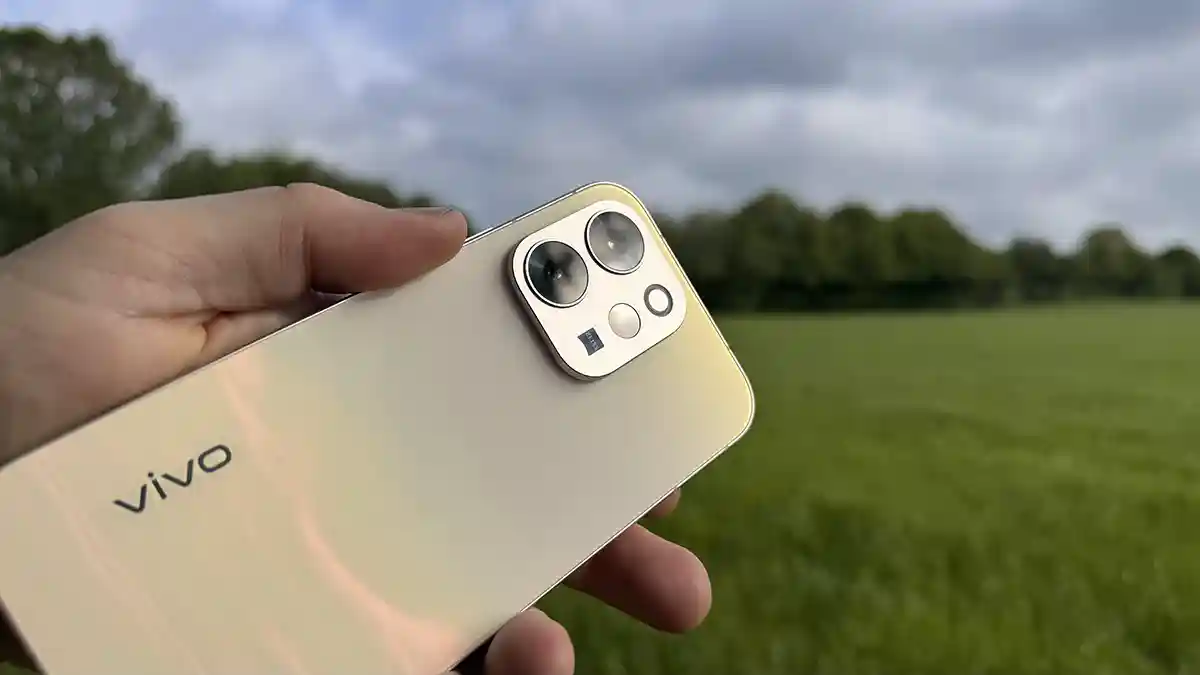
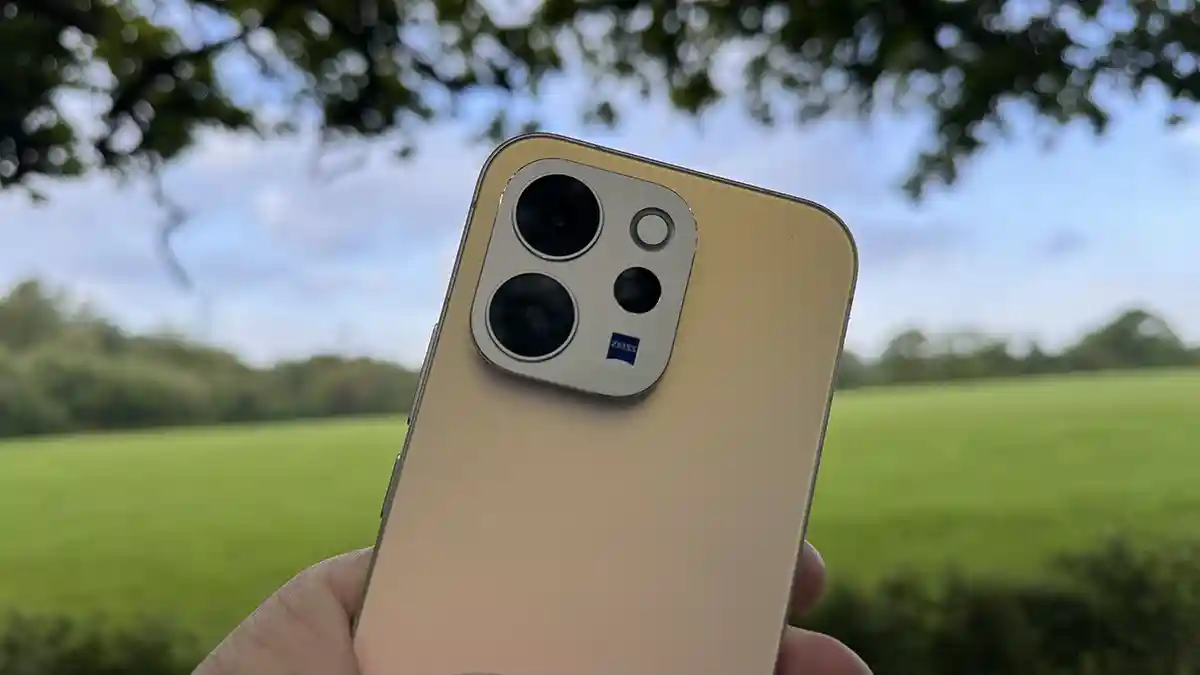
On the back of the phone are three cameras: a 50MP wide, a 50MP telephoto at 3x optical, and an 8MP ultra wide. What’s interesting about these three is that they are all ZEISS-tuned with the ZEISS colour profiles available directly in the camera app.
While the ZEISS optical quality is the feature that interests me the most, the all-day battery life with 90W fast charging, 1.5K OLED display and the slimline body all make this a relatively affordable photography and video smartphone option.
Specifications
Display: 6.59-inch AMOLED, 1.5K (2750 × 1260), 120Hz, 5,000 nits peak, P3
Processor: Qualcomm Snapdragon 7 Gen 4 (4nm), 12GB LPDDR5X RAM
Storage: 256GB UFS 4.1 (512GB option available)
Main camera: 50MP ZEISS OIS, 1/1.56-inch sensor, f/1.88, 84° FOV
Telephoto: 50MP ZEISS OIS, 1/1.95-inch sensor, 3x optical, up to 100x digital
Ultra wide: 8MP ZEISS, f/2.2, 115° FOV
Front camera: 50MP ZEISS Group Selfie, f/2.0, 92° FOV
Battery: 6,500mAh, 90W FlashCharge
OS: Android 16, OriginOS 6 (4 OS generations, 6 years of security updates)
Water resistance: IP68 / IP69
Weight: 187g (Black) / 194g (Gold/Grey/Brown)
Price: ~£450 UK
Processor: Qualcomm Snapdragon 7 Gen 4 (4nm), 12GB LPDDR5X RAM
Storage: 256GB UFS 4.1 (512GB option available)
Main camera: 50MP ZEISS OIS, 1/1.56-inch sensor, f/1.88, 84° FOV
Telephoto: 50MP ZEISS OIS, 1/1.95-inch sensor, 3x optical, up to 100x digital
Ultra wide: 8MP ZEISS, f/2.2, 115° FOV
Front camera: 50MP ZEISS Group Selfie, f/2.0, 92° FOV
Battery: 6,500mAh, 90W FlashCharge
OS: Android 16, OriginOS 6 (4 OS generations, 6 years of security updates)
Water resistance: IP68 / IP69
Weight: 187g (Black) / 194g (Gold/Grey/Brown)
Price: ~£450 UK
Build and Handling
My review unit is the Gold version, and while I’m not usually taken with any electronic device that arrives in gold, this is nicely finished. The gold colouring is subtle rather than garish, and the ZEISS badge next to the rear camera lenses gives the right impression of quality that thankfully carries through to the phone itself.
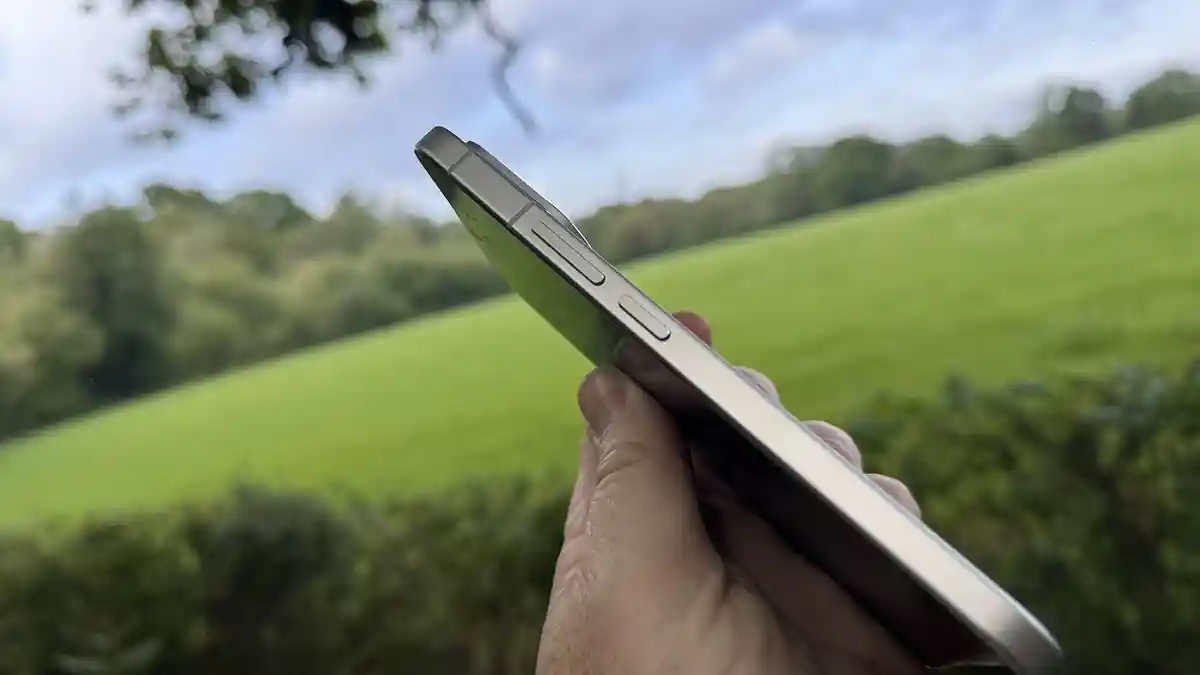
The build is exceptional for a mid-range phone, with the aerospace-grade aluminium frame making it feel solid and well-built despite its relatively thin 7.59mm profile. What this means is that while the screen is of a good size, the phone still slips easily into a pocket comfortably without adding noticeable bulk.
During the test, I used the phone without a case, as I liked its slim profile compared with my iPhone 15 Pro with a MOUS case for much-needed protection. Even without the case, and not for the purpose of testing, the V70 survived drops onto wooden and carpeted floors without issue. If I were using this as my daily phone, I would invest in a decent case given the slim build, but the construction is solid.
The camera array on the back protrudes slightly, much like other phones in the pro bracket, so the phone does not lie completely flat on a desk. I only mention this because someone recently pointed out to me that it bugged them. To be honest, it’s not an issue.
One of the design features I really like is that the 6.59-inch screen runs almost to the edge of the frame and feels really spacious, particularly coming from an iPhone 15 Pro.
In the box along with the phone, Vivo, you get a charger, USB cable, eject tool, phone case, applied protective film, quick start guide, and warranty card.
This is a far better package than you get from iPhone and Samsung at comparable prices, where chargers are typically excluded.
Features
A quick run-through of the smartphone’s features highlights the photography credentials. Starting with the 50MP main camera with ZEISS tuning, which is exceptional for a phone at this price. I’ll go into the image quality and characteristics in the performance section, but what’s instantly apparent is just how good they look with plenty of tone and an impressive amount of detail.
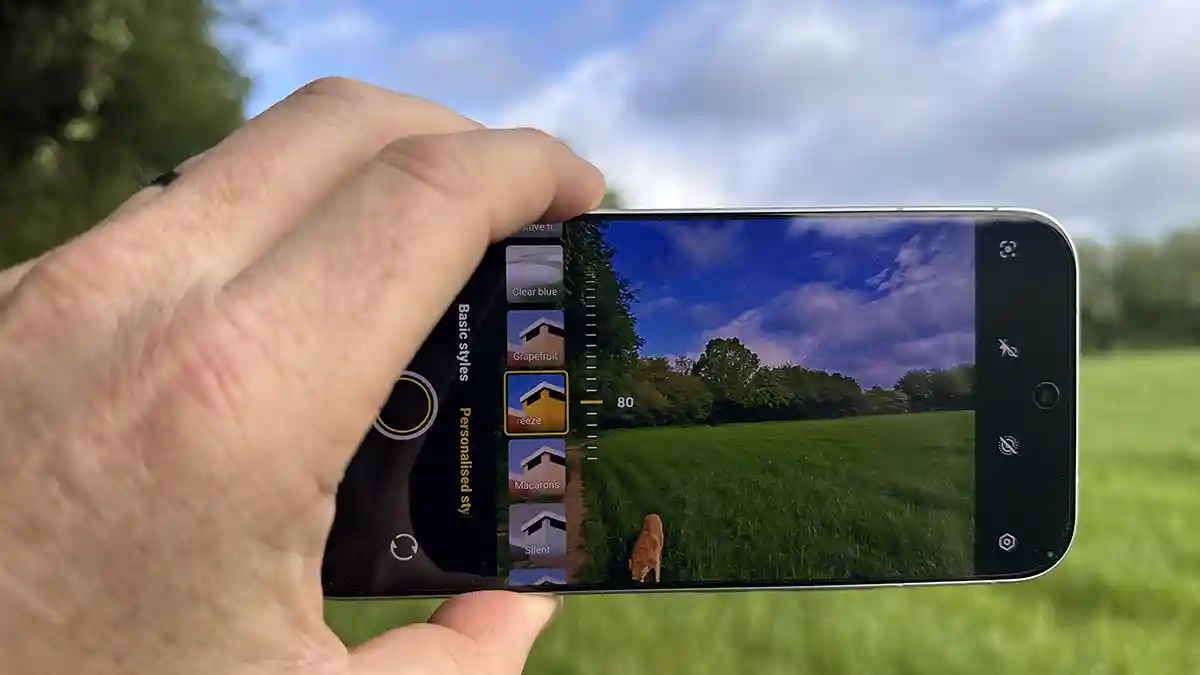
The camera app features ZEISS colour profiles, including Natural Portrait, Professional Portrait, and Close-Up Portrait, which give you looks you can apply in-camera and post directly to social media.
The Professional Portrait mode uses an 85mm equivalent focal length. This focal length is widely considered the ideal for portraiture, as it enables a good depth of field, a realistic representation of the subject without distortion and a soft background effect. Close-Up Portrait pushes to 100mm and adds a slight slimming effect. Comparing the results with a full-frame mirrorless and a fixed 85mm on screen, the V70 is surprisingly close. Zoom in on the images, and the quality difference is apparent, but at social media or screen-viewing sizes, the results are impressive.
The ZEISS Super Telephoto at 3x optical is a great feature, with the 1/1.95-inch sensor capturing good detail at that focal length. As soon as you push into digital zoom, the image quality starts to degrade, and that’s to be expected. The AI does enable decent detail recovery.
What stood out, and you’ll see these in the sample images, is that when shooting landscapes in good light, the sky blues in particular came out with a richness and saturation that looked as if a circular polarising filter had been applied. In dull or overcast conditions, the processing pushed saturation a step too far in an attempt to compensate for flat light, which is worth knowing before a shoot in typical UK autumn or winter conditions, although it’s spring at the moment, and the skies are clear, but still overcast.
The AI tools vary in usefulness. AI Retouch, AI Erase, AI Magic Move, and AI High-resolution UHD upscaling are genuinely decent and really reflect how far AI image processing has come. The UHD upscaling fills in image detail rather than just applying smoothing, making the upscaled files print-worthy in a way earlier upscaling technology was not.
AI Magic Weather and AI Magic Landscape are gimmicky, but they will appeal to social media use and give you crowd-pleasing transformations quickly. Film Camera Mode adds a nostalgic, retro look with a white frame, aimed at social media rather than serious photography. I could not test AI Stage Mode, designed for concerts and performances, because I did not have a suitable event during the test period.
The 4K 60fps video with OIS is strong for social media use. Paired with a wireless microphone like the DJI Mic Mini 2 and a gimbal like the DJI Osmo Mobile 8, the V70 makes a very capable mobile content creation system. The AI Audio Noise Eraser helped reduce background noise in a voice-over test in a busy environment, though adding wireless microphones delivered a significantly better result.
On the Godox Light App, the V70 performed particularly well. Using it to control the Godox C30R on location and the Godox UP150R in the studio, the Bluetooth connection was fast and rock-solid. Android’s Bluetooth implementation is more reliable than iPhone’s in busy wireless environments for this kind of lighting-control workflow, and the V70’s NFC pairing with compatible devices is fast and seamless.
One final note on the feature set is OriginOS 6, which is solid and well thought through. There are a few additional apps and links at setup that are slightly annoying, but with a little customisation, you can strip them back and get a clean, fast version of Android. The LPDDR5X RAM and UFS 4.1 storage make app switching and camera launches feel fast and responsive in real use. The Origin Island notification capsule is another genuinely useful feature, but, to be honest, I focused the test on the camera rather than the OS features.
Performance
I’ll start with general use and calls, though for the bulk of the test, I was really just focusing on image quality and camera use. Inside is the use of a Snapdragon 7 Gen 4, which again, the Snapdragon 7 Gen 4 proves there is no excuse for a slow phone at this price bracket. Switching between Lightroom, CapCut, and the AI enhancement tools, the V70 keeps up without issue; there’s no pausing as you open up any of the apps. I also liked the fact that, through the test, there were a few updates with the usual round of security patches and other app updates.
As an operating system, it isn’t too crowded and popular apps such as TikTok, Facebook, and all the Google apps are installed. There’s also a range of Vivo-branded apps. What’s interesting is that alongside the Google Play Store, there’s also the V-App Store.
Opening up the camera app, it takes just over a second to open before you’re ready to take an image, so there is the possibility you might miss the shot if the app is closed. If open in the background, then it’s pretty much instantaneous.
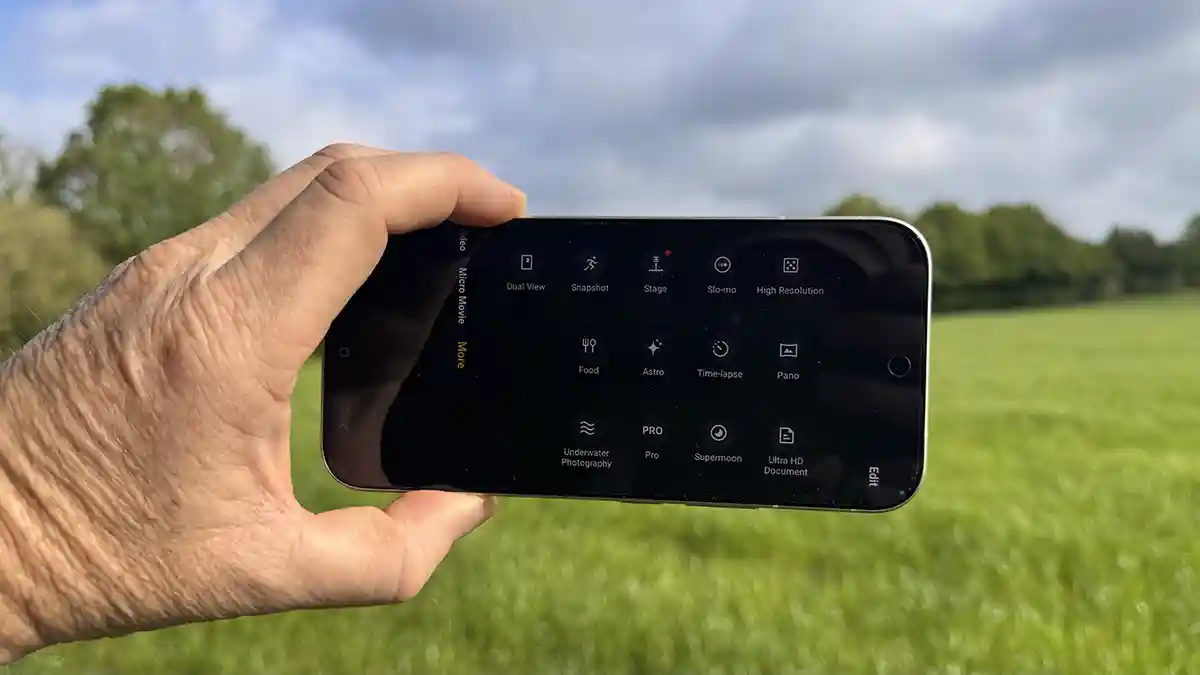
Checking through the modes, you have Night, Portrait, Photo, Video, Micro Move and More. What I like here is that there are lens simulation modes, when you click on Portrait, so anything from 23mm through to 100mm, and the effect on the image and background blur reflects the focal length you have selected. It’s very clever and gives you plenty of options.








What’s more, with the Zeiss partnership, there are also the aperture settings that enable you to adjust from f/0.95 through to f/16, and the application of these effects is superb and really does reflect that of the Zeiss lenses, at least visually on the small screen. You can even select from a set of presets, including Biotar and B-Speed.
Switching to a straight Photo and again as a standard camera, there are plenty of options, and if you click the settings, it then opens up to a whole wealth of additional features so that you can customise the shooting settings to your liking. One of the options within the menu system that I was instantly drawn to was the ability to switch on a histogram so that you can check exposure clipping.
As with portrait mode, you can slide the film icon on the side, and this gives you access to a selection of Ziess looks, along with a few more generic ones, and the ability to create your own.
As I was getting to work with the camera, what was apparent was that while the ZEISS image processing was in use, their application to the live image was fast; there was a slight pause, but it’s under a second and feels more like a smooth transition rather than the processor struggling.
Likewise, when you start to look at the AI features, AI upscaling, AI edit, what I like is that these are not separate apps; they’re all part of the system, and there’s no paywall or subscription; they’re just part of the system. Once you open an image and select edit, you have access to all the usual tools and then some, including the AI tools. Click select what you want, and the AI does some of the rest, but like any standard tool, you stay in control.
As an example, if you want to boost the colour, you open the image you want, click edit, then AI Retouch. You can then click the suggestions, such as AI Colour Adjust, then swipe left or right on the screen to boost the colours, and the effect is far better than using traditional vibrance or saturation sliders.
From a photography angle, this Smartphone takes some beating on the control, but at the same time is carefully positioned as a mid-range option, with Vivo’s flagship smartphone models taking another step up in quality.
Through the test, I put the phone through its paces, not only shooting images but editing. While image editing didn’t seem to phase the phone in anyway, I decided to push it with some 4K video editing in CapCut, but again, the phone handled it with ease. What was impressive was that the heat management seemed to work exceptionally well and showed no signs of thermal throttling. The phone stayed cool or, at most, warm to the touch through everything I threw at it during the test.
Battery life is also superb. Where my iPhone 15 Pro regularly needs a top-up partway through a shooting day, the V70’s 6,500mAh battery was only beginning to show a reduction by late afternoon. If you are a photographer or videographer and you need your phone to last a full day, then this is a great solution. If, for some reason, you do burn through the battery, then the 90W FlashCharge tops the battery up rapidly enough when needed.d.
One last mention of the hardware has to be the 6.59-inch OLED display, which, through the test, proved to be bright and offered plenty of space for use. However, I did feel that out of the box, the screen renders images with a slight warmth bias that I only noticed when comparing the V70’s output against my ASUS ProArt monitor. It is not dramatic, but it is worth being aware of.
Final Thoughts
While I’m not quite at the point of making the switch from my iPhone 15 Pro to the vivo V70, the quality of the images is definitely one up, and the inclusion of the portrait modes with their focal lengths and aperture choices makes a great fit for any photographer.
The ZEISS camera system is a really great addition, and the presets do add something to the process of taking the images. One of the major features away from the imaging that I like is the genuinely decent battery life, which meant that the phone just lasted all day.
OriginOS 6 is excellent and really stable, although there are still a few too many apps squeezed in, but as ever, a few-minute tidy will get the clean and minimalist interface that this phone deserves, and really, for the price, there’s little not to like.
The limitations are the same as with all phones at this price, such as the quickly deteriorating digital zoom past 3x, the occasional oversaturation in flat and low light conditions, and the slight warmth of the display, but really these are small points.
I am personally holding out for a potential switch from the iPhone, and this is close; however, next up for review is the X300.