
The TerraMaster D1 SSD enclosure pairs a near-indestructible milled aluminium body with IP67 waterproof protection, making it an exceptional value field storage option for photographers
Our Verdict
TerraMaster D1 SSD enclosure verdict
What is the TerraMaster D1 SSD?
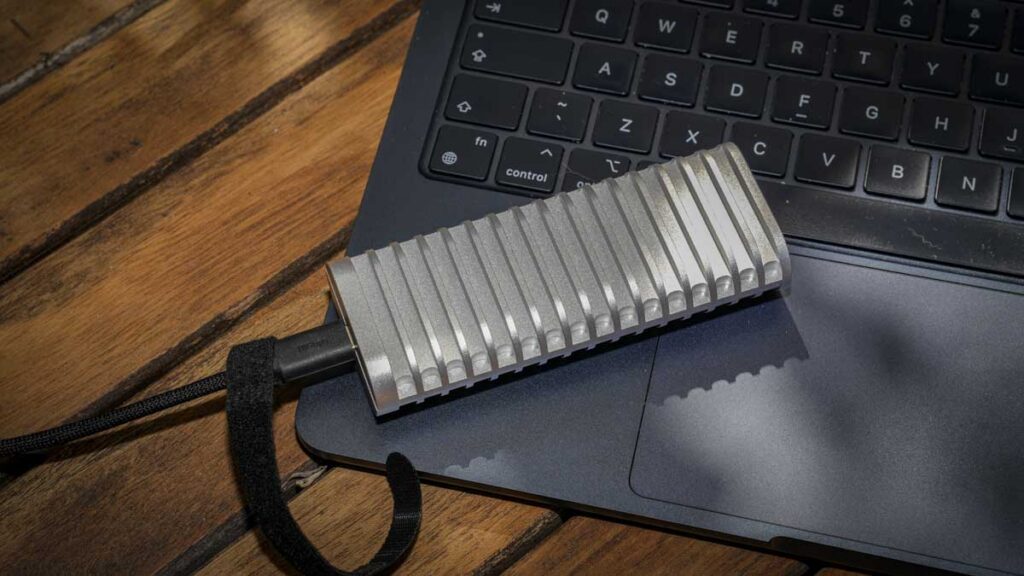
The TerraMaster D1 SSD is a rugged, IP67-rated portable USB 3.2 Gen 2 SSD enclosure designed to house a single M.2 2280 NVMe SSD and connect to your host machine over a USB-C cable.
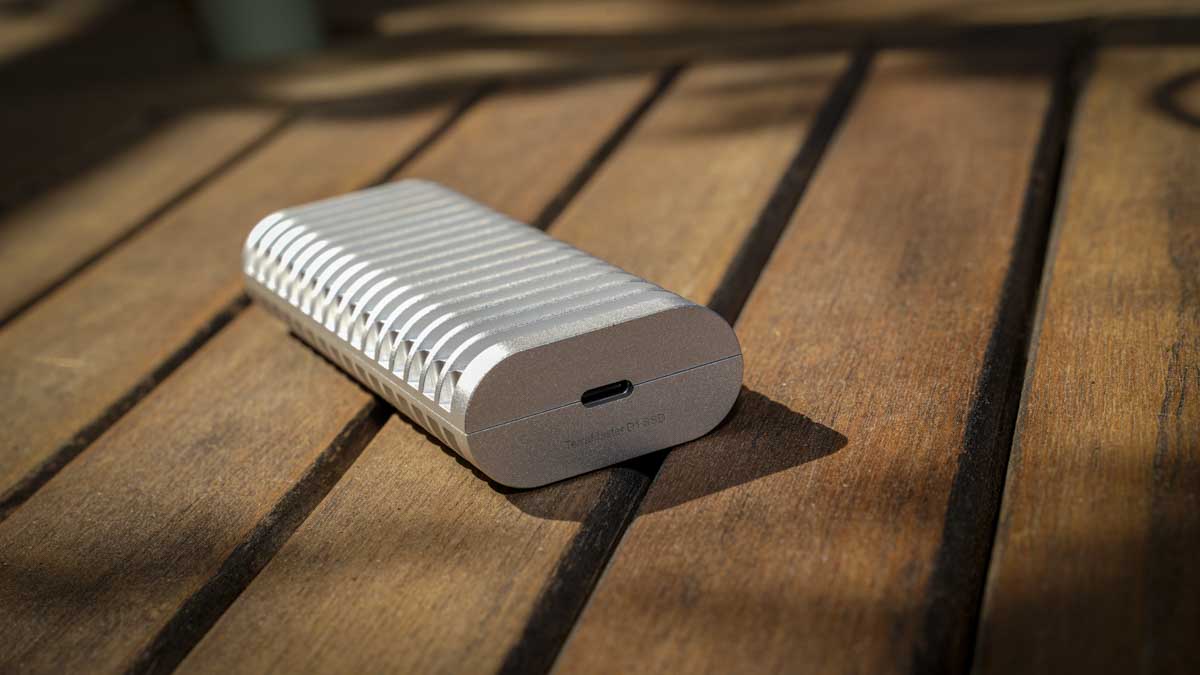
It is positioned as an entry-level, field-ready storage solution, milled from a single piece of aerospace-grade aluminium alloy and rated to withstand 1m water submersion for 30 minutes, drops from 1.5m, and crushing forces up to 1.2 tons. It measures 113.6 × 45.0 × 21.0mm and weighs 146g without an SSD installed.
It is aimed at photographers, videographers, content creators, and outdoor or adventure shooters who need a portable storage solution that genuinely stands up to field use.
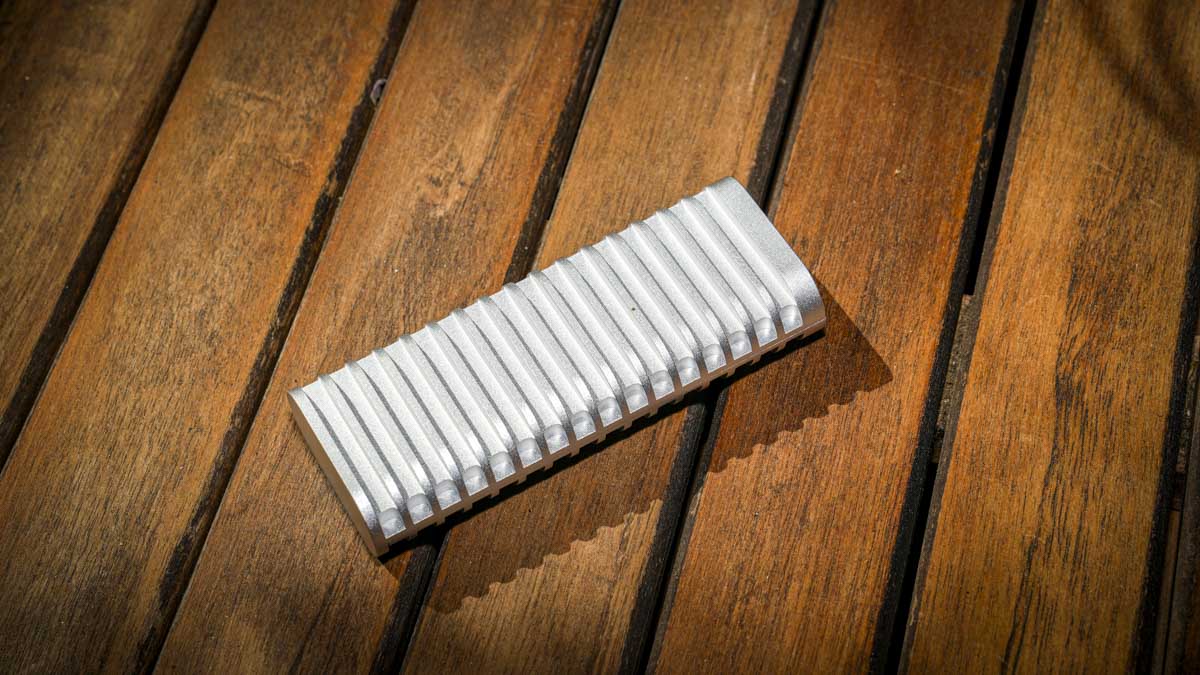
The D1 supports PCIe 3.0, 4.0, and 5.0 M.2 NVMe SSDs up to 8TB, and works across Windows, macOS, Linux, Android, and iOS. Its USP is the combination of milled aluminium ruggedness, genuine IP67 protection, and an entry-level price that makes the bare enclosure approach significantly cheaper than buying a comparable pre-built rugged SSD. The trade-off for that price is the USB 3.2 Gen 2 interface, which caps performance at approximately 1GB/s, well below what modern Thunderbolt 5 enclosures can deliver.
Specification
Interface: USB 3.2 Gen 2 (10Gbps), 128b/132b encoding
Maximum transfer rate: 1,020MB/s read | 1,010MB/s write
Compatible drives: PCIe 3.0 / 4.0 / 5.0 NVMe M.2 2280 SSD
Maximum capacity: 8TB
Material: Unibody aerospace-grade aluminium alloy
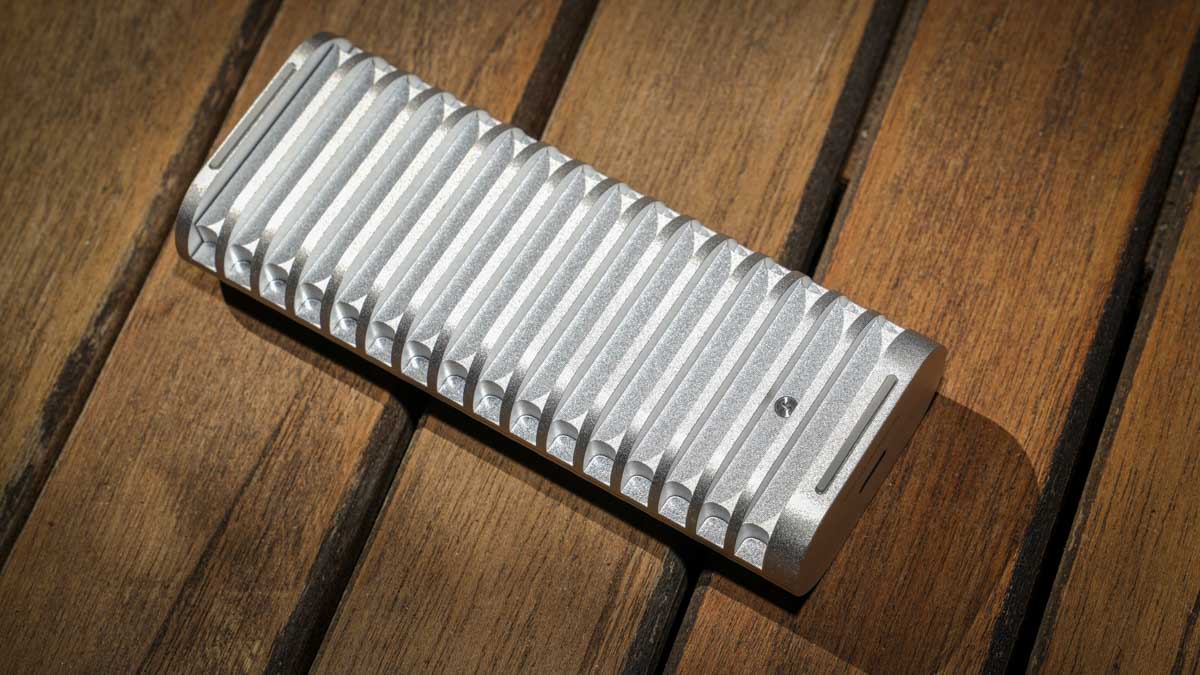
Cooling: Passive 34-fin all-metal heatsink design
Ingress Protection: IP67 (waterproof, dustproof, 1m submersion for 30 minutes)
Drop resistance: 1.5m
Crush resistance: 1.2 tons
Triple-Shield protection: Short circuit, voltage surge, ESD chip-level protection
Mobile app: TDAS App (iOS 15.6+, Android 11+) for direct phone backup
Dimensions: 113.6 × 45.0 × 21.0mm
Weight: 146g (without SSD)
Cable included: 0.5m USB-C to USB-C 10Gbps
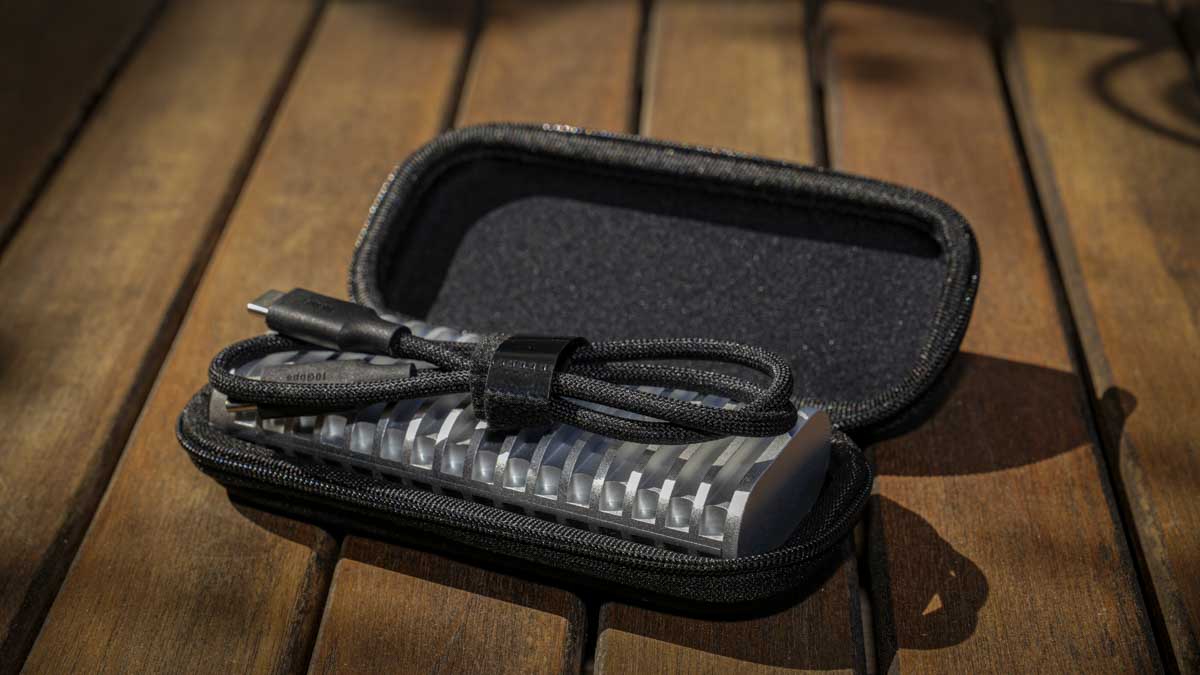
In the box: D1 enclosure, USB cable, screwdriver, semi-hard carrying case, quick installation guide, warranty note
OS support: Windows | macOS | Linux | Android | iOS
Power consumption: 3.2W active | 0.2W hibernation
Warranty: 2 years
Price: £37.99 / $39.99 (Amazon UK and Amazon US, also available via terra-master.com)
Build and Handling
My first impressions of the D1 SSD enclosure were excellent. The unibody aerospace-grade aluminium construction immediately stands out, and at 113.6 × 45.0 × 21.0mm and just 146g without an SSD, it is genuinely compact yet feels substantial in the hand. The 34-fin passive cooling design is built into the chassis itself, with the fins acting as both heat dissipation surfaces and a tactile design feature that makes the drive look and feel more considered than its price would suggest.
I tested the ruggedness claims practically. I stood on it on grass and on tarmac, and the drive showed no sign of damage beyond a few cosmetic scratches. I threw it across a field with no impact on functionality beyond getting it dirty. I drew the line at driving my van over it, although I suspect it would probably survive that too with bent fins and dented aluminium, but still operational.
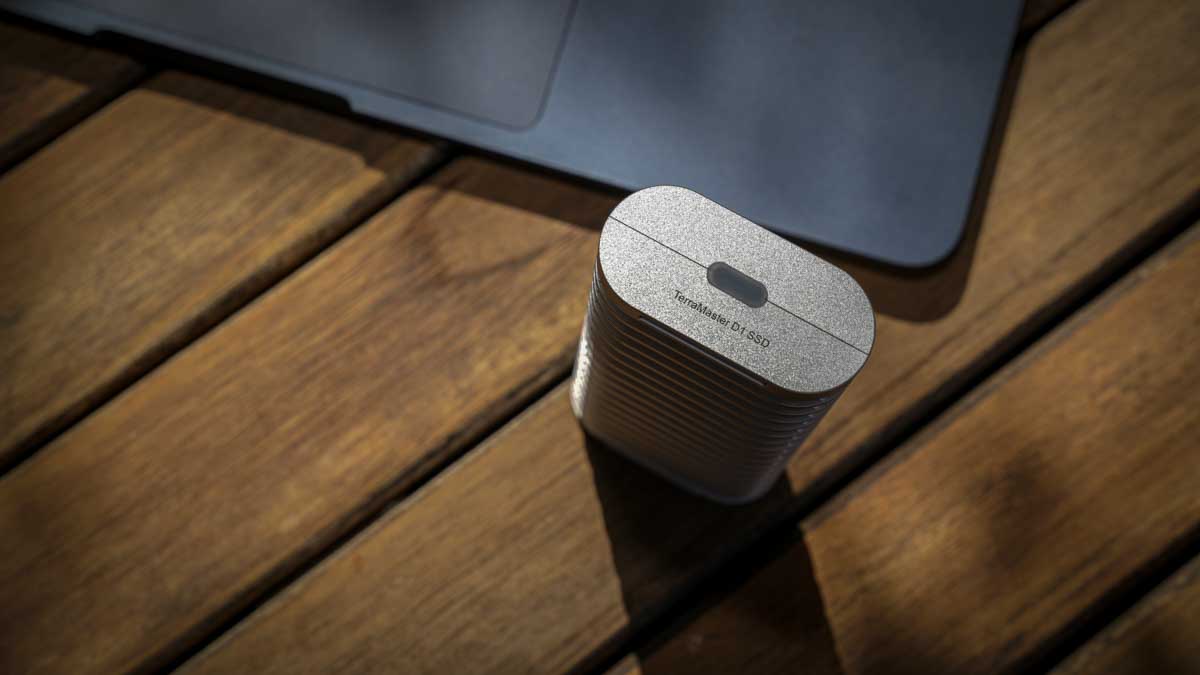
Aluminium is a soft metal, so it will dent and scratch under enough force, but the drive is genuinely as close to a solid milled lump of metal as you can practically get for storage. Importantly, I dropped it into a puddle to check the IP67 rating, and the drive was completely unaffected by the brief immersion.
The IP67 rating depends on a small rubber USB-C port plug that must be inserted to seal the enclosure. This is the one design issue I found genuinely irritating. The plug is completely separate from the drive, so when you pull it out to use the USB-C port, you need to keep it somewhere safe.
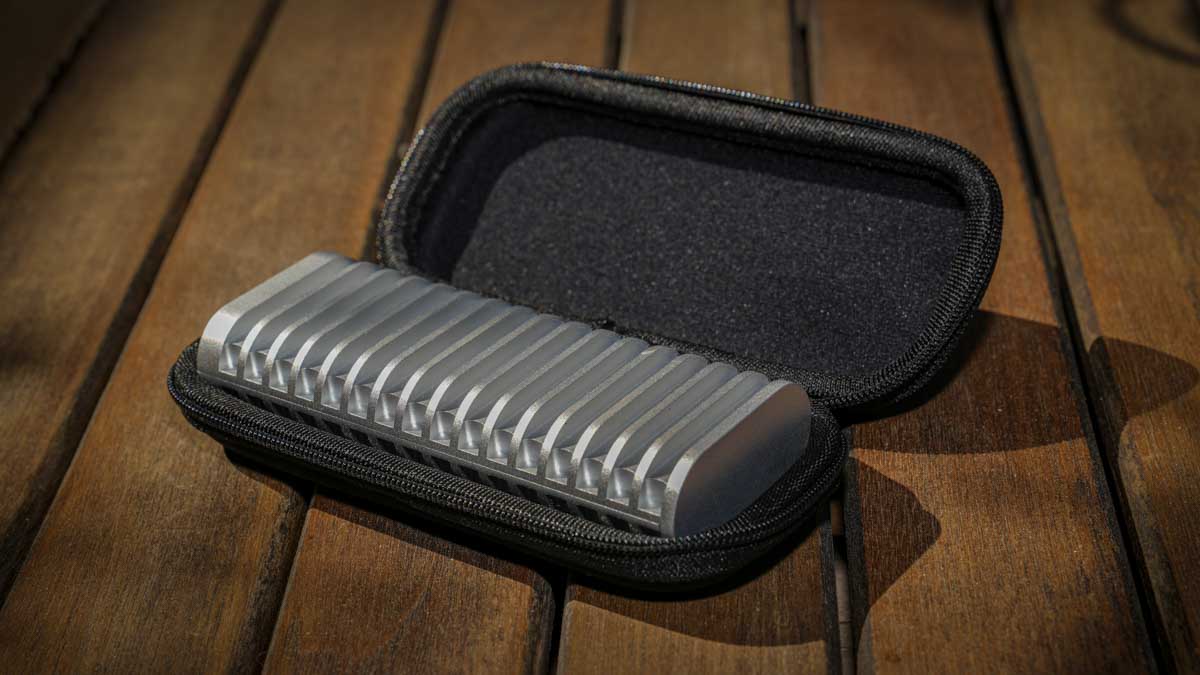
I lost mine within the first few days of testing, after I had dropped the drive in a puddle to test the waterproofing. I eventually found it inside the included semi-hard case where I had stored it without realising, but the design lesson is clear, if you are going to make a drive waterproof, the port plug should be tethered to the body so you cannot lose it. The semi-hard case is a genuine bonus and adds meaningfully to the premium feel of the package.
Installation of an SSD is one of the best I have experienced. The D1 ships with a small Phillips screwdriver in the box, and the case is held together with a single captive screw that stays attached to the casing rather than falling loose, a small detail that makes a real difference compared with other enclosures where dropped screws are a regular frustration.
I unscrewed the case, dropped my Crucial T710 1TB into the M.2 slot, secured it with the supplied screw, and reassembled the enclosure in under a minute. The whole process is quick, easy, and well thought through, and supports rapid SSD swapping if you want to use the D1 with multiple drives.
During sustained use, the passive cooling design works effectively. Through a two-and-a-half-hour Final Cut Pro X editing session with the deliberately overspecified T710 installed, the drive ran without thermal throttling, although the chassis became noticeably warm to the touch under sustained heavy load.
I was surprised by how much heat the T710 can generate inside an enclosure, but the D1’s substantial fin area kept the drive on the warm side rather than uncomfortably hot. For portability, the D1 is exactly the kind of drive I am happy to throw into my kit bag without worrying about, and the included carrying case puts it ahead of most enclosures I have tested recently for genuine field readiness.
Features
The D1’s USB 3.2 Gen 2 interface delivers a maximum of 10Gbps and is universally supported across modern Macs, PCs, Linux machines, and mobile devices. Unlike the more recent USB 3.2 Gen 2×2 standard at 20Gbps, which is rarely supported on MacBooks and many PCs, the Gen 2 interface guarantees you will see the maximum 1GB/s transfer rate on essentially any host machine you connect to.
This is a sensible trade-off given the D1’s rugged, field-focused positioning, where compatibility matters more than raw speed. For Camera Jabber readers, the D1 is best suited to backing up image and video files in the field, with potential for use as a working drive for stills editing in Photoshop and Lightroom, and light 1080p or basic 4K video editing. Anything more demanding than that, and a faster enclosure is the right choice.
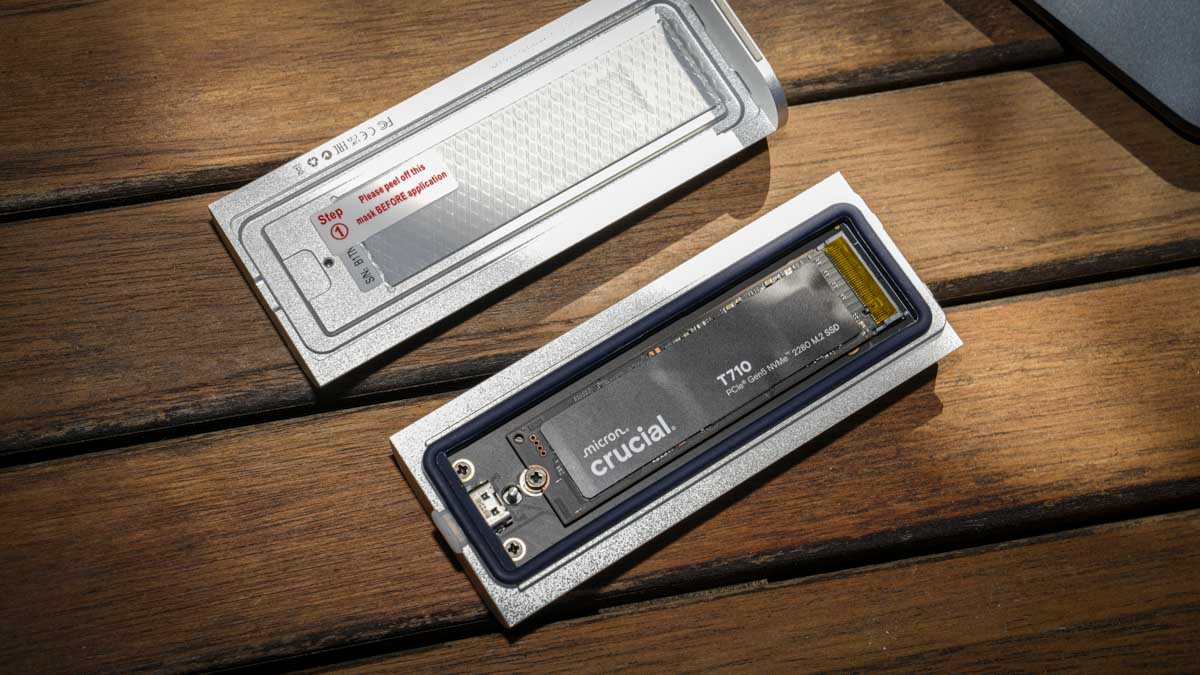
On SSD pairing, I deliberately fitted the Crucial T710 1TB Gen5 SSD as overkill for testing purposes, but realistically you should not pair this enclosure with anything more advanced than a PCIe 4.0 drive. A PCIe 3.0 NVMe SSD will fully saturate the USB 3.2 Gen 2 ceiling at a fraction of the cost, and a 4TB PCIe 4.0 drive would be my personal recommendation for the best balance of capacity, performance, and value. If you want the maximum 8TB capacity supported by the enclosure, you will need a PCIe 5.0 drive, but you will be wasting significant performance potential at this interface speed.
The TDAS App allows direct mobile backup from iOS 15.6+ and Android 11+ phones to the drive over USB-C. I tested this with an iPhone 15 Pro using the Blackmagic Camera app to shoot some Log video, and the workflow was genuinely impressive, the drive proved to be a robust storage option for handling phone-based content.
The size and weight of the enclosure mean it is not an ideal pairing for stabilised mobile rigs like the DJI Osmo Mobile, but for tripod-mounted phone shoots at events or longer-form recordings, it works well as a direct external storage destination. Cross-platform compatibility was confirmed across both Mac and Windows during the test, with Linux compatibility listed by TerraMaster but not yet retested as my Linux machine is currently being rebuilt.
The Triple-Shield protection is one of those features that sits in the background without making much noise, but it is worth understanding. It is a dedicated chip inside the enclosure that monitors for and reacts to electrical threats within milliseconds, including short circuits, voltage surges, and electrostatic discharge.
In practical terms, this means that if you plug the drive into a slightly unreliable power source, get a static shock when handling the drive in dry conditions, or experience a power spike during a transfer, the chip protects the SSD inside from damage. For photographers and videographers working in unpredictable field conditions, where the host machine and power supply might not always be ideal, this is reassuring background protection rather than a headline feature.
The fanless passive cooling design means the D1 operates in genuinely silent mode, with no fan noise, no chassis vibration, and no audible coil whine from the SSD inside. For studio and editing environments where any additional noise becomes intrusive, this matters. The cooling design dissipates heat effectively through the milled aluminium chassis and the substantial 34-fin design, and TerraMaster’s choice to prioritise silence and ruggedness over higher transfer speeds feels appropriate for this product’s positioning.
Performance
I tested performance on two platforms with the Crucial T710 1TB installed inside the D1. On my MacBook Pro M1 Max, AmorphousDiskMark recorded 993.50MB/s read and 598.12MB/s write, AJA System Test Lite returned 970MB/s read and 831MB/s write, and Blackmagic Design Disk Speed Test returned 890.1MB/s read and 1,277.3MB/s write.
The Mac results showed expected variation in write speeds across different test profiles, but the read performance consistently sat right at the USB 3.2 Gen 2 ceiling of around 1GB/s, demonstrating that the enclosure delivers what its specification promises.
On the ASUS desktop, Crystal Disk Mark recorded 1,061.91MB/s read and 1,055.78MB/s write, AJA System Test Lite returned 969MB/s read and 974MB/s write, and AS SSD recorded 978.58MB/s read and 962.40MB/s write.
The Crystal Disk Mark result actually slightly exceeded the rated 1,020MB/s read specification, and the symmetrical read/write performance across all three PC tests indicated the enclosure is hitting its full capability when given a clean Gen 2 connection. These results confirm the D1 reaches its rated specification reliably across both Mac and PC platforms.
In real-world workflow terms, the USB 3.2 Gen 2 ceiling has different implications depending on what you are doing. For photography, even handling 100MP RAW files from the Hasselblad X2D II 100C, the drive easily kept up with the transfer demands, although there is a noticeable wait compared with USB4 or Thunderbolt drives.
The trade-off is maximum compatibility across machines and devices. For video, the picture is more nuanced. I edited a five-minute video from approximately two hours of 4K high-bitrate footage shot on the Canon EOS R5 C in Final Cut Pro X, and the drive coped with the workload, but I could feel a slight bottleneck in transfers and timeline rendering compared with faster enclosures. For high-bitrate video work, I would opt for a faster enclosure, but for HD and lighter 4K editing, the D1 holds up perfectly well.
Sustained write performance was a strong point. There was no apparent thermal throttling during the extended editing session, and the substantial fin design and high mass surface area of the aluminium chassis kept the drive cool enough to maintain full performance throughout.
The casing became warm to the touch as the workload progressed, but never uncomfortably hot, and the cooling solution genuinely earns its place. Connection reliability was also excellent. The USB-C cable seats firmly in the port, the 50cm cable length is appropriate for desk and laptop use, and the connection remained stable across both platforms with no sleep-wake issues or unexpected disconnections.
Final Thoughts
The TerraMaster D1 SSD enclosure is one of my favourite portable enclosures of the past year, and a genuinely impressive product at its £37.99 / $39.99 price point.
The milled aluminium build is properly rugged, the IP67 rating is real, and the package is rounded out by thoughtful inclusions like the captive case screw, the bundled screwdriver, and the semi-hard carrying case. Pair the D1 with a sensible 2TB or 4TB PCIe 3.0 or 4.0 NVMe drive, and you have a complete portable storage solution for less than the cost of most pre-built rugged SSDs of equivalent capacity.
The honest limitations are the USB 3.2 Gen 2 interface ceiling, which caps performance at around 1GB/s, and the easily lost USB-C port plug that the IP67 rating depends on. Neither of these is a deal-breaker for the photographer or videographer using this drive for backup, archive, or stills editing in the field, and even for HD and lighter 4K video work the D1 holds up well.
For high-bitrate video as a working drive, a Thunderbolt or USB4 enclosure is the better choice. For everyone else, especially photographers wanting field-ready, indestructible storage at an entry-level price, the D1 is one of the most appealing options I have tested.