
The use of great audio adds instant impact to any film and, in quality terms, is probably an even more important part of filmmaking than your video footage. To explain the world of audio for video, we take a look at the best audio gear for film, rounding up the top microphones and audio devices for capturing quality sound for your videos.
If you’ve shot fabulous quality footage for your videos that‘s great but, in reality, it’s less than half the story. Utilising quality audio – whether it’s location sound, speech, sound effects, music or narration – is key when you’re producing videos, as audio is absolutely crucial to ensure you have films with maximum impact. You can actually disguise less than perfect footage with great sound but fabulous HD or 4K scenes can quickly be ruined by poor quality audio.
Just think of the vital role that David Attenborough’s inspiring narration and Hans Zimmer’s dramatic music plays in BBC natural world documentaries like Blue Planet II and Seven Worlds, One Planet. When you watch them you can immediately hear that audio is a vital weapon in adding drama, power and impact to your videos. Audio is a key part of the mood that’s being conveyed and the storytelling process.
To help to guide you through the factors involved, we’ll examine the pros and cons of different types of microphones, what you should consider when buying audio equipment for video shoots, and give our recommended ‘best audio gear for video’ picks of the best microphones you can get today. First, let’s take a look at the different types of microphones.
What microphone should I buy?
Built-in mics
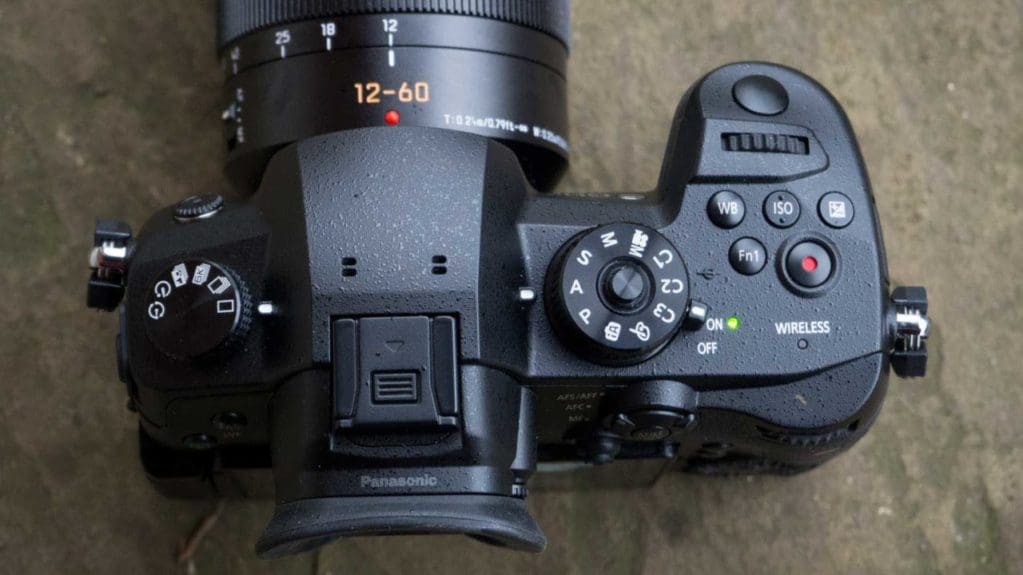
The built-in microphones on DSLRs or mirrorless cameras are OK for short clips of family holidays or the kids in the playground but for anything more professional the sound quality will be inadequate. If you plan to take filmmaking seriously the best investment to make, after buying a camera, is a microphone or audio capture device.
The use of a built-in mic on a camera should always be the last resort for recording sound. It will usually be very small and is ‘omni-directional’. In other words it will pick up ambient sounds from all around, literally a 360-degree coverage.
It is sensitive and can amplify sounds that are picked in its immediate vicinity, such as breathing or an AF system hunting a subject. It’s also vulnerable to wind noise and will often record this as a roar that will drown out any speech or narration. Such downsides can be quickly fixed by using an external microphone…
Hotshoe mics
Imaging accessory manufacturers, and some camera makers, make simple cardioid (front sensitive) microphones that fit into the hotshoe of your camera, plug into a camera’s input socket and record the sound coming from in front of it. These can be acquired for under £100 and will offer stronger sound and less distracting background, handling and wind noise (especially when used with a windshield) than built-in mics. But this type of mic still has some drawbacks as for the best audio quality the mic should really be as close as possible to the sound source and not on-camera.

Shotgun mics
So-called ‘shotgun’ mics can also be mounted on the hotshoe of cameras, using a suitable shock-absorbing cradle, but they are much more directional. They pick up audio from a very narrow angle in front and have a longer range than a basic hotshoe mic.
Even so, shotgun mics are most often used off-camera, often suspended from a boom above or pointing up from below out of shot. Shotgun mics usually cost more than basic on-camera hotshoe mics but are more versatile.
Lapel mics
The so-called ‘lapel’ or ‘lavalier mic’ is a tiny microphone that attaches to the clothing of the person speaking and is usually used in TV interview situations, such as news and chat show programmes. Its short range means it can pick up crystal clear sound from the person it’s attached to, whilst ignoring more distant sounds. These mics are available in both omni-directional and directional types and come in wired or wireless varieties.
You’ll be able to buy a wired lapel mic for under £50 but your shooting distance will be limited by the length of the cable, since the other end of the mic will have to plug directly into the camera. With a wireless version you can shoot from further away and the subject has complete freedom of movement. The downside of lapel mics is that they are visible in your video and some of the wireless options can be a tad expensive.
Separate audio recorders
Apart from deploying microphones you may wish to record audio using an external recorder. These are useful if you don’t have a mic input socket on your camera or you simply want more control and monitoring over your sound.
Not too many cameras offer manual adjustment of audio levels and instead will offer ‘auto gain compensation’ to automatically adjust the recording levels. The downside of this is if the ambient noise level in your environment suddenly drops, such as when a music track stops, the camera will ‘panic’ and will crank up the recording level, resulting in a whoosh of background hiss.
If your camera has the means to set a recording level, with a meter to provide a visual representation of the audio being recorded, you should use it.
Even then there’s no substitute for actually hearing the audio you’re recording, so you should monitor the sound through headphones. If you’re buying a camera specifically for video remember to check if it has a headphone socket and, if it does, use it!
A separate audio recorder will deliver much better sound because it uses better quality, more powerful pre-amplifiers and less compression. By not being attached to the camera it will also enable you to get any wired microphone much closer to the sound source.
The downside (if you can classify it as that) of using a separate audio recorder is that you’ll have to sync the sound with the footage you’ve shot when you’re in the post-production stage.
The best advice is to also record with the in-camera mic and by making a couple of loud claps at the start of recording both sound and vision you can line up the peaks in the visual waveform that this creates with the same peaks on your in-camera audio. Once you’ve successfully synced the sound, you can remove the in-camera audio track.
What kind of microphone do I need?
As you can see from the above the key choices for microphones will revolve around the type of audio you need to capture and how ‘clean’ you need it to be. Remember to think about what sounds you need to record – for example, location noise like seagulls at the coast, ambient noise like background chatter at a market, audio from a one-to-one interview or the spoken words of actors or interviewees.
I would also advise that you allow yourself the flexibility to monitor your sound recording via headphones and to adjust audio levels if needs be. For more in-depth advice about recording audio for video shoots check out our tutorial on Recording audio for video.
Although many other types of audio recording options are available this blog outlines what we think are the ‘best’ current devices for capturing audio for your videos. Don’t forget that you’ve got plenty of other choices and remember to always make sure if your needs match our recommendations. See below for our ‘top five’ best mics and audio devices for video shoots: