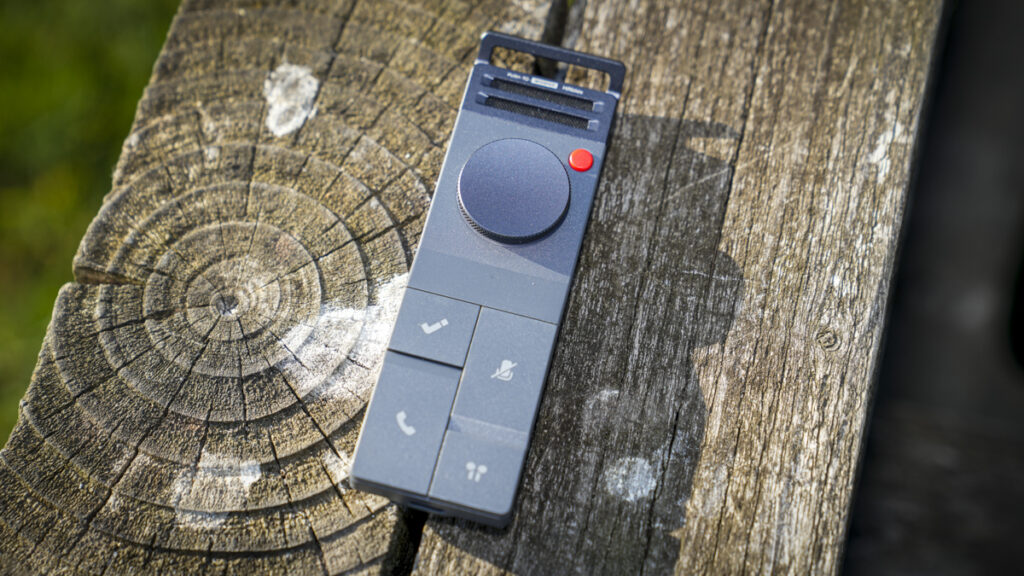

The HiDock P1 is an AI voice recorder for Bluetooth earphone calls and meeting notes.
What is the HiDock P1?
The HiDock P1 is, at its heart, a digital voice recorder and note-taker that uses AI to do far more than just capture sound. It records your voice, transcribes it using a series of different templates depending on what you need, calls, meetings, interviews, and quick ideas, and then generates an AI summary from the result. Think of it as the bridge between a conversation happening and a tidy, searchable, actioned set of notes.
The headline feature, and the reason it exists, is BlueCatch, HiDock’s technology for recording calls through your own Bluetooth earphones. Rather than dropping a bot into a Zoom or Teams call or holding a recorder up to your ear, the P1 sits between your phone or computer and your earbuds, capturing both sides of the conversation cleanly. There are three recording modes: Call Mode for private calls through your earphones, Room Mode for meetings and interviews using the dual microphones, and Whisper Mode for quiet dictation and catching ideas on the fly.
It’s aimed at anyone whose working life is full of conversations that need capturing, journalists, remote workers, students, people in back-to-back meetings, and creatives who want to catch an idea before it evaporates. It works as a standalone recorder in Room and Whisper modes, or paired with a computer or phone for the full transcription and summary workflow via HiDock’s HiNotes software, which is free although there are also subscriptions for some features.
Specification
Dimensions: 126 x 38 x 15.8mm
Weight: 72g
Body: aluminium
Battery: 600mAh (up to 8 hours continuous recording)
Storage: 64GB local (hundreds of hours)
Microphones: dual studio-level ECM, bi-directional noise cancellation
Connectivity: Bluetooth 5.3, USB-C
Recording: up to 768kbps / USB-C transfer up to 2048KB/s
Modes: Call, Room, Whisper
Transcription: 75+ languages, unlimited free for owners
AI summary: model choice (GPT, Claude, Gemini), 39+ templates (Pro)
Compatibility: macOS, Windows, iPhone 15+, Android OTG
In the box: P1, touch control cable, metal mounting plate, quick start guide
Warranty: 18 months / 30-day returns
Price: $169 USD
Build and Handling
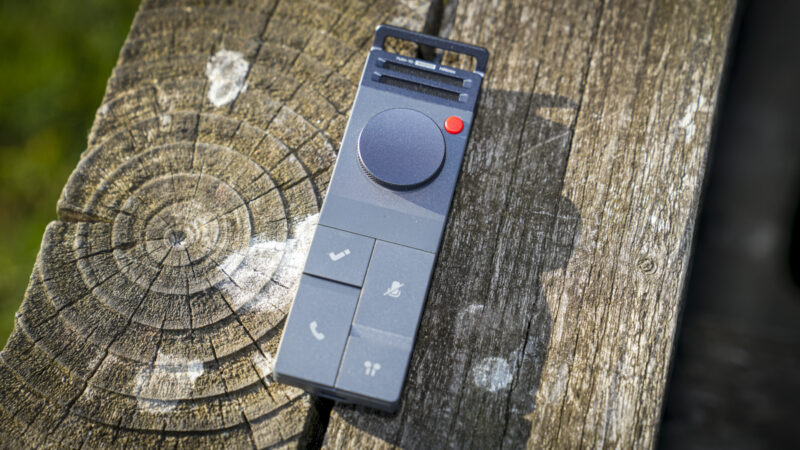
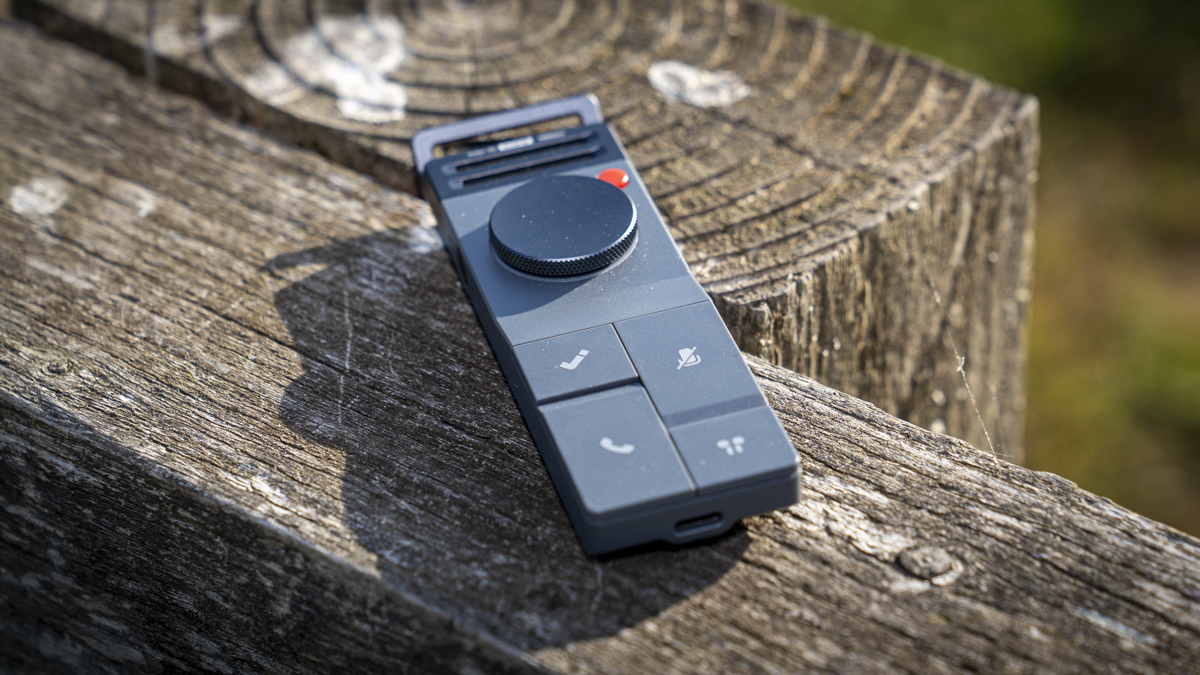
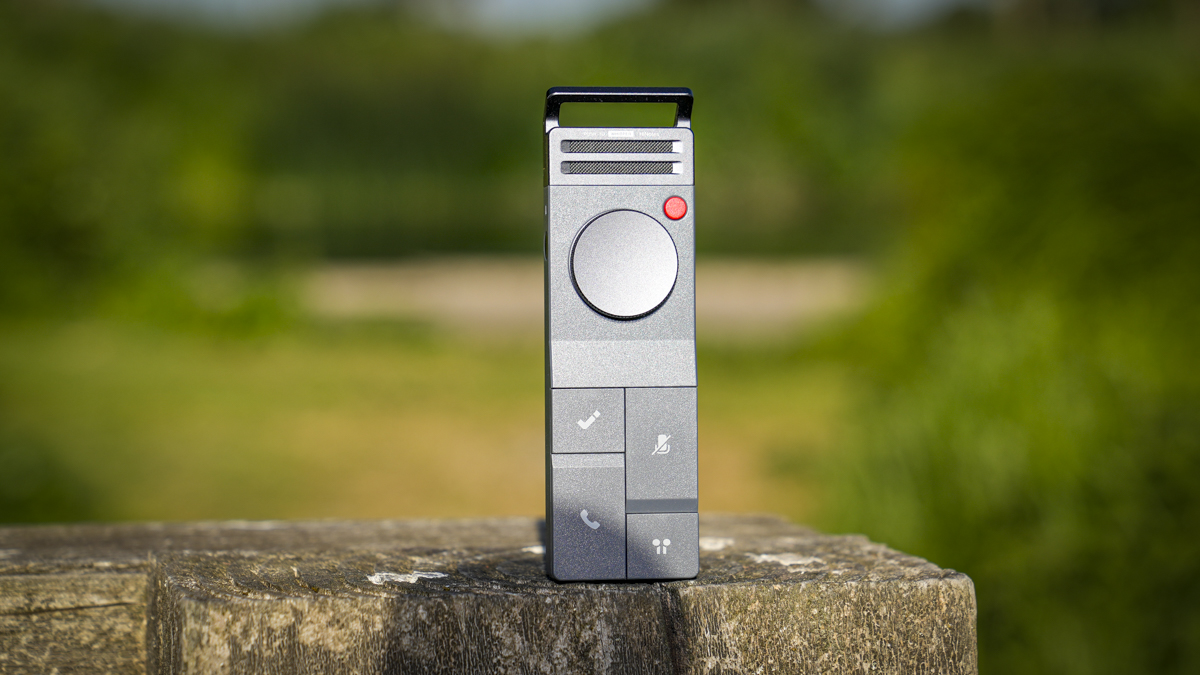
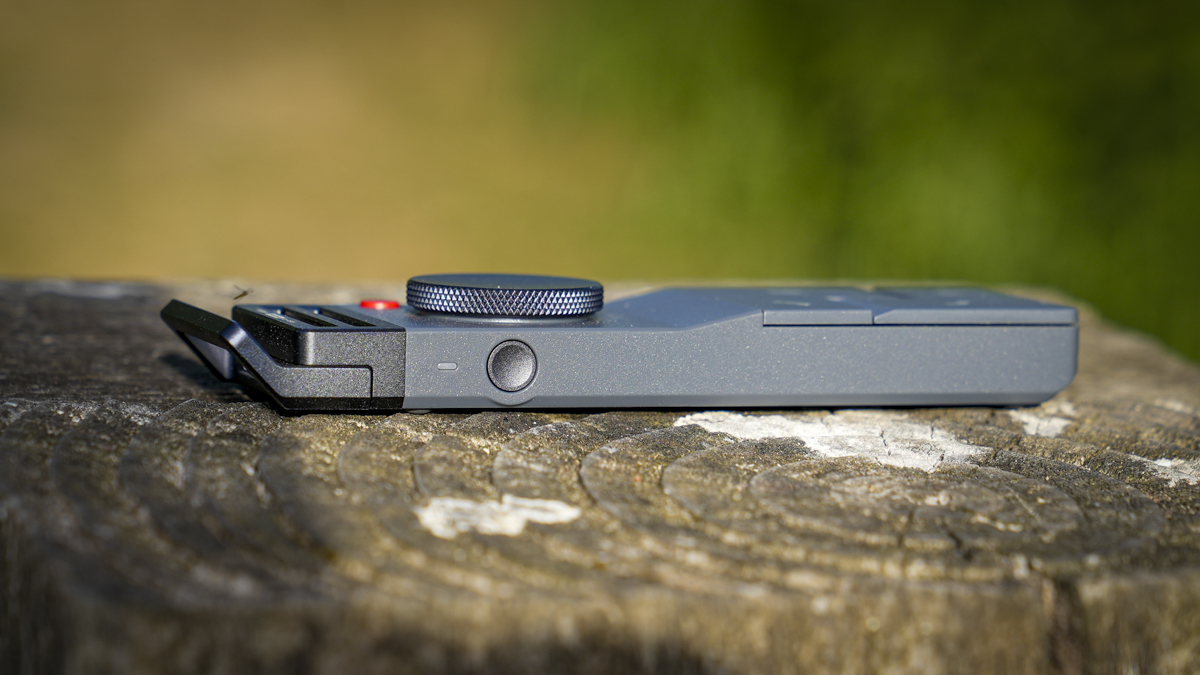
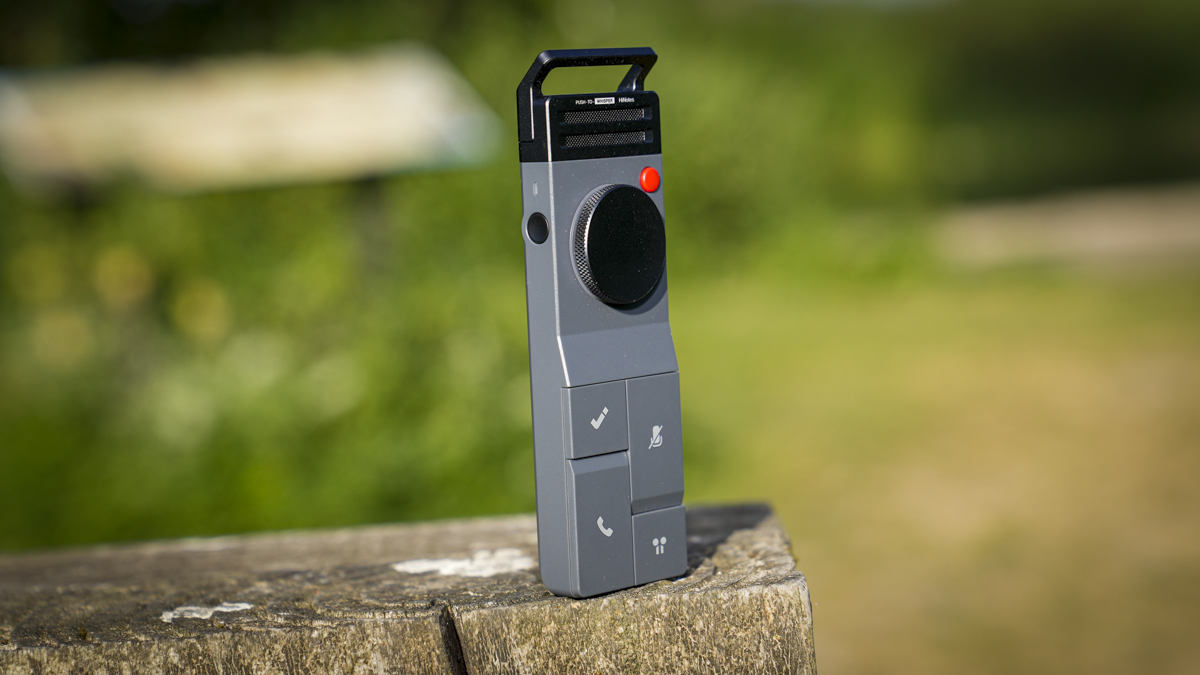
Let’s start with the design, because it’s the first thing that struck me, and it’s genuinely one of the nicest-looking devices I’ve seen in a long while. It’s retro and futuristic all at once, a slim aluminium body that feels premium in the hand and looks like a proper piece of kit rather than a plasticky gadget. At the top sit the two microphones alongside a loop, so you can clip it to a bag or a belt hook, and everything about the layout feels considered.
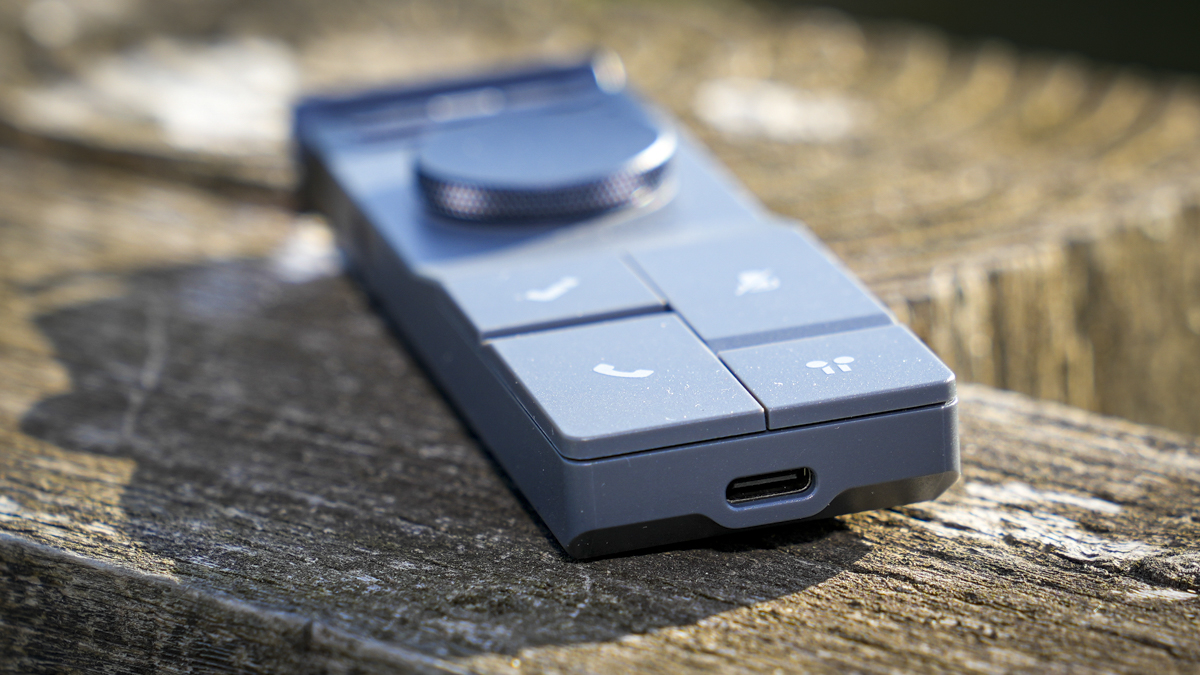
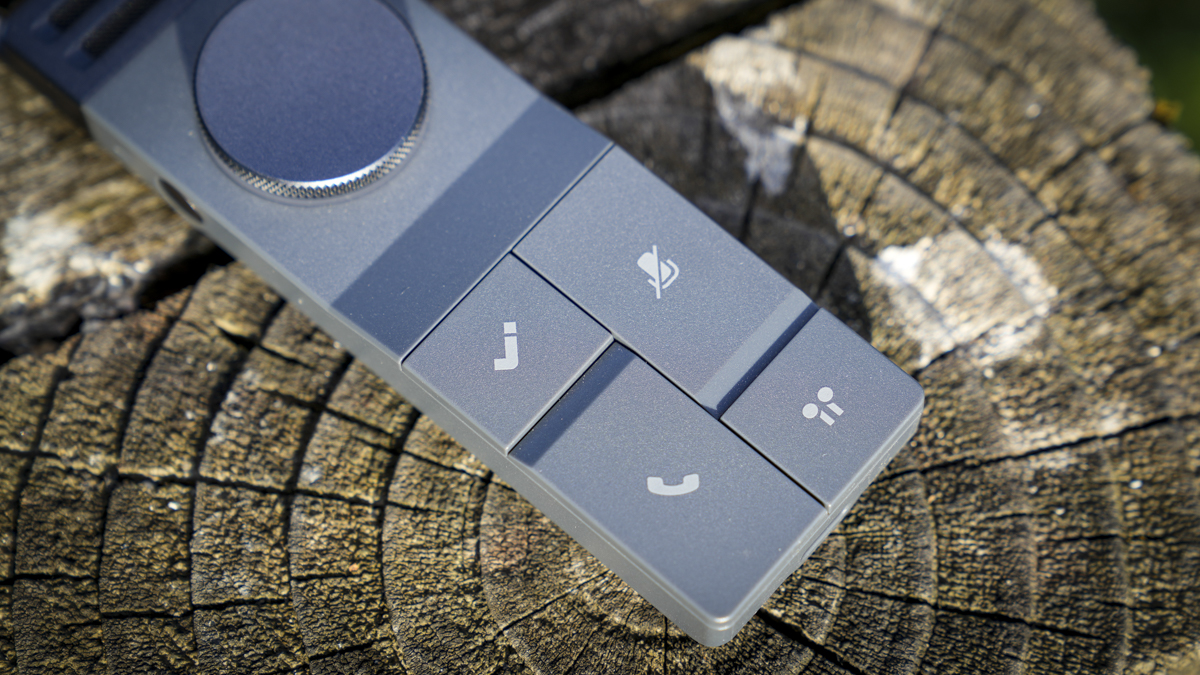
Below the mics is a small red button for noise cancellation on or off, then a large rotary dial that you scroll to navigate and double-click to play back recordings, which has a lovely tactile touch. Under that are four large buttons: the record button, marked with the HiNotes tick, which you long-press for three seconds to start and again to stop, with a light illuminating around the dial to show it’s running. A quick push of the same button during a recording drops a marker, VoiceMark, at that point, so if something interesting is being said and you want to flag it, the AI picks that up later in the transcription. Beneath that are the call button, a mic mute, and in the bottom right, the BlueCatch button for connecting your earphones.
Now, getting started is where the P1 takes a little patience, and it’s worth being upfront about it. The setup isn’t hard but Hidock has spread there online presence across two separate but linked websites: hidock.com, where you buy the device, and hinotes.hidock.com, where you log in to use it. The transition between the two isn’t as smooth or as clearly signposted as it could be. It’s genuinely only an issue right at the very start; once you’ve created your account, connected the P1 and got your bearings, it all falls into place and becomes straightforward. But that first ten minutes had me hunting around for where I had to go.
My advice, is to go straight to the printed manual in the box, which is excellent. It walks you through each step clearly, linking the device to your computer, downloading recordings, transcribing, and applying the summary templates. There are tutorial videos on the site too, although these are formatted like a zoom call, but I found the manual better structured for actually learning the device, so that’s where I’d point you first.
One thing that surprised me is that you connect the P1 to your machine via a USB-C cable rather than doing everything over Bluetooth, but it makes sense once you think about it, especially for longer recordings that would take an age to transfer wirelessly. For most of the test, I ran it on my MacBook Pro M1 Max, but it works just as well on an iPhone 15 Pro with the companion HiNotes app, which is essentially a mobile reflection of the browser-based software. Either way, you log into your account first, and then you’re off.
Features
BlueCatch is the feature that sets the P1 apart from every other recorder I’ve come across, and it’s the one that will sell it to many people. The idea of recording a call through your own Bluetooth earphones, cleanly on both sides, with no bot announcing itself in the meeting, is genuinely clever and sidesteps the awkwardness and privacy questions that come with more intrusive recording setups. Setting it up is done through the software, and when I paired it with my Bluetooth earphones, it worked really well, with a single press to connect and another to reconnect to the previous connection.
The three modes cover the situations you’d actually want a recorder for. Call Mode, through the earphones, handles Zoom, Teams, Google Meet, WhatsApp, and regular phone calls; Room Mode uses the dual ECM microphones with bidirectional noise cancellation to capture the whole room for meetings and interviews; and Whisper Mode is for quiet, on-the-fly dictation. The bi-directional noise cancellation is worth a mention, it works on both ends of a conversation rather than just your side, filtering out keyboard clatter, traffic and background chatter, and it does help the transcription come out cleaner.
Once a recording is made, the HiNotes software is where the AI does its work. Transcription is offered in over 75 languages and, importantly, it’s unlimited and free for device owners, which is a refreshing change from the metered, subscription-first approach many in this category take. On top of that sit the AI summaries, and this is where the templates come in, formatting your transcript into meeting minutes, action points, key takeaways and so on, with a choice of AI model behind them. The VoiceMark highlights you dropped during recording show up here too, so you can jump straight to the moments you flagged rather than wading through the whole thing.
It’s worth being clear about what’s free and what isn’t, because it’s easy to get this wrong. The core transcription is genuinely unlimited and free for owners, with no monthly minute cap, which is the important bit. The Pro membership, though, is where speaker identification, the fuller set of summary templates, live transcription, and various integrations live, along with a monthly quota of Pro minutes on the free tier. For a lot of users, the free level will do everything they need; if you want the transcript to name who said what, that’s the paid upgrade, and it’s worth factoring in.
Performance
Once I was set up and familiar with the layout, making a transcription proved very easy. My first go was simply transcribing a few phone calls I had on loudspeaker: a three-second press of the record button, the recording made, then a quick USB-C connection to the MacBook, and the file appeared under the device in HiNotes, ready to transcribe and summarise. From there, choosing a template and generating the notes takes a minute or so, and the turnaround is genuinely quick.
On quality, the recordings themselves are clear, both in Room Mode picking up a space and through the earphones on calls, and voices stay distinct enough for the transcription to do a good job. In a normal room or a reasonably busy office, the pickup is solid out to a few metres, and the noise cancellation earns its keep. The transcription is good rather than flawless, and it’s worth going in with that expectation; it occasionally drops the odd word, and proper names and acronyms are where it most often trips up, so anything with unusual names will need a read-through and a tidy-up afterwards.
The summaries are where the real time-saving lies. Handing over an hour-long meeting and getting back a clean, structured set of notes and action points, with the filler stripped out, genuinely cuts down the post-meeting admin, and the variety of templates means you can shape that output to whatever the recording was for. For interviews, meetings and calls, it’s a properly useful workflow, and the VoiceMark highlights make finding the important moments quick.
The one note on the software side is that it’s still maturing. It does what it promises, but you can tell it’s a product that’s actively being developed, and the odd bit of polish is still to come, particularly around editing and the way it handles names. None of this stopped it from doing its job through the test, but it’s fair to say the hardware feels more finished than the software does just yet, and that’s the balance to be aware of.
Final Thoughts
The HiDock P1 is a clever, genuinely useful bit of kit, and for anyone whose days are full of calls, meetings and interviews, it solves a real problem in a way nothing else quite does. Being able to record straight through your own Bluetooth earphones, without a bot in the meeting, is the trick that sets it apart, and the free unlimited transcription and template-driven summaries turn a pile of recordings into usable notes with very little effort. The hardware is lovely, the workflow is quick once you’re into it, and the whole thing does what it sets out to do.
It’s not without its rough edges. The two-site setup at the start is more fiddly than it should be; the transcription needs a check for names and odd dropped words, and some of the better features, speaker identification chief among them, sit behind the Pro plan. The software, too, still has some maturing to do compared with the very finished hardware.
But none of that undoes the core appeal. If you take a lot of notes from conversations, and especially if you spend your days on calls through earphones, the P1 is one of the most practical productivity tools I’ve used in a while. Get past the first ten minutes of setup, lean on that excellent manual rather than the videos, and it quickly becomes something you don’t want to be without.