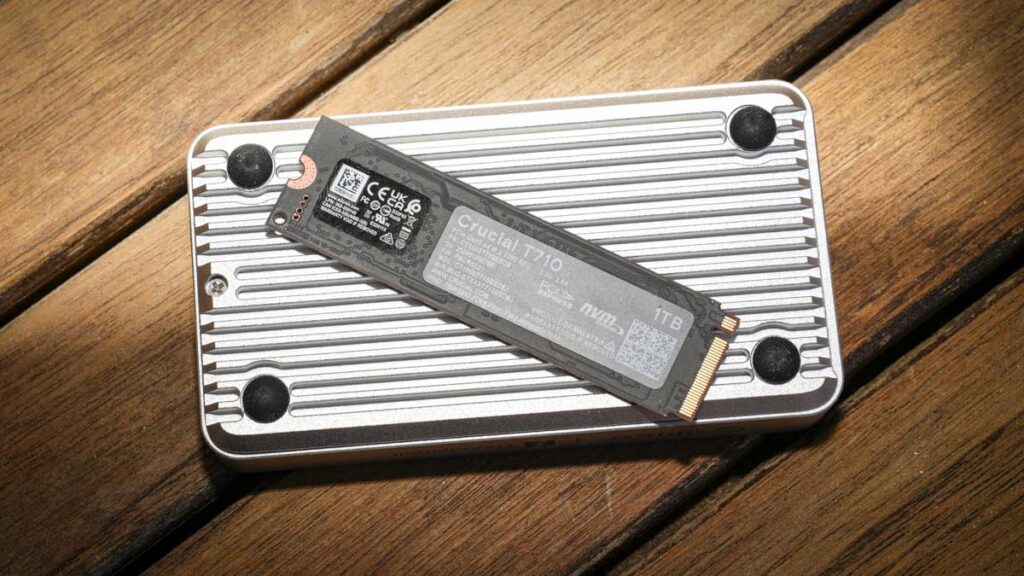

The Crucial T710 1TB delivers PCIe Gen5 speeds with the efficient new SM2508 controller, making it one of the fastest M.2 SSDs available for photography and video workflows
What is the Crucial T710 1TB?
The Crucial T710 1TB is a PCIe Gen5 NVMe M.2 2280 solid state drive from Crucial, a brand that I’ve actually used in my recent PC build for many of the components.
This SSD is the company’s third-generation Gen5 SSD, succeeding the T700 and T705, and uses the new Silicon Motion SM2508 controller paired with Micron’s 276-layer 3D TLC NAND, if that means anything to you.
Essentially what this means is that the drive is able to deliver rated sequential read speeds of up to 14,900MB/s and write speeds of up to 13,800MB/s when installed directly into a compatible PCIe Gen5 M.2 slot, making it one of the fastest consumer SSDs available.
The T710 is aimed at users who demand the best performance, content creators, gamers, and professional photographers and videographers who need exceptional transfer speeds for working with large files, high-resolution video timelines, and big RAW image dumps, which formed the heart of this test.
The 1TB version, the one I’ve been testing, is unique within the T710 range in offering the highest sequential read rating, due to a six-plane flash configuration that the 2TB and 4TB versions do not share.
The USP is the combination of class-leading Gen5 performance with significantly improved power efficiency over previous-generation Gen5 drives, addressing the heat and power-draw concerns that limited the practicality of earlier Gen5 SSDs in laptops and compact builds.
Specification
Capacity: 1TB (also available in 2TB and 4TB)
Interface: PCIe Gen5 x4 NVMe 2.0
Form factor: M.2 2280
Sequential read: Up to 14,900MB/s
Sequential write: Up to 13,800MB/s
Random read/write IOPS: Up to 2,200K / 2,300K
Controller: Silicon Motion SM2508 (8-channel, TSMC 6nm, quad-core ARM Cortex R8)
NAND: Micron 276-layer 3D TLC at 3,600 MT/s
DRAM cache: 1GB Micron LPDDR4 (dedicated)
TBW endurance: 600TB (1TB model)
Warranty: 5 years (or until 600TBW reached)
Encryption: AES-256 hardware encryption with TCG Opal 2.01+
Power consumption: 8.25W (26.6% reduction vs T705)
DirectStorage: Optimized for gaming
Heatsink option: Available with low-profile heatsink (PS5 compatible) for £20 more
Price: From £179.99 (1TB bare drive)
Build and Handling
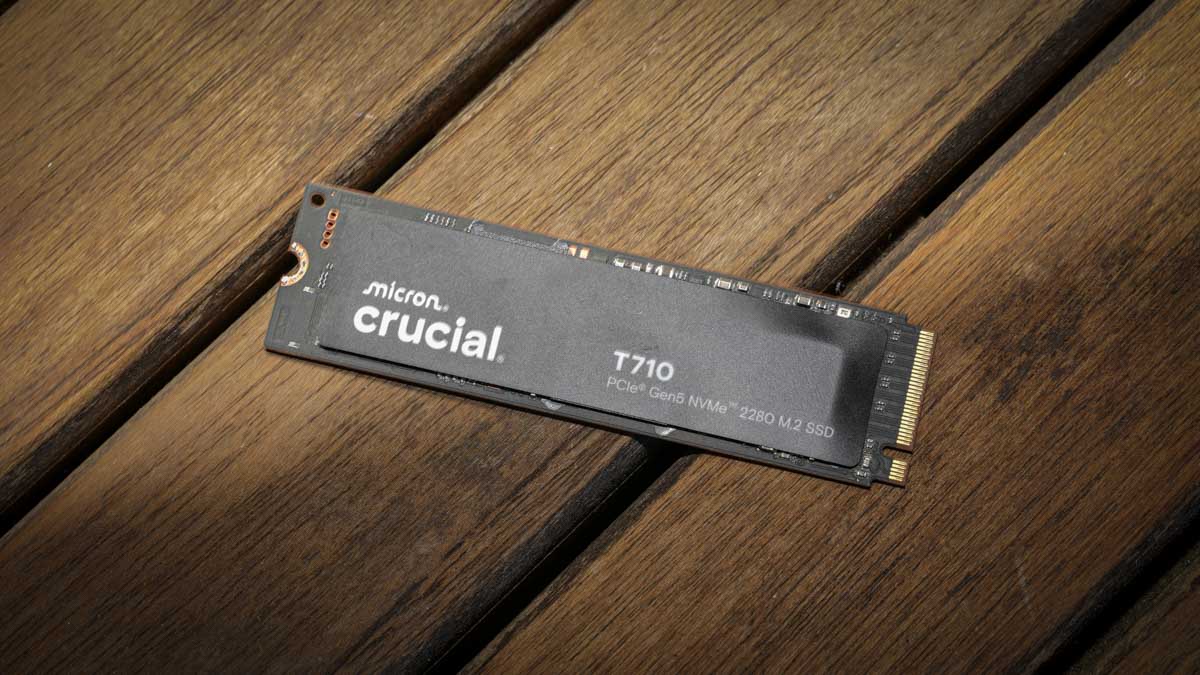
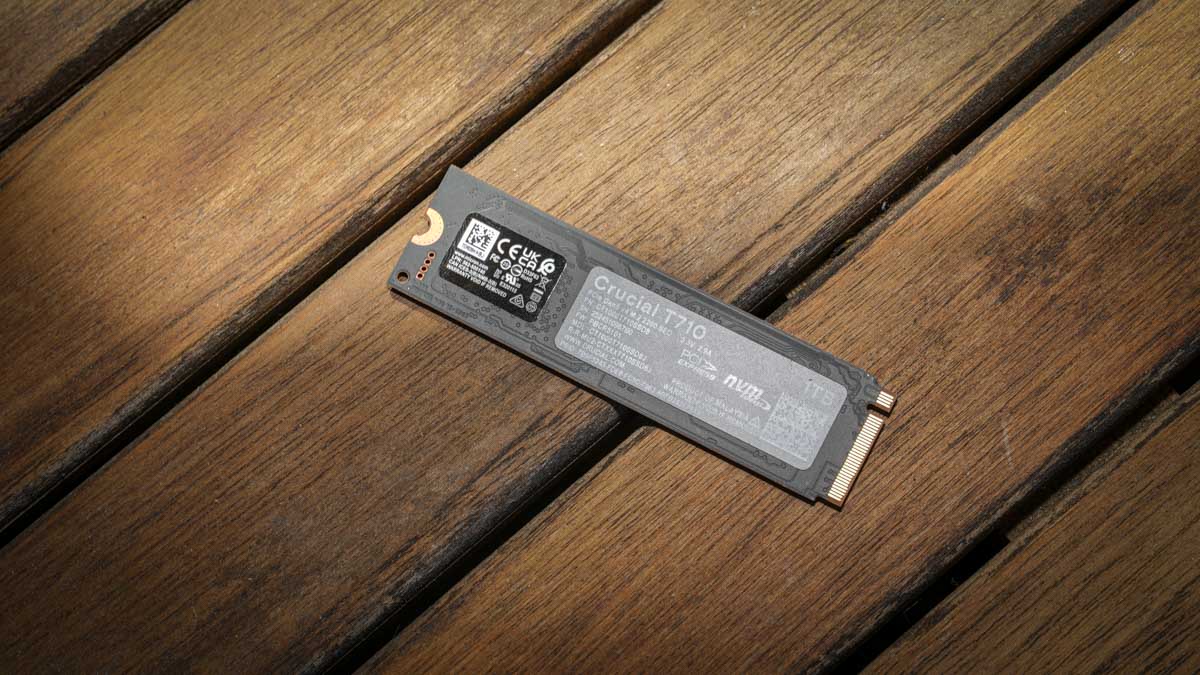
The Crucial T710 1TB looks much like any other M.2 2280 SSD. It is a barebones drive with a simple, sleek black sticker on the front carrying the Micron, Crucial, and T710 PCIe Gen5 NVMe 2280 M.2 SSD branding, and very little else.
Aesthetics don’t really matter here because the drive is designed to be hidden inside a PC, laptop, or external enclosure, and what matters is that the form factor is the exact right size to slot in to a machine or enclosure.
The build quality is solid and consistent with what you would expect from a Micron-manufactured product, and the bare drive is exactly the right tool for users who plan to install it where it will be hidden from view.
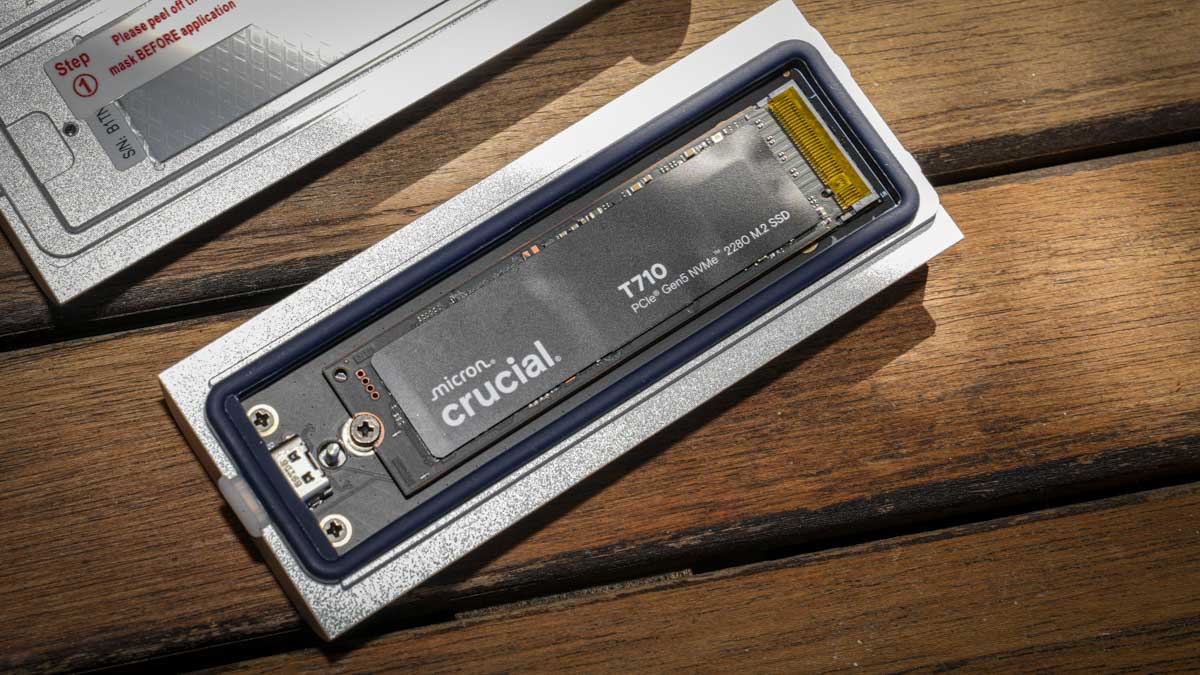
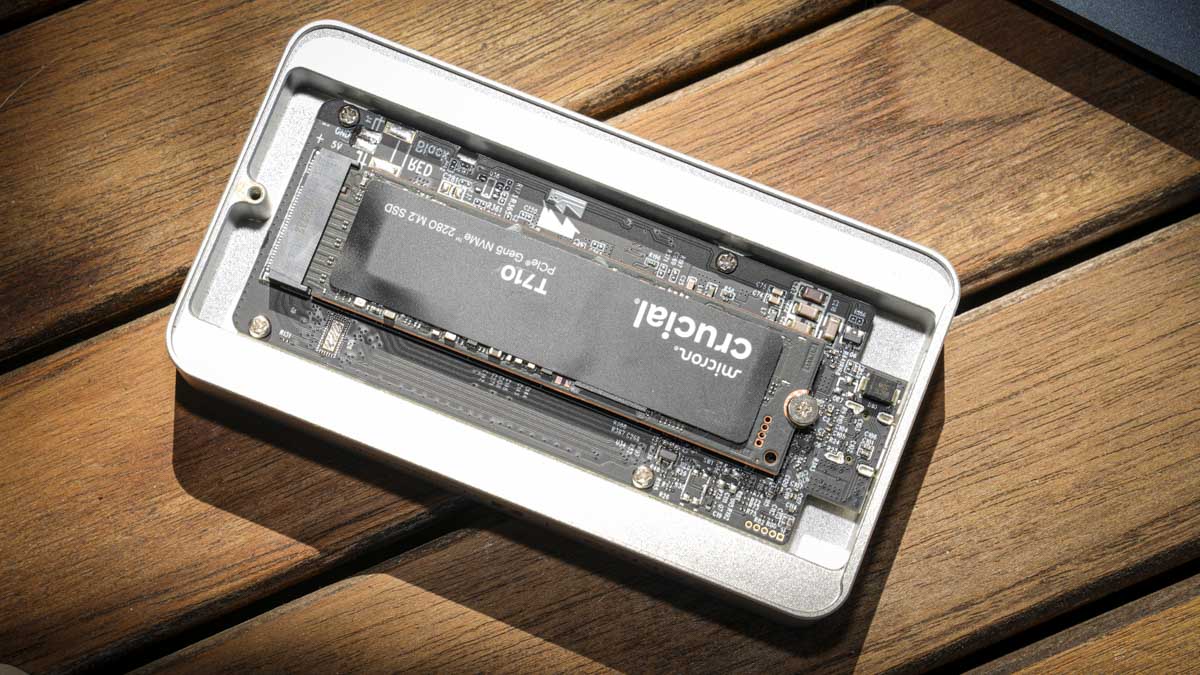
Installation into the Orico Thunderbolt 5 Enclosure X50 was extremely straightforward. The T710 dropped into the M.2 slot, the enclosure’s long securing screw held it firmly in place, and the case closed back together cleanly.
Importantly, the X50 enclosure includes a thermal pad that sits on top of the SSD during installation, providing the heat dissipation that the bare drive lacks on its own. This made the bare drive a good option in this instance, where the enclosure handles cooling.
For installation directly into a desktop machine the heatsink version would be the safer choice, particularly for sustained heavy workloads.
In sustained use during the test, including a solid three-hour video editing session in Final Cut Pro X with the T710 functioning as the working drive over Thunderbolt 5, the SM2508 controller’s improved efficiency was immediately apparent.
There was no thermal throttling, no noticeable performance drop-off, and no concerning heat from the enclosure. The combination of the new controller, the cooler-running G9 NAND, and the enclosure’s thermal solution worked together to keep the drive operating at full speed throughout extended sessions, addressing the issues that affected the earlier T705 and other first-generation Gen5 drives that often required active cooling.
Features
Get ready for a slightly dry features list, but if you’re interested then here it is..
The headline feature for photographers and videographers is the raw transfer speed enabled by the Silicon Motion SM2508 controller and Micron’s latest G9 TLC NAND. The 1TB version is unique in offering 14,900MB/s sequential read, the highest in the T710 range, due to a six-plane flash configuration.
For read-heavy workflows like opening large RAW files in Lightroom or scrubbing through high-bitrate video timelines, this gives the 1TB version a specific advantage that the larger capacity versions do not match. The flip side is that the 1TB capacity fills very quickly when working with video, particularly with CFexpress cards available at 1TB and 2TB offering more capacity than the SSD itself.
The AES-256 hardware encryption with TCG Opal 2.01+ support is genuinely useful for portable storage. When combined with Crucial’s Storage Executive software, password protection can be enabled to protect the drive’s contents, which is especially relevant given the T710’s likely use as an external drive in an enclosure that travels between locations.
The hardware-level encryption means there is no performance penalty when it is enabled, and for any photographer or videographer carrying client material on the drive, the protection is meaningful.
Crucial’s Storage Executive software is a capable monitoring tool that allows checking drive health, viewing performance statistics, enabling password protection, and managing firmware updates. It compares well to Samsung’s Magician and other manufacturer utilities, and provides the kind of long-term drive monitoring that is genuinely useful for working professionals.
Acronis True Image is included for cloning, which is helpful when migrating from an older drive, although some longer-term subscription costs may apply for ongoing use.
DirectStorage support is included for gaming applications that take advantage of GPU-direct file streaming, but for photographers and videographers this is essentially irrelevant.
The 5-year warranty (or until 600TBW is reached, whichever comes first) is in line with competitors like the WD_Black SN8100 and Samsung 9100 Pro.
Performance
Performance was tested on two platforms, both via the Orico Thunderbolt 5 Enclosure X50. On a MacBook Pro M1 Max, limited to Thunderbolt 4, the BlackMagic Speed Disk Test recorded 2,989.5MB/s read and 2,921.5MB/s write, the AJA System Test Lite returned 2,958MB/s read and 1,848MB/s write, and Amorphous returned 3,415.83MB/s read and 1,726.83MB/s write. The consistency of read speeds across all three Mac tests reflected well on the drive itself, hitting the Thunderbolt 4 ceiling reliably across different test methodologies. The variation in write speeds is normal for write-cache behaviour across different test profiles.
On the ASUS desktop with the Thunderbolt 5 PCIe card, the results jumped significantly. Crystal Disk Mark recorded 6,133.04MB/s read and 3,817.34MB/s write, AJA System Test Lite returned 4,832MB/s read and 3,175MB/s write, AS SSD recorded 4,957.80MB/s read and 3,534.18MB/s write, and ATTO returned a notably consistent 5,800MB/s in both directions. The symmetrical ATTO result is particularly telling, suggesting the drive can deliver well-balanced read and write performance when given a fast enough connection, although still capped at approximately 41% of its native Gen5 read potential. The desktop’s single Gen5 M.2 slot is currently occupied by the Windows 11 boot drive, which limited the ability to test the T710 directly in its native interface, but the consistency of performance across both Thunderbolt platforms was a clear indicator of the drive’s underlying capability.
I started the test by offloading large CFexpress Type B cards from the Canon EOS R5 C and the Hasselblad X2D II 100C, transfer speeds were fast enough that double-checking the file count became a habit, the transfers seem to complete far faster than expected.
Video editing in Final Cut Pro X on the Mac and DaVinci Resolve and Premiere Pro on the PC was equally smooth, as I switch between Mac and PC systems, with high-bitrate 4K timelines from the EOS R5 C scrubbing comparably to the desktop’s internal Gen5 SSD despite the external Thunderbolt 5 connection.
For photography work, opening 100MP RAW files from the Hasselblad in Photoshop and Lightroom was effectively instant, although the headline 14,900MB/s read speed is genuinely overkill for that use case.
Sustained write performance held up well across the test. There was no observable thermal wall, no SLC cache exhaustion during extended transfers, and no drop-off in performance during the long video editing sessions.
The combination of the SM2508 controller’s improved efficiency, the G9 NAND, and the Orico enclosure’s thermal solution kept the drive running at full speed throughout, which is a meaningful improvement over the early Gen5 drives that struggled with sustained workloads.
Final Thoughts
The Crucial T710 1TB is one of the most impressive M.2 SSDs available in 2026, and the move to the Silicon Motion SM2508 controller has addressed the heat and power concerns that limited the practicality of earlier Gen5 drives.
If you have a modern motherboard offering a PCIe Gen5 M.2 slot, and of course a bit of technical knowhow to fit it, the T710 is an exceptional choice that will significantly boost system performance for any photography or video workflow.
For external use via Thunderbolt 5, which is the realistic deployment for most photographers and videographers who do not have a desktop with a free Gen5 M.2 slot, the T710 remains very fast but cannot reach its full potential.
The 1TB capacity is the main practical limitation for serious video work, where 4TB is the more sensible choice. For mostly-stills photographers, the 1TB read speed advantage from the unique six-plane flash configuration is genuinely interesting, but capacity will likely matter more in the long run.
As Thunderbolt 5 becomes mainstream and motherboards continue to offer multiple Gen5 M.2 slots, drives like the T710 will only become more relevant.