
Pocket-sized dual-mic system, balancing convenience, perfect for use with your phone or camera
RØDE is the company that kickstarted the explosion in affordable wireless microphone systems, and the latest is the Wireless Micro Camera Kit, essentially a grab-and-go two-transmitter set that utilises pure simplicity and offers superb voice clarity, noise reduction, and plenty of flexibility.
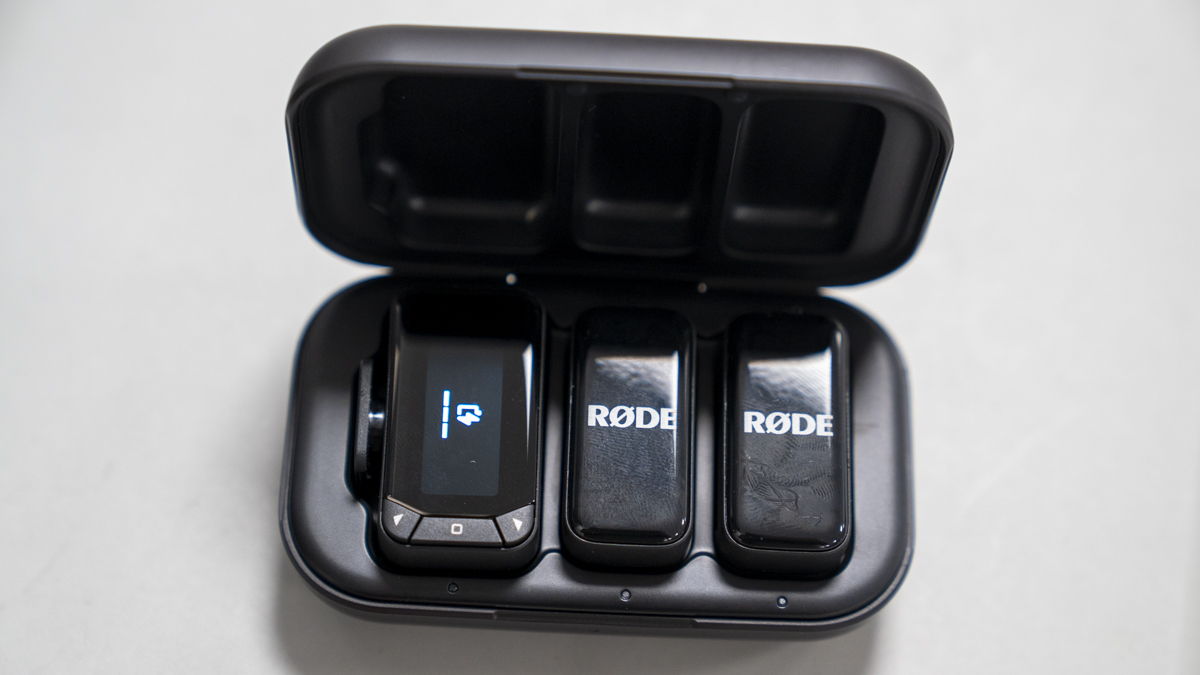
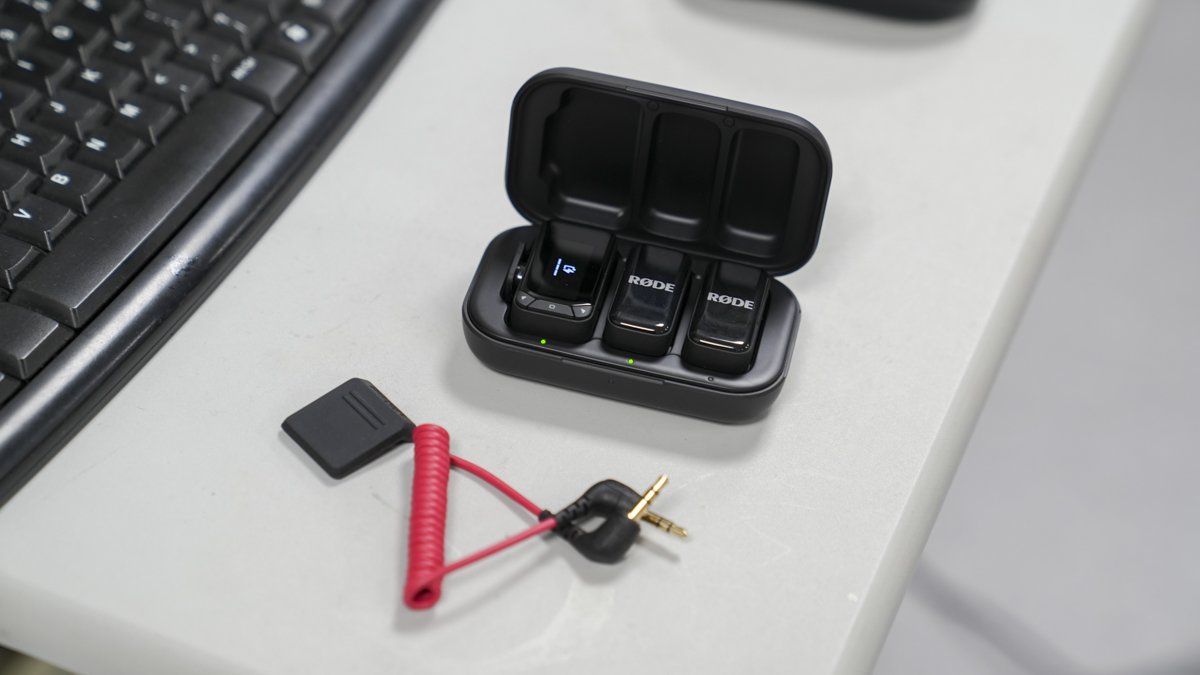
The set comes in a neat hard charging case, and inside you get two wireless mic transmitters and one receiver that you can pop onto your camera and connect through a 3.5mm audio cable.
The set is a step up from the Wireless Micro for USB launched last year, and if you buy the special edition, then one of those USB receivers is included in the box. So if you want to use this both with your smartphone and on a separate occasion with your mobile phone with a USB-C connector, that is perfectly possible.
Once again, it offers all the usual features with simplicity at its core, and setup and use can be done within a couple of seconds.
It’s a little bit annoying that the connecting cable between the receiver and the camera is separate. While you have a neat, tidy box that keeps the two transmitters and receiver safe and charged, the TRS cable has to be carried separately.
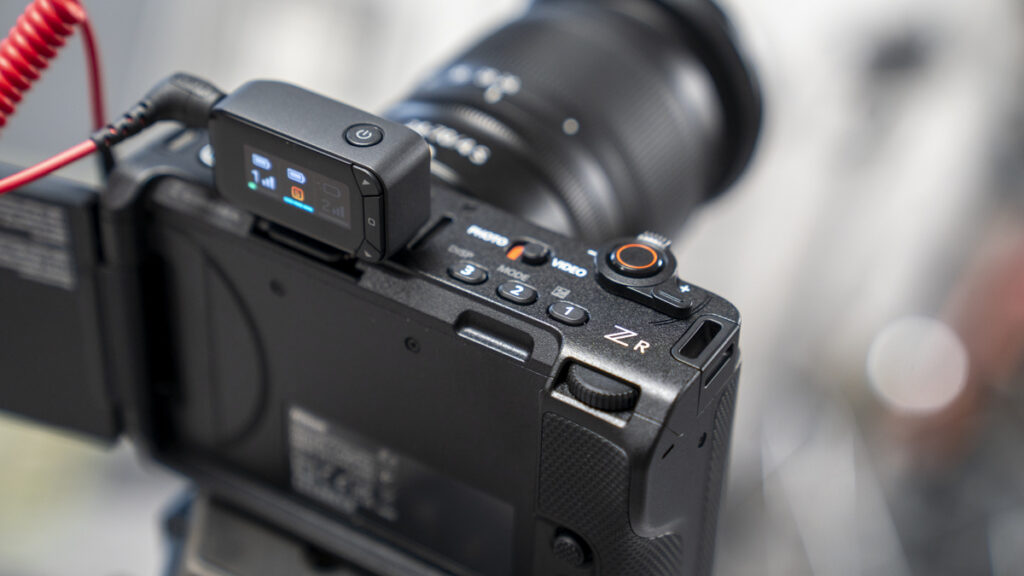
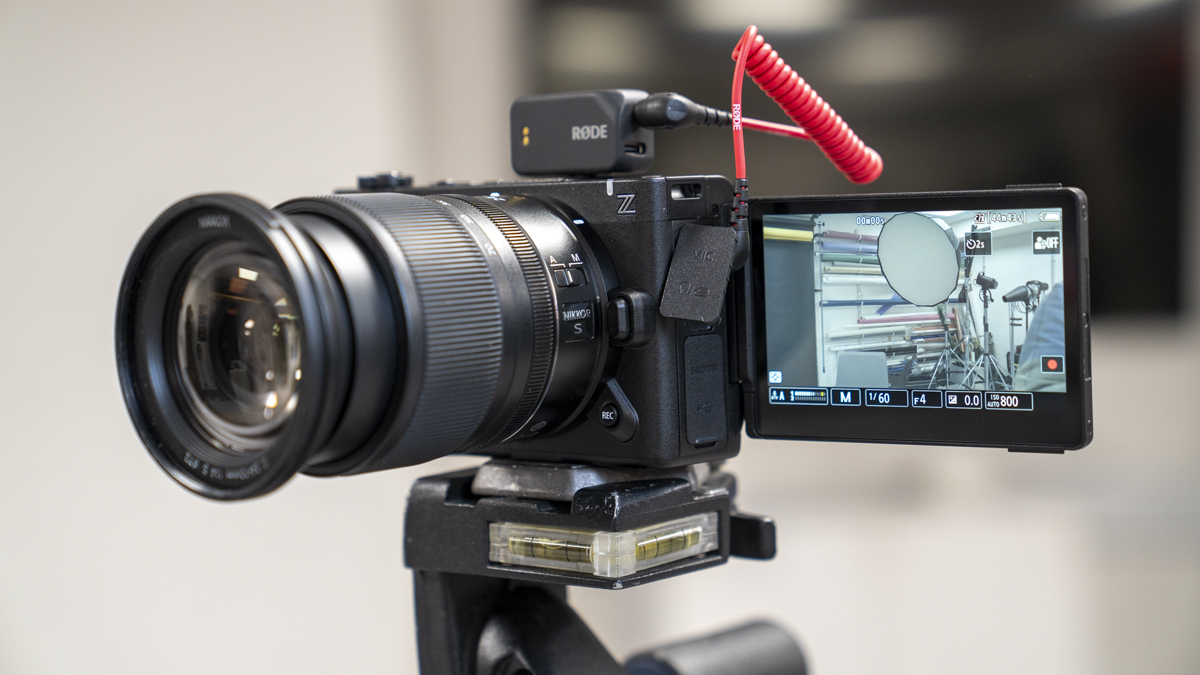
In use, the two transmitters are as simple as any, with a magnetic clasp or clip that gives you plenty of flexibility over how they’re mounted to your subjects. The receiver, on the other hand, simply slots onto your hot shoe and features a TRS or USB-C port to link to your compatible camera. The screen is also nice and simple, showing on the main screen the connected devices, transmitter battery power, receiver battery power, and signal strength.
There are three controls that give access to the settings, including adjusting the output gain and the output mode, whether you want it split or merged. When it comes to pure simplicity, that’s pretty much it.
The point here is that RØDE has made a very proficient set of wireless mics for your camera or smartphone. They’re simple to use, straightforward, and offer market-leading sound quality. While I feel like I should have a little bit more access to settings, really, they offer superb quality out of the box, enabling you to focus on filming and content rather than audio.
What is the Rode Wireless Micro Camera Kit?
The Wireless Micro Camera Kit is yet another all-in-one compact wireless mic system that works with your camera or smartphone. It offers two transmitters and a simple receiver unit. They’re encased in a very sturdy charging case, very similar to the RØDE Wireless Micro I looked at earlier in the year.
While the Micro Kit was exceptionally nice and simple to use with your smartphone, you couldn’t really utilise it with a camera, as there was no output from the transmitting unit aside from USB-C. Whilst there are some cameras that can accept audio in this way, the majority require a 3.5mm TRS cable.
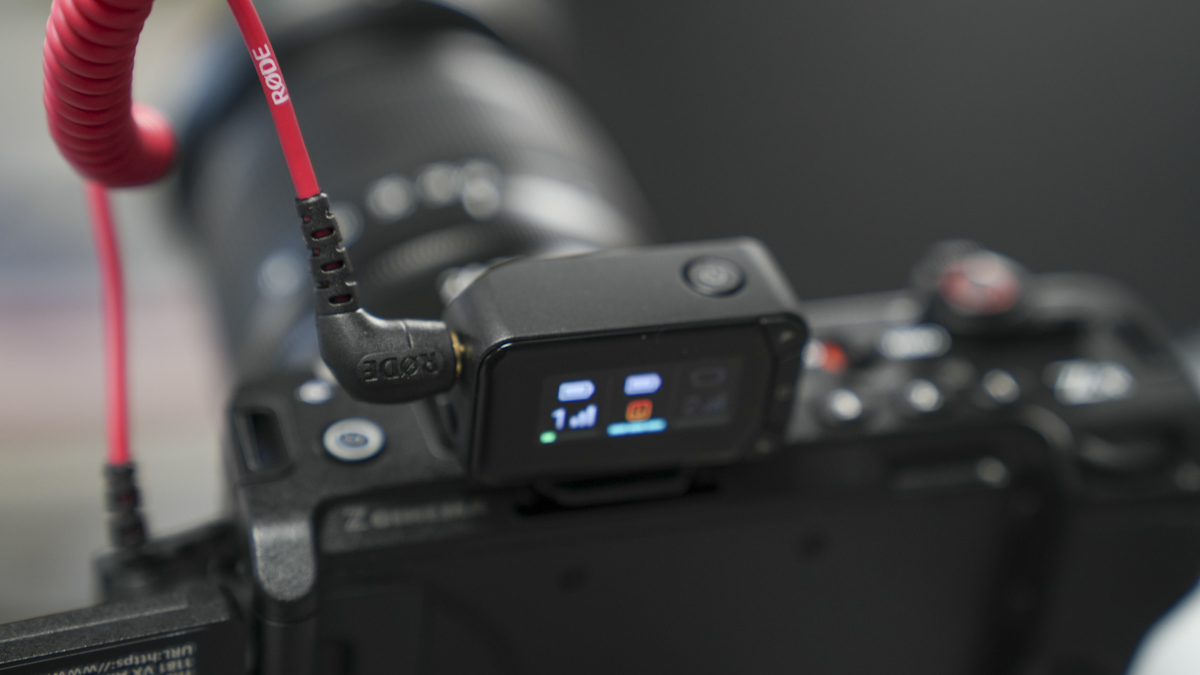
So, the RØDE Wireless Micro Camera Kit features slightly larger transmitter mics that once again offer two forms of attachment to your subjects, and one small receiver unit that sits in your hot shoe and connects to your camera either via 3.5mm TRS or USB-C cable.
Like the RØDE Wireless Micro, they’ve kept things nice and simple. While the more advanced versions offer plenty of flexibility, this unit is essentially designed for content creators who just want to go out and film, knowing that the wireless microphone system will handle the audio for them.
While there is a little bit of adjustment and a split between stereo and mono (although they just call it split or merged in the settings), there’s very little other adjustment, with just audio gain, output mode, and the brightness of the screen being your only options.
Because of this, RØDE has really worked on the quality of the transmission and reception, and the in-device processing manages to level out both mics automatically, as well as applying relatively decent noise reduction. The end result is one of the simplest-to-use advanced systems that I’ve come across.
Specification
- Transmission Range: Over 100m
- Digital Connectivity: USB-C
- Connectivity: 3.5mm TRS
- Sample Rate: 48kHz
- Transmitter Size: 40 x 20 x 17mm
- Receiver Size: 44.65 x 16.85 x 27.85mm
- Transmitter Weight: 18g
- Receiver Weight: 19.3g
RODE Wireless Micro Camera Kit Build and Handling
As we’re starting to see with many of these wireless mic systems, it comes in a small semi-hard case, slightly larger than some we’ve seen in the past, at roughly 97 x 58 x 30mm and weighing around 80g. On top of that, you have the two transmitters, each weighing about 18g (12g without the magnet) and measuring in at 40 x 20 x 17mm, making them slightly larger than the Micro I looked at earlier in the year, but still pretty small and discreet as these things go.
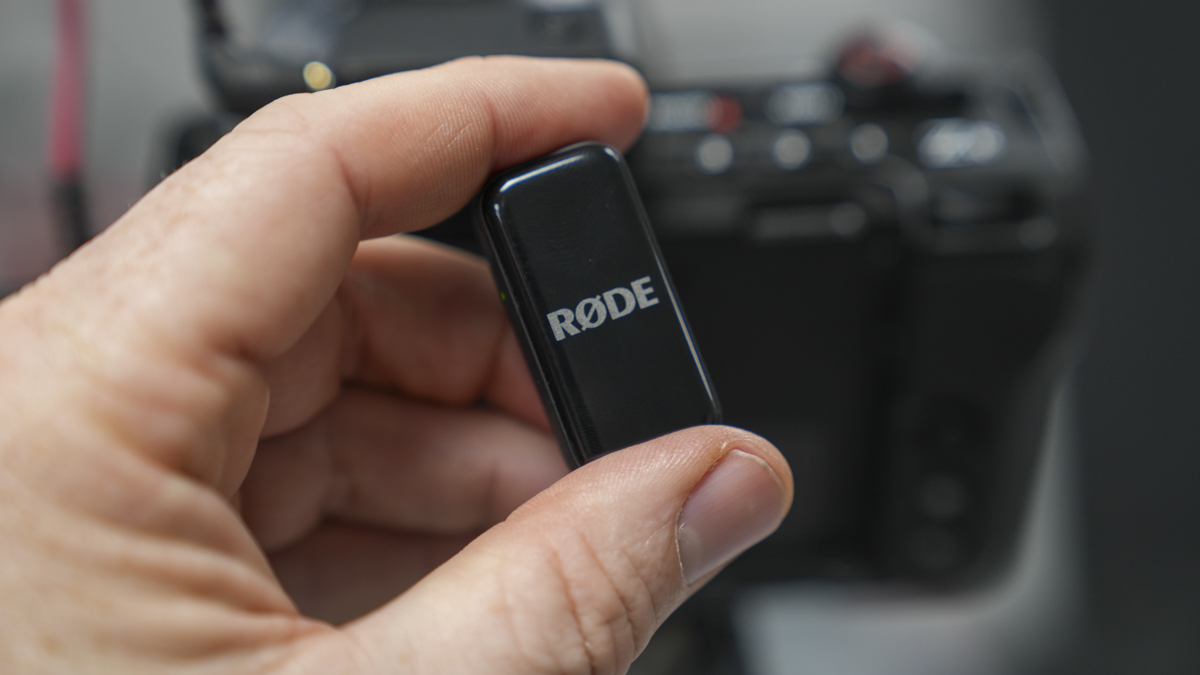
The design is small and rectangular with the RØDE logo plastered across the front. You can, of course, cover this over with a bit of electrical tape, and because of the size and shape, it actually fits very neatly. Alongside the transmitter mic, you can also get the wind jammers, which pop over the entire unit and fit very snugly.
Alongside the two transmitters, there’s also the receiver. The receiver measures roughly 45 x 17 x 28mm and weighs 19g, again, nice and lightweight. This is a little bit more involved than the transmitter and has a clear LCD on the back with three physical buttons that let you access the menu, navigate up and down, and adjust settings. Unlike many other more advanced microphone systems, the options here are pretty limited, just output gain, output mode, and screen brightness. Aside from that, there’s very little adjustment.
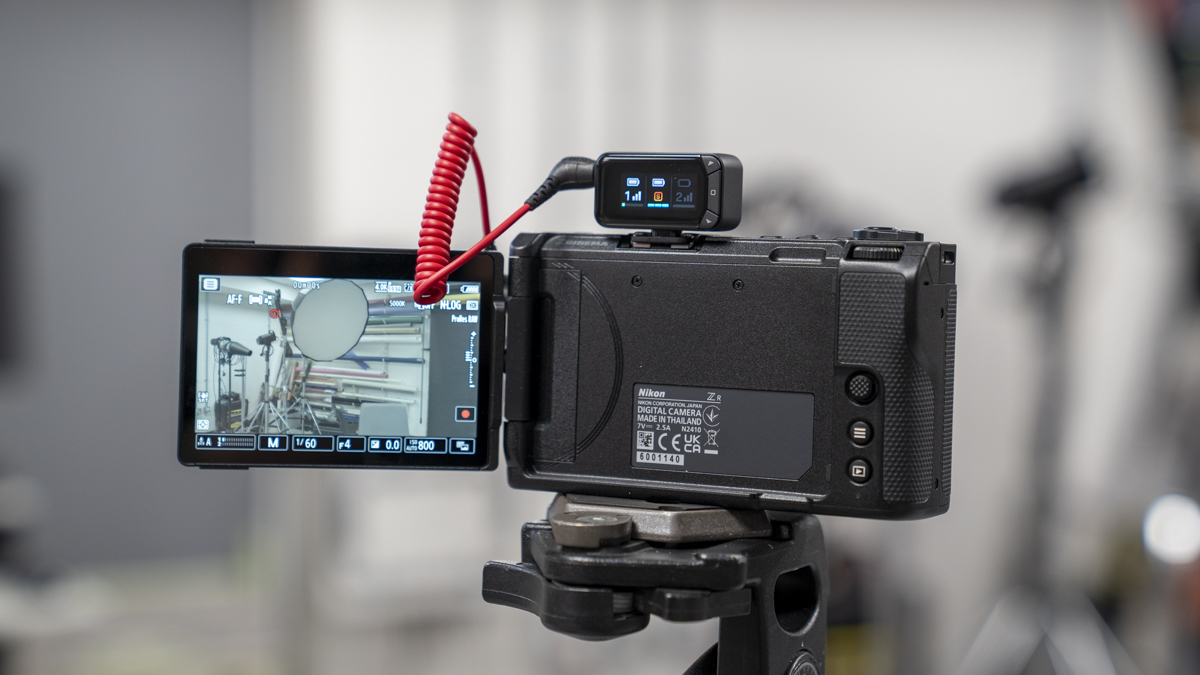
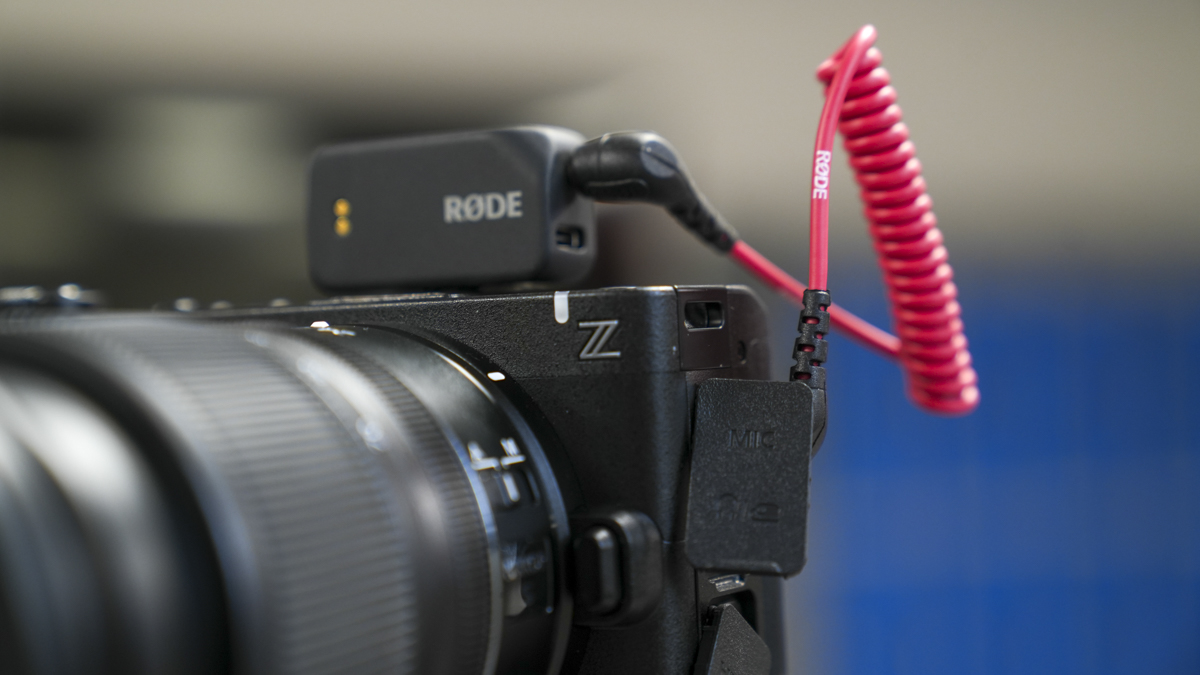
Design-wise, it’s nearly as small and lightweight as any. Once again, it features two contact points on the back for the charging case, a hot shoe mount on the base so you can slip it onto your camera’s hot shoe, and a power button on top, although it does automatically power up as soon as you remove it from the case. On one side, you’ve got the 3.5mm TRS socket alongside a USB-C socket.
So the main components of the system are very small and discreet. But alongside the charging case, two transmitters and the receiver, you also need the 3.5mm TRS cable, which is supplied in the box. Unlike the neat nature of the charging case, there’s no way to securely attach the cable to the box itself, which is a bit of a shame. Likewise, the two wind jammers are also separate, as is the optional smartphone USB-C receiver and charging USB-C cable.
Build quality is exceptionally high. It’s just a shame that RØDE didn’t pop a small bag in the box to keep everything nice and neat in transport.
Rode Wireless Micro Camera Kit Features
The RØDE Wireless Micro Camera Kit is aimed at the mid-range of content creators looking for a high-quality set of wireless microphones that are easy to use and require minimal audio knowledge.
As such, the two transmitting mics can simply clip or magnetise onto your subject, and as soon as you remove the two transmitters and receiver from the charging case, they all automatically pair. There’s no need to do anything manually. The other thing they do is automatically set the levels, so as soon as your subjects start talking, the levels adjust automatically, so all you need to do is concentrate on delivering the content you want.
For its simplicity, it’s probably one of the more advanced systems on the market, and throughout the test, it failed to disappoint in terms of audio quality. Essentially, the GainAssist intelligently manages levels. Whereas with others you’d generally need to listen back to check that everything was set correctly, here, with auto-adjustment, there really was very little I could do to improve the quality beyond what it was already automatically setting.
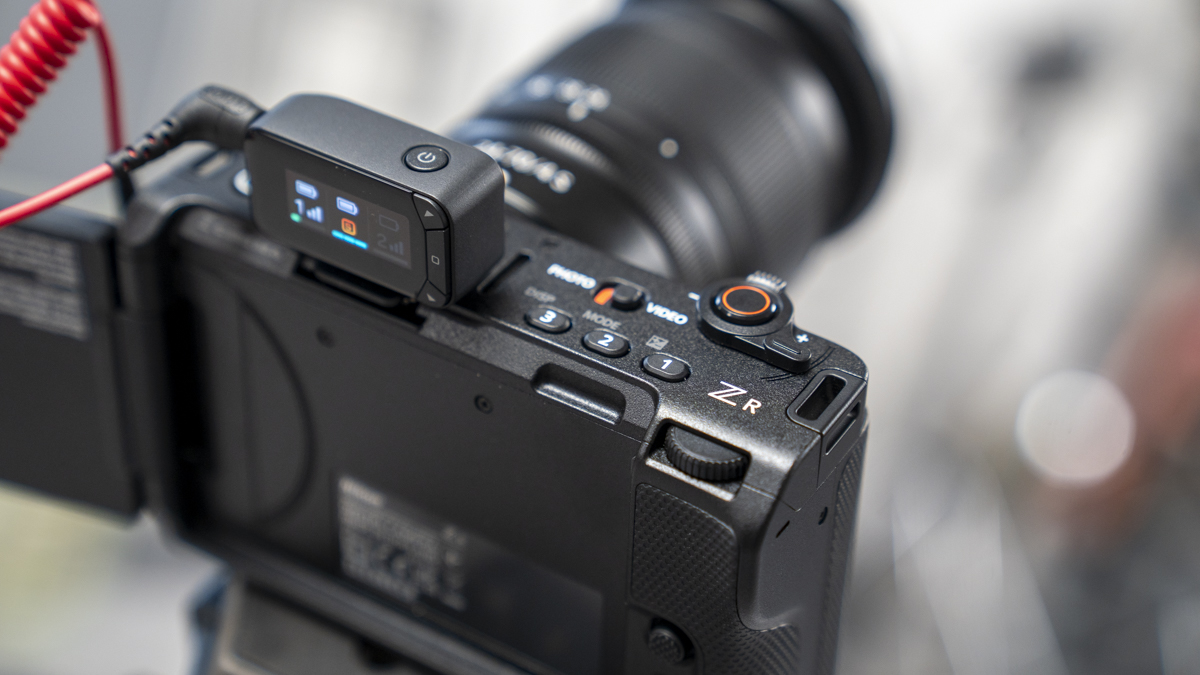
Connectivity was equally easy, with a single TRS cable directly into the Sony A7 IV. I also tried it with my iPhone 15 Pro using the USB-C receiver, again, equally easy to use, connecting with the audio options in Blackmagic Camera and standard recording apps.
Although small, there’s plenty of battery life capacity, with RØDE quoting up to 21 hours. Throughout my tests, there wasn’t a single recording day, just leaving the mics on and connected, where they failed. They continued to work without issue, not once running down during the recording process, although I did make sure they were charged every night along with the rest of the gear.
With most of the settings handled automatically, I was pleased to see, as I delved into the menu system, that there is the ability to split the audio from the two mics. Whereas you would normally find a mono or stereo option, RØDE have just labelled them ‘Split’, across the two channels, or ‘Merged’, in which case all audio from the two transmitters is combined into a single mono track. Again, this helps to ease editing later on.
When it comes to features, initially it seems that the feature set is relatively low, but this is essentially by design; the microphone hardware handles most of the processing and setup for you. All you need to do is focus on your filming, not fiddling with the kit that’s supposed to help you get on with what you’re doing.
RODE Wireless Micro Camera Kit Performance
I’ve been using wireless mics for a number of years, and over the last couple of years, the progression in the technology and quality of the audio transmission has definitely taken massive steps forward. In the past, I’ve used the Wireless GO as my go-to for video production; the small mics were just nice and easy and far smaller than the old Sony wireless transmitters we used to use.
While the wireless transmission tech has evolved, so has the ease of use. Those UHF wireless mics still come out for professional work, but just for general content creation, the robustness of the 2.4GHz connection is always surprisingly good.
With the RØDE Wireless Micro Camera Kit, things have really progressed. We now have high-quality wireless microphones that take zero time to set up. Once you have the charging case in hand, opening it up and removing the receiver and two transmitters triggers the status light link, letting you know everything is paired. A quick check on the receiver’s small LCD screen shows the two transmitters and the receiver with battery power clearly labelled at the top, transmitter numbers next to one and two, volume levels, and signal strength.
The middle icon on the receiver represents the receiver itself, again showing battery power at the top and signal strength at the bottom, essentially how well it’s picking up those two microphones. In the middle, there’s a small “S” icon, which means “Split”, it’s splitting the signal coming in from mic 1 and mic 2 and laying them down on separate channels. If you need to do any post-processing later, then that’s perfectly possible on the stereo track. If you’d rather just lift the audio and use it as-is, which with this setup is often the best idea, go into the menu by pushing the right-side button, select “Output Mode”, and switch from “Split” to “Merged” to combine the two inputs into a single track, basically a mono track with both mics playing on both left and right channels.
For fast content creation, it really couldn’t be easier, and there’s essentially no post-processing needed.
One of the things I was initially dubious about with the RØDE Wireless Micro Camera Kit was that it handles everything for you. With RØDE being a professional outfit for radio gear, this seemed a little counterintuitive. However, in use, it really did make sense, considering the level this device is aimed at.
Where the RØDE Wireless Micro is aimed at those just entering the market and using smartphones, this is essentially the same, but for those using a camera or a smartphone, if you have the USB-C receiver.
Again, it offers minimalistic settings, with the hardware handling pretty much everything, including an excellent GainAssist that adjusts mic volume to the perfect level. So if one person is loud and another is quiet, normally you’d have to go into settings on that stereo track and manually adjust mic gain levels. But here, it does it all for you, and in my tests, it proved incredibly efficient.
As for functional features, while there aren’t a huge number, I looked for any type of noise cancellation setting, and there doesn’t seem to be a manual control for it. However, it did seem to isolate vocals exceptionally well, and the onboard processing generally created clean and crisp vocal recordings.
Using the receiver with my Sony A7 IV couldn’t be easier, and while I could have adjusted input levels in the Sony’s audio settings, there was no need. Left at mid-range, where they usually sit with more advanced systems, the input volume was absolutely spot on. For general use, you really can’t tell the difference between these and more expensive alternatives.
Another plus: you can still use the USB adapter with your smartphone. So this is a true two-in-one option. If you’re out filming with your camera, fine. But if you want to quickly switch to mobile and have your phone mounted on a gimbal (such as the DJI Osmo Mobile 8), then the small size and weight of the receiver adapter for iPhone (or Android with USB-C) give you pro-level sound on the iPhone 15 Pro, in my case.
When using the receiver with your mobile, you also get access to the RØDE app, giving even more options in settings, again, just a really clean way of filming content.
Final Thoughts
When you look at the RØDE Wireless Micro Camera Kit, it’s essential to think about what you need from a wireless microphone system, and for many content creators, the simplicity of design and use, with a few slightly more advanced features, will suit perfectly.
Let’s start with what this set doesn’t feature: there’s no manual noise cancellation as such, just the auto gain, which does a brilliant job of adjusting levels. The two microphones are really simple, and while they’ve got plenty of mounting flexibility with clips and magnetic clasps, there’s no way to attach a lav mic. So, if you need ultra-discreet mics, these aren’t going to be the ones.
Likewise, if you need onboard audio recording, these don’t offer that either. They are simply high-quality, compact wireless mics.
The transmitter is simple too. It clearly shows, on its small screen, signal strength, battery life, and the audio level going into the camera. It also enables you to split the audio track between stereo or mono (split or merged), but you can’t manually adjust each transmitter’s level, only the overall gain, which affects both mics. The only other option is screen brightness. It’s limited, but that’s the point: pure simplicity.
What I really like is how quickly you can mount the mic system onto your camera or smartphone and just get going. I do wish manufacturers would give us not just a nifty charging case, but one that could hold all the components, including the essential connection cable. As yet, only one or two brands do that.
But this brings me to the core of what these wireless microphones are about: simplicity.
If you need a fast, easy way to record professional-level audio on either a camera or smartphone, the Wireless Micro Camera Kit is one of the best options out there. You might not have loads of manual adjustability, but they are what they are. If you don’t want to get bogged down with audio settings and just want to focus on creating content, these are an exceptional option.