
The GoPro Max 2 is the next-generation 360° action camera that offers full true 8K video capture. Once again, as we saw with the original GoPro Max that Jeff looked at back in 2020, this new iteration, alongside the feature-packed software, enables you to capture and edit ultra-sharp 360° footage. That footage can be reframed for viewing online in either a VR or 360 environment, or with the reframing feature, flattened out to a more standard 4K.
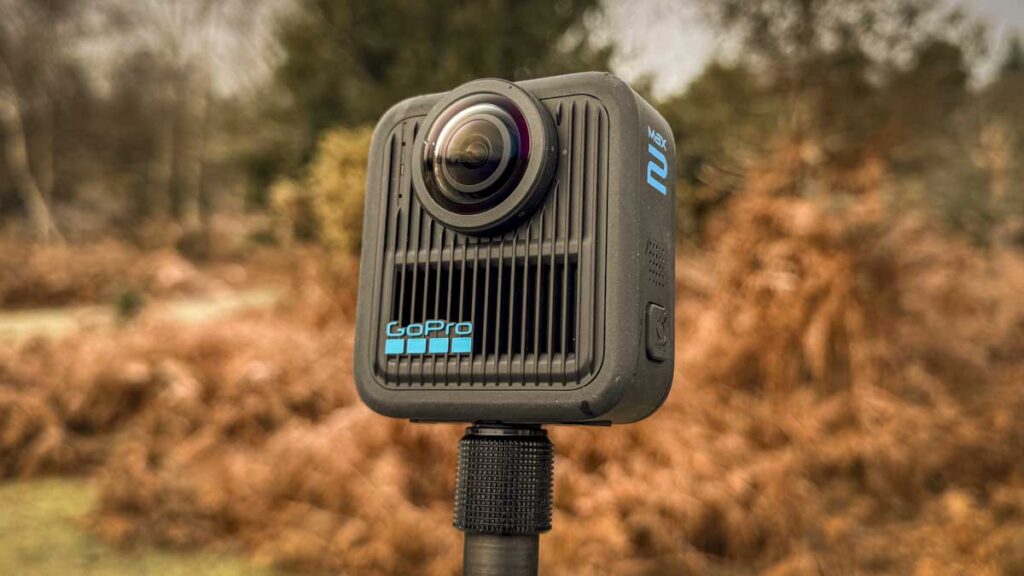
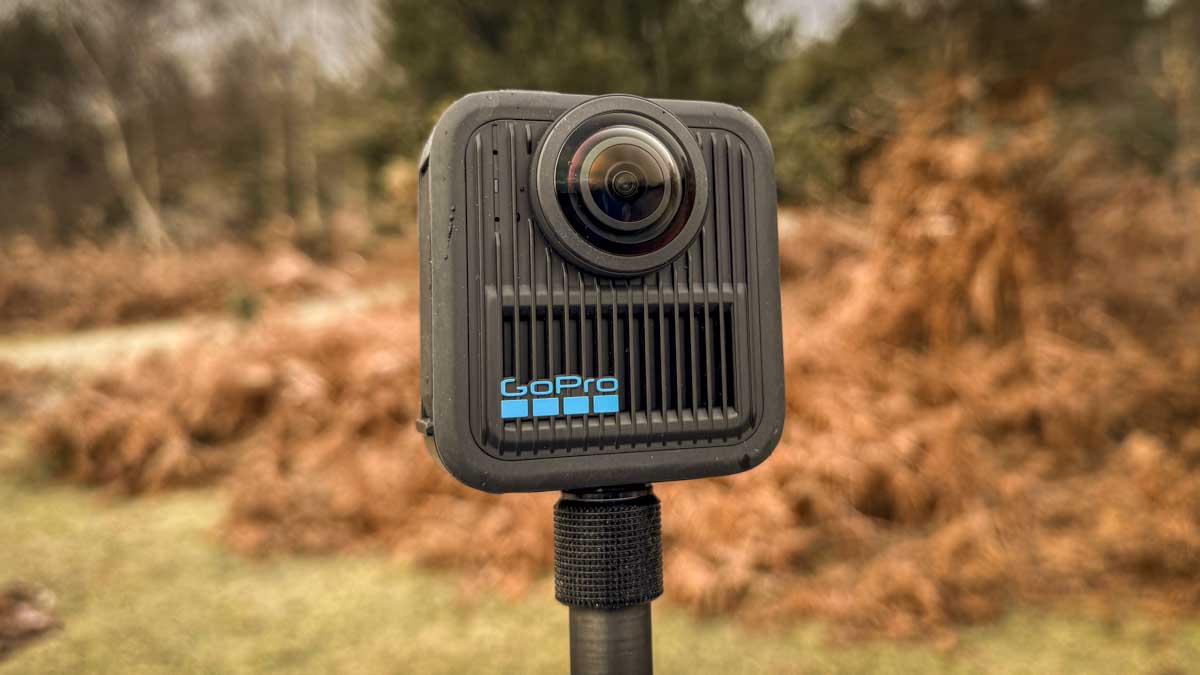
As expected from anything from GoPro, the camera has been designed with an ultimate rugged build that ensures it’s both waterproof and can withstand more than a knock or two. Design is once again very simplistic with the dual-lens design, one on either side of the rectangular body to capture the footage on the dual sensor technology encased within.
One of the big enhancements of this new design is the fact that the lens covers can now be replaced or changed, and the new clip design on the base enables fast attachment and detachment from a multitude of accessories.
It will also packs in a series of impressive additional features, including 4K at 100 FPS. This enables you to slow the footage down to an impressive three times slow-mo, or even 5.6K at 60 FPS, enabling you to go at half speed.
While there have been many enhancements across the board for this new Max 2 camera, there are still a few issues, such as the low-light performance not being great. And while the battery life has improved, it’s still moderate lasting around 30 to 40 minuets when shooting 8K through this test. The other point here is that whilst the app is pretty decent, it also has many limitations.
GoPro is the brand that is synonymous with action cameras, so once again, this camera will appeal to anyone already invested in the GoPro ecosystem. It’s great if you’re setting out on an adventure or you’re a content creator looking for a dynamic way to capture outdoor footage. I have to say the new replaceable 360° lenses offer a more viable option if you are heading off-road and into situations where there’s a likelihood the camera is going to get a knock or two.
Having now looked in depth at many 360 cameras from the market leaders, including DJI, GoPro, Insta360, and, at the lower end the Akaso 360, the Max 2, really does stand its own ground. For many extreme sports enthusiasts, the ecosystem, brand, and ultimately the build quality and video options make this camera one of the best options for capturing 360° footage on the market.
What is the GoPro Hero Max 2?
Capturing 360° footage is not only impressive when viewed online, but it can also be made VR ready. With VR headsets, if you want a truly immersive experience, and with the advanced reframing tools based in the app and desktop software, you are able to reframe that footage so that you can essentially keep a subject at the centre of the action without needing to track or pan your camera.
While the camera is primarily designed for 360° video capture with those two lenses, there’s also a single-lens option that can be accessed through the touchscreen on the front of the camera or directly through the app that’s compatible with both iOS and Android devices. This essentially enables you to capture 4K at 60 frames per second in a more traditional action camera format.
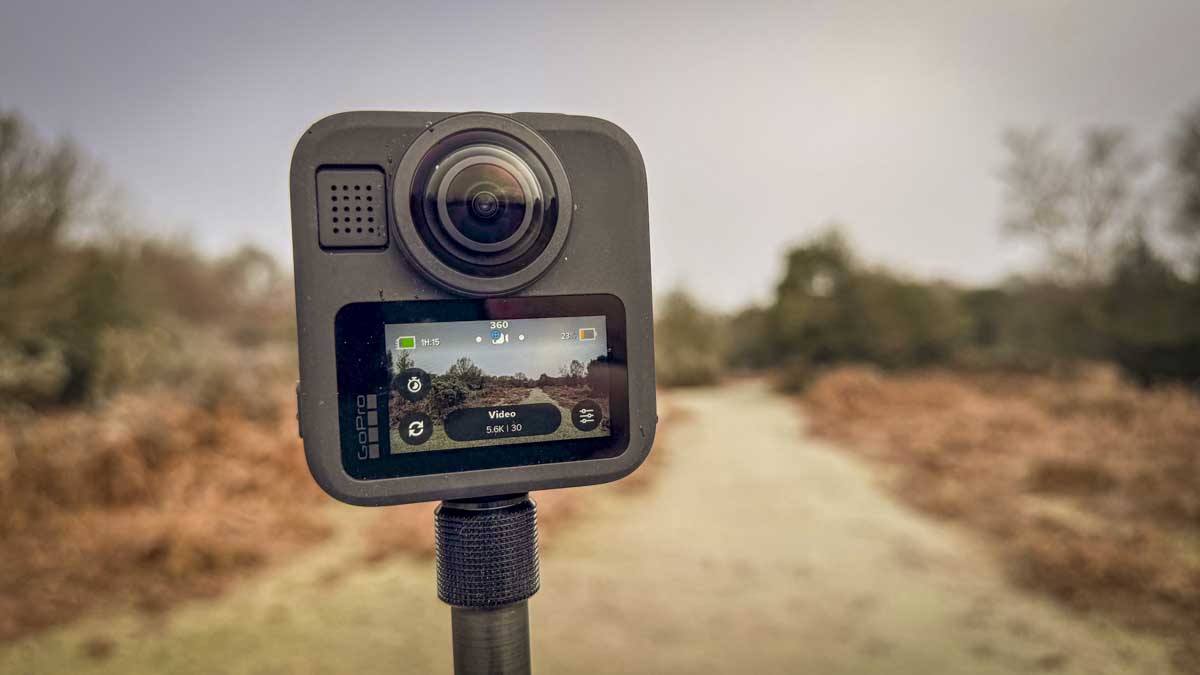
Being from the GoPro stable, the GoPro Max 2 is, of course, built rugged and is waterproof down to 5 m or 16 ft, making it ideal for outdoor use. It will survive far more than any standard camera, although it is in line with most other action cameras on the market these days.
One of the great things about the GoPro Max 2 is that it’s been designed for today’s content creators. Not only does it capture 360° footage in one of the easiest-to-use packages available, but it’s also extremely easy to mount with a wide variety of options that allow it to be connected to poles, vehicles, people and even pets if you so choose.
One of the things that really stands out is the fact that, like the GoPro Hero 13 Black, you have the option to connect a wireless mic. So if you’re a content creator and want to step up your audio rather than just using the built-in mics, this is also perfectly possible.
The GoPro Max 2 is a significant update from the original GoPro Max, which could be a little complex to use, especially with the dual microSD card format and the need to compile the two video streams after capture. Here, everything has been streamlined and is far more in line with the market competition.
Specification
- Video modes: True 8K30 (360°), 5.6K60, 4K100 (slo-mo), 4K60 single-lens
- Photo capture: 29 MP 360 photos; 12 MP single-lens photos
- Battery: 1,960 mAh Enduro removable battery.
- Waterproof: Up to 5 m / 16 ft without housing.
- Connectivity: Wi-Fi, Bluetooth; supports GPS.
- Display: 1.82″ touchscreen.
- Storage: microSD card supported (class A2 V30 or higher).
GoPro Max 2 Build and Handling
Obviously, with the dual lenses and the ability to capture 360° footage, this camera is slightly larger than the GoPro cameras we’ve seen in the past, although it is in line with the original Max. Once again, there are two lenses mounted on either side of the body, although this time they’re in line rather than slightly offset, showing that the camera has been fully reworked from the original.
When it comes to size and weight, it measures at 69 x 64 x 24 mm, so while it is larger than the standard GoPro camera, it is still relatively compact and weighs in at 154 g. So it’s a bit more weighty than a standard action camera, but all things considered, it’s still nice and lightweight and easy to handle.
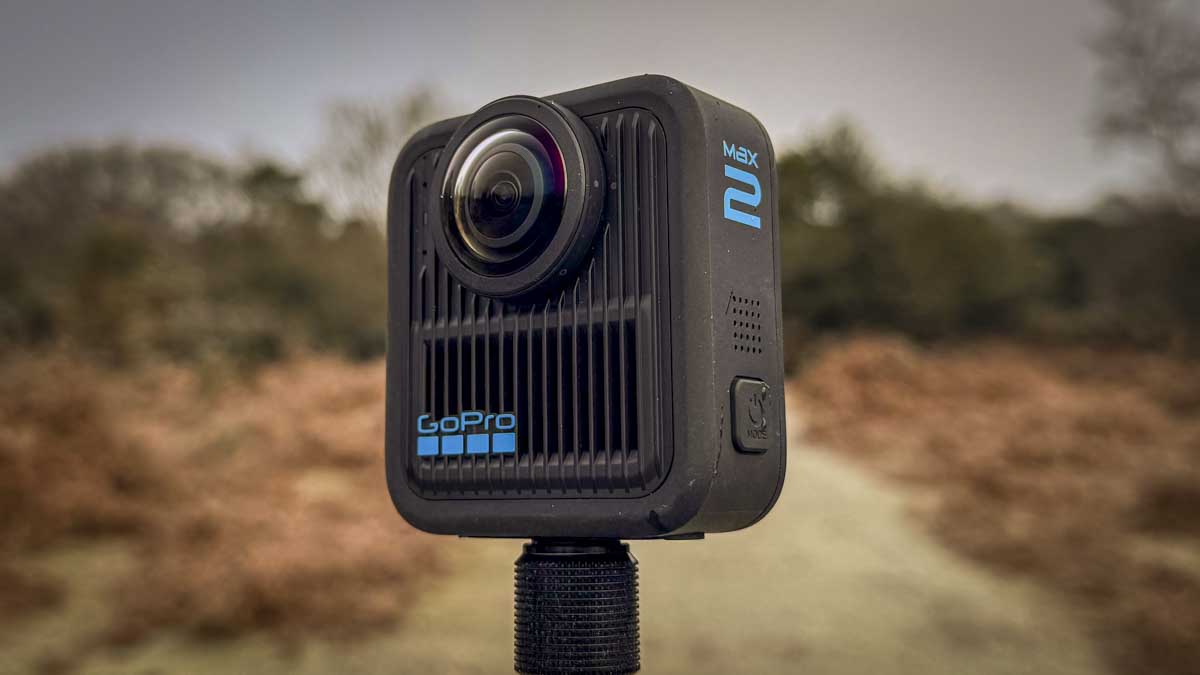
Build quality is, as I’ve said, exceptionally robust and taking a look over the body, you have the one-button start/stop record at the top, and on the left-hand side, as you look at the front of the camera, you have the power button that also doubles as the mode switch. On the rear of the camera is a touchscreen LCD that measures 1.82 inches. This gives you fast access to all the settings and is great if you’re hand-holding the camera or using it on a pole. If, however, you’ve mounted the camera onto something like a vehicle, then you can connect via Bluetooth to the app. Once again, you get the full array of options and settings that you can adjust.
On the opposite side of the camera to the power/mode button is the battery access door, and this features the pull-down secure lock that we’re starting to see on most action cameras. It enables the internal workings to stay fully protected from any water or dust ingress. Once the door is open, there’s the USB-C port for data connection and charging. The large Enduro battery, with its 1,960 mAh capacity, gives about 30 to 40 minutes of runtime when shooting 360° video at 8K30p.
As ever, the build quality is exceptionally robust, and waterproof as well as being knock-resistant. One of the big new features here is the replaceable lenses, which, if they do get smashed or scratched, can just be twisted and replaced as needed. This is a great new feature and, for anyone who uses action cameras on a regular basis, knows just how essential this is.
Finally, when it comes to mountability there are a few options. As this is a 360° camera, long poles are one of the main ways of mounting. Once again, GoPro, like most manufacturers, has now encoded an invisible pole feature. So it essentially looks like the camera is recording you whilst floating in the air without any visibility of the pole it’s connected to. This pole screws directly into the base of the Max 2 using the 1/4-inch thread, or, if you need an angle on the camera, it can be connected to the quick-release mount. Or you can fall back on the more traditional GoPro teeth and mount it on any standard GoPro mount, giving you plenty of options.
GoPro Max 2 Features
Once again, alongside the camera, we have the app for both iOS and Android devices, and there’s also a desktop version available. Both enable you to edit and share the footage. It’s worth pointing out that whilst the app enables plenty of flexibility, it’s not quite as in-depth or detailed as the desktop version.
Because of this, and having looked at many of the 360° cameras that are on the market at present, whilst the GoPro solution is very good and extremely stable, it isn’t the most streamlined compared with some of the competitors, especially the Akaso and DJI.

It’s also worth pointing out that, unlike the Akaso, which is very much an entry-level camera, the GoPro Max 2 is aimed at creators and those who do like to delve into the footage. Sure enough, you can just take it out and capture stunning 360° footage, but with the app and the desktop software solution, there’s much more flexibility about how you reframe and centre that 360° footage.
One of the features of the GoPro Max 2 is that it features true 8K 360° video, which does pit it slightly higher than much of the competition.
Once again, as we’ve seen with many of the 360° cameras, it’s possible to shoot footage with an invisible pole. So aside from the fact you can see your hand in the holding position, the pole itself becomes invisible, making it look like you’re getting drone footage rather than from a camera you’re actually carrying.
This is, of course, a GoPro camera, and as such, it has been built to withstand not only the elements but also to be used by extreme sports enthusiasts. So it’s waterproof, dustproof, snowproof, and pretty much everything-proof, a good, tough camera that you can take pretty much anywhere, even places you might not survive.
Because of its durability, there might be occasions, as I personally have found out in the past, where a lens might get shattered or broken. One of the great features here is that the lenses can be easily twisted off and replaced if the worst does happen.
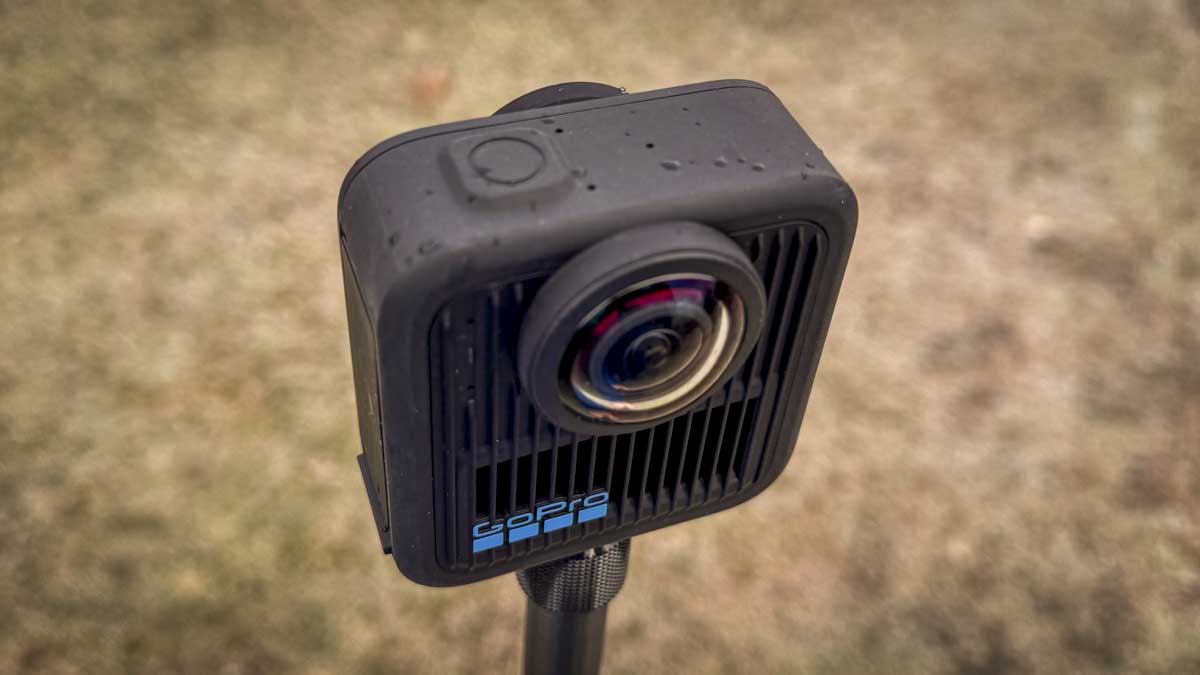
HyperSmooth is GoPro’s award-winning electronic image stabilisation solution. Once again, here on this 360 camera, it takes another leap forward, not only stabilising the footage to give you a nice smooth flow of the action but also including features such as horizon lock. So, as the camera tilts, this new version of HyperSmooth will essentially keep the horizon steady, giving you a more cinematic and frankly impressive run of video.
The Max 2 is also the first GoPro camera to offer 4K at 100 frames per second of video. This will essentially enable you to playback video at three times slow-mo, so for every second of footage you shoot, you can play it back over three seconds. You can also take that resolution up another notch to 5.6K at 60 and get two seconds for every second of footage that you’ve shot.
One of the reasons GoPro has become so popular with pros is because of its colour depth. Once again, here we’ve got 10-bit colour in 8K at 300 Mbps. Just like the GoPro Hero 13 Black, it offers GP-Log, so if you need to grade your footage later or you’re encoding with LUTs, then this is the camera for you, this one feature is one that few other 360° cameras come close to competing with.
While the main focus of the camera is, of course, 360° video, it will also shoot 29MP 360° stills.
Since the release of the original Max back in 2019, there’s been a lot of education around using 360º vide, and those of us shooting the format are now a little more familiar with the tools available. As such, when it comes to editing the 360° footage, known as reframing, the new software makes it much easier to reframe and track objects as well as dynamic movements and transitions within the GoPro software. It’s still not the most intuitive application to use, but it’s definitely a step forward compared with how it was when the Max was originally released.
One of the other features of the editing software is the fact that it supports keyframes. So if you’re framed on one subject and then at a certain point want to reframe on another, you can add a keyframe and then reframe the composition of the footage. It sounds a little bit complicated, but once you’re inside the application, it all makes sense and really can create some impressive-looking video.
Once again, there are lots of integrations with social media, such as YouTube and TikTok, and you can edit and upload directly on your mobile phone.
Finally, a little bit about the audio. As we saw with the GoPro Hero 13 Black, there’s been a big uptick in the quality of the audio these small cameras can capture. Here, there’s a six-microphone array able to capture the audio like the video from a full 360°. There’s also noise reduction built in, including wind noise reduction, that should allow you to capture impressive sound all around.
The other point about the Max 2 is that you can now connect Bluetooth wireless microphones. So again, if you’re a content creator, this is a massive plus over the original Max, but it’s a feature that is matched by most of the competition.
GoPro Max 2 performance
Throughout this test, I generally operated the camera directly via touch, although in user case senarios this is one camera that actually suites remote operation more than direct. The decent-sized zone makes navigating options and settings all straightforward, and with the quarter-inch thread on the base, you can easily attach it to a pole to get a nice height when filming.
Starting out, I set the camera to a simple 5.6K shooting at 60 frames per second and, making sure that HyperSmooth was switched on, all I needed to do was push the record button and the camera would start capturing 360° footage.
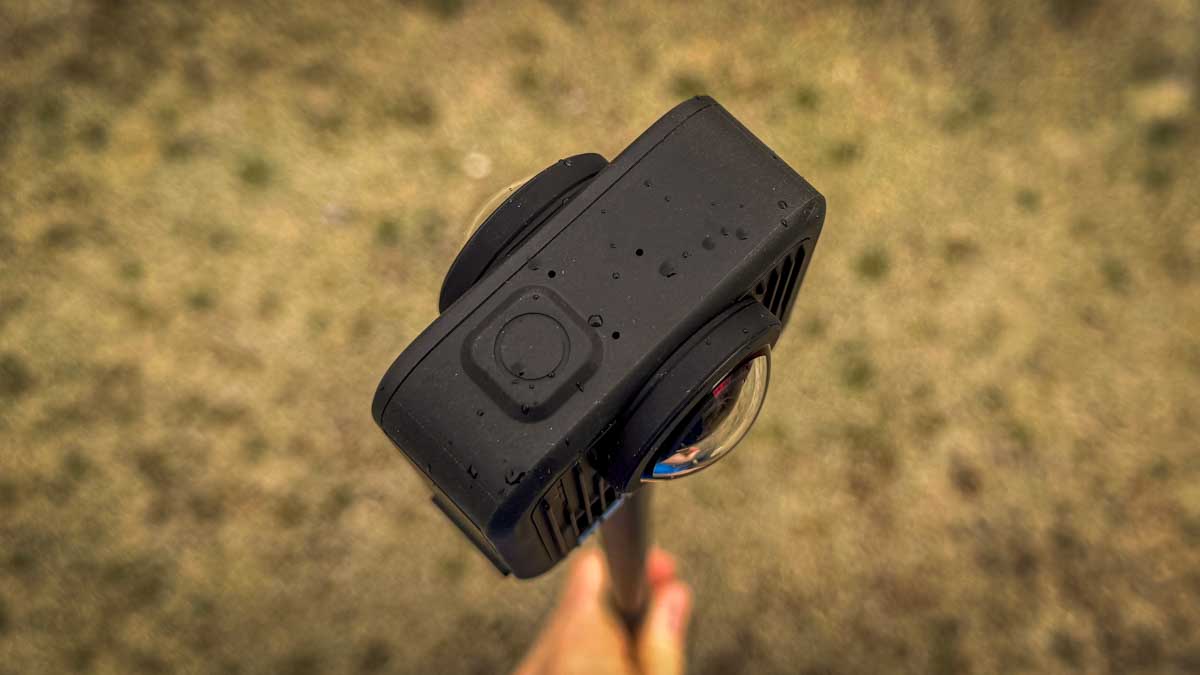
As I’ve found with previous 360° cameras, whilst you can use the onboard buttons, as mentioned this is one of those action cameras that is actually better operated from a mobile phone. This is generally because the camera itself is mounted on a long pole or in a position that is out of reach, so using the wireless Bluetooth connection offered by the app just makes control that much easier.
Really, when it comes to use, there’s very little to it, simply mount the camera, push record and off you go. However, it’s when you come back and start to review the footage that you can really see the quality of the GoPro Max 2, even over the original Max, and see how much things have progressed in the last five to six years.
The first thing I noticed was just how clear the footage was. There was good clarity across the board, and whilst the daylight was a little low during the first few tests, there was still a good amount of detail. I will say that in lower light conditions, especially as the sun started to set, you could start to see the sensor struggle, but generally you’ll be happy with the quality of the footage captured.
Initially, I had the camera set to HyperSmooth only. This meant that whilst the footage was smooth, with me wiggling the pole left and right, there was a bit of tilt going on. I then went to switch on Horizon Lock. As I went through the settings, I realised you can only do this in flat footage, so when you’re using the camera as a more traditional action camera. If you’re shooting 360° footage, then this option isn’t available in-camera. However, I’m pleased to see that it is available within the app, and once switched on, you can import your video footage, and Horizon Lock can then be applied. Once again, it’s extremely impressive.
As the test went on, I increased the resolution to 8K. One thing that was instantly highlighted was how short the battery life felt. I was getting between 30 and 40 minutes. While it was really cold (and I was thinking that many people are going to use this camera for skiing), as I played around with the settings, I found that reducing the resolution to 4K extended the recording time quite dramatically. So with 8K quality, you get around 40 minutes of footage. However, switch to 5.6K, and you can expect between 45–50 minutes, and at 4K, suddenly you’re looking at between 60 and 70 minutes—and to be honest, the quality of that 4K footage is exceptional.

As I was shooting, I was interested to see how this could be used for content creators. First of all, the reframing option within the app and software really can enable you to lock onto a subject. Essentially, you choose the subject you want, and then the video frame reframes so that they are always in shot. So, if you’re mountain biking in the woods with some friends and you want the camera to lock onto one of them, then you basically select that person. Even if you go round another bend or they overtake you or go behind you, the camera will follow them around, always keeping them in frame. It’s not perfect, but it’s come a long way since the launch of this application.
The other big point here is that those six new microphones really do make a difference. Without any enhancement, they do capture pretty decent audio. It’s not exceptional, but it’s passable. What really stands out here, as with the GoPro Hero 13 Black, and to be honest, most action cameras now, is that you can also connect wireless microphones, and this dramatically increases the quality of the audio. I’m not sure if it was just the mic that I was using, but I did feel there was a little bit of latency within the vocals. But to be honest, the quality of the video was so impressive, I only noticed this after watching back about 10 minutes of footage.
Another point to mention is that, while this is definitely a step forward compared with the Max in low-light performance, the Max 2 still struggles in darker conditions. So, it’s best used in bright daylight environments, which is pretty standard with most action cameras.
GoPro Max 2 Final Thoughts
Many of the trickier workflow processes have been resolved, and straight out of the box, almost anyone can shoot 360° footage relatively quickly. The real challenge comes with the editing, and that does take some time to get your head around. But to be honest, even then, GoPro has really worked hard on the app, and it offers plenty of flexibility over how you reframe or export the footage.
When it comes to use, this is once again pure GoPro, so it’s perfect for outdoor sports, extreme sports enthusiasts, travel, and I will say also content creators wanting a camera that can just offer a little bit more. Since I received the camera, I’ve seen plenty of people using it for travel blogs. I really love the fact that you can do the little tiny edits so you can see people walking along the street, it just adds to the creative appeal of the footage captured.
What I will say is that the video quality is amongst the best of any 360° action camera out there. With the wireless Bluetooth connection to microphones, it really does make a very solid choice. The GoPro app has also taken a huge step forward compared with previous iterations. However, it’s still not the most straightforward process and will take you a little bit of time to get your head around all of the different functions, features and editing options.
Then there’s the fact that some of the features for 360° video, at least, can only be applied post-capture. But then, with 8K video of this quality, it would inevitably take some impressive processing power to handle all that footage.
At present, the GoPro Max 2 just edges to the front to be my favourite 360° action camera on the market.