
DxO has built its reputation on the unglamorous end of photo editing — the lens corrections, the denoising, the laboratory-measured optical profiles that quietly make files better before you touch a slider. PhotoLab 10 keeps all of that, but the headline additions this time are creative rather than corrective: a genuinely new kind of mask, a proper colour grading toolset, and a direct route into Affinity for pixel-level work. Full details are on the DxO store.
Depth Masks are the interesting one
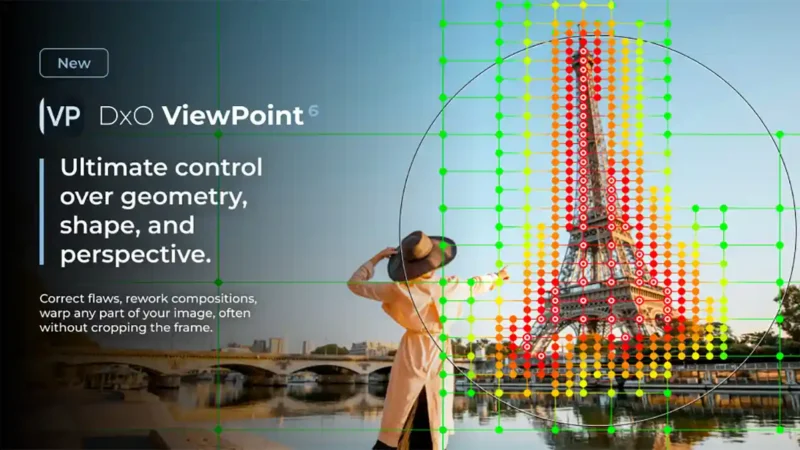
Of everything here, Depth Masks are the feature we would most like to spend time with. Rather than selecting by shape or colour, they let you make local adjustments based on distance from the camera — AI analyses the image, builds a depth map, and lets you target foreground, midground or background independently.
The important detail is that this works without embedded depth data. Some editors can use the depth information a phone records at capture, but that leaves anyone shooting a conventional camera out entirely. DxO is generating the depth map from the image itself, which means it works on any file, from any camera, including your back catalogue. For landscape photographers wanting to lift a foreground without touching the sky, or portrait shooters separating subject from background, that is a meaningfully different way of working — and it is the kind of thing that would otherwise mean laborious manual masking.
Sliders and adjustable feathering handles refine where the effect falls, which should matter in practice; AI depth estimation tends to struggle at edges, and having manual control over the transition is what will separate a useful tool from a clever demo.
Colour grading, and a much sharper set of AI masks
The new Color Grading tool is built around a single colour wheel, with independent control over shadows, midtones, highlights and overall balance. Adjustments can be linked across tonal ranges so their relative relationship holds while you explore different looks — a sensible touch for anyone building a consistent style across a shoot rather than grading frame by frame.
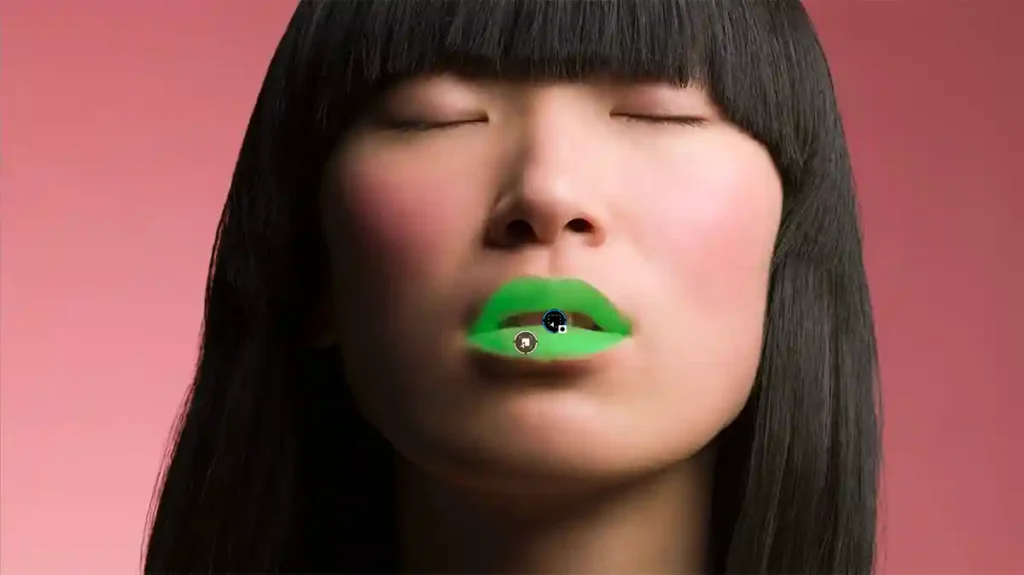
The AI masking has been expanded considerably. PhotoLab 10 can now identify every individual person in a scene, letting you mask them all, combine a chosen few, or generate separate masks for each — a real time-saver on group portraits. Face segmentation goes further still, adding eyebrows, eyes, iris and pupil, sclera, teeth, facial hair, face skin and lips as selectable categories, alongside the existing sky, subject, background, people, animals, flowers and vehicles.
Best of all, AI masks can now be refined with DxO’s U Point eyedropper, expanding or contracting a selection by colour and luminosity. That combination — let AI make the rough selection, then fix it with a tool photographers have trusted for years — is more useful than either approach alone, and it is a smarter answer than simply asking users to paint corrections by hand.
There is also automatic sensor dust removal working at the RAW level across batches. Unglamorous, and quite possibly the feature that saves the most time on a real job.
The Affinity connection is more significant than it looks
PhotoLab 10 adds a button that sends an image straight into Affinity for retouching, compositing and fine detail work. DxO calls it the first step in an evolving integration, so this is a handoff rather than deep interoperability for now.
But look at what it assembles. DxO sells perpetual licences and says plainly that passion for photography should not be tied to a subscription. Affinity is the other well-known name in professional editing that does not demand a monthly payment. Between them, that is now a complete RAW-to-pixel workflow that competes directly with Lightroom and Photoshop without a subscription anywhere in it. For photographers who have grumbled about Adobe for years without a credible alternative, that is arguably the most consequential thing in this release.
Elsewhere there are upgraded local adjustment tools — a new Control Brush combining brush painting with U Point’s colour and luminosity intelligence, plus elliptical as well as circular Control Points — and a set of workflow improvements including as-shot crop ratios, histogram adjustments inside PhotoLibrary, better database backup and restore, and simpler folder relocation.
What we would want to test
Jean-Marc Alexia, VP of Product Strategy at DxO, frames the release around removing technical barriers while giving photographers more control, adding that AI should help photographers realise their vision rather than replace it. That positioning is becoming a pattern across the industry, and it is a more honest pitch than promising the software will do the thinking for you.
Two things we would note. First, there is no claim of a new denoising engine here — DeepPRIME remains the benchmark, but this release is about masking and colour rather than the RAW processing DxO is best known for. Second, at £229.99 for a new licence this is not cheap against a Lightroom subscription, though a perpetual licence pays for itself over a few years and there is no ongoing commitment.
The depth masking is the feature that will decide whether this is a significant release or an incremental one, and that will come down to how well the AI handles awkward edges — hair, foliage, overlapping subjects. We will report back once we have run it properly.
DxO PhotoLab 10: what’s new
Depth Masks: local adjustments based on distance from camera, using an AI-generated depth map, with no embedded depth data required; refinement via sliders and feathering handles. Color Grading: new toolset centred on a single colour wheel with independent shadow, midtone, highlight and overall balance control, and adjustments linkable across tonal ranges. AI Masks: individual people selection, including individual features such as eyes, hair and lips; face segmentation adding eyebrows, eyes, iris and pupil, sclera, teeth, facial hair, face skin and lips; U Point eyedropper refinement of AI-generated masks. Automatic sensor dust removal at RAW level across batches. Local adjustments: new Control Brush combining brush painting with U Point selection; elliptical as well as circular Control Points. Affinity integration: one-click send to Affinity for pixel-level editing, described as the first step in an evolving integration. Workflow: as-shot crop ratios, histogram adjustments within PhotoLibrary, improved database backup and restoration, simplified folder relocation.
DxO PhotoLab 10: Price and availability
DxO PhotoLab 10 is available from 1 September 2026 via the DxO store for macOS and Windows. A new licence is £229.99 ($249.99 / €249.99), and an upgrade from PhotoLab 8 or 9 is £114.99 ($129.99 / €129.99). Licences are perpetual rather than subscription-based. A 30-day free trial is available from the DxO PhotoLab download page.