
When you look to buy an SD or microSD card, the prices can range wildly. You might find a 64GB microSD card for £6 and another card of the same capacity for £60. Why is this? The difference largely comes down to data transfer speeds and the standard the card supports.
In this guide we explain the difference between UHS-I and UHS-II memory cards, how to know which one you need, and where the newer SD Express, CFexpress Type A, and CFexpress Type B formats fit into the picture for today’s high-end cameras.
Understanding U Class and V Class memory card ratings
The first thing to look at when buying a memory card for your camera is the class rating on the label. To give some context to the question of UHS-I versus UHS-II, it helps to look at how memory card class ratings have evolved.
Traditionally you would see a circle with a small number inside it on a memory card’s label. A card with 10 in the circle was a Class 10, offering a minimum write speed of 10MB/s. These are now obsolete but were perfectly suitable for stills shooting or recording 1080p video.
Class 10 cards were succeeded by U1, U2, and U3, where U1 offered a minimum write speed of 10MB/s, U2 offered 20MB/s, and U3 offered 30MB/s. These ratings are also on their way out, replaced by V Class cards designed for the demands of 4K and 8K video.
V Class stands for Video Class and comes in ratings of V6, V10, V30, V60, and V90, with the number representing the minimum sustained write speed in MB/s. V90 cards, with a minimum sustained 90MB/s, are now the standard for 4K and 8K work and are typically labelled as UHS-II to deliver those speeds reliably.
What is the difference between UHS-I and UHS-II cards?
When deciding whether you need UHS-I or UHS-II, here is a useful rule of thumb:
• UHS-II cards offer faster read and write speeds — up to 312MB/s — and are designed for videographers and photographers who need to write large volumes of data quickly. The latest UHS-II cards are typically rated V60 or V90, supporting 4K and 8K video.
• UHS-I cards provide slower speeds — capped at 104MB/s — but are far cheaper. These are designed mainly for stills shooters and casual video recording up to 1080p or basic 4K.
Until recent years most memory cards were UHS-I. As the data demands of high-bitrate 4K, 6K, and 8K video became more common, UHS-II was developed to provide the faster read and write speeds those formats required.
A real-world example
Today’s client wants 4K 10-bit footage, so you need to shoot at the maximum bit rate and frame rate on your Sony A7 V or Canon EOS R5 Mark II. The data demands of this kind of footage put a lot of pressure on your memory card, and you need something that can keep up with the heavy data flow.
Do you have the right card for the job? If your card is a UHS-II V60 or V90, it can handle the intensive data transfer. A UHS-I card will struggle, drop frames, or refuse to record certain video modes entirely.
Many professional and advanced enthusiast cameras like the Sony A7 V, Nikon Z6 III, and Panasonic Lumix S5 II offer dual card slots. On a hybrid shoot, it makes sense to put a UHS-II V90 card in the slot assigned to video capture and a more affordable UHS-I or lower-rated UHS-II card in the slot assigned to stills, where the burst-shooting demands are less intense.
Camera Jabber has tested a wide range of UHS-II SD cards, including the PNY EliteX-PRO60 V60, the Nextorage NX-F2PRO V90, the Lexar Professional 2000x V90, and the Manfrotto Pro Rugged V90 II, any of which would be appropriate for serious video work in cameras with UHS-II SD slots.
One important tip: always format your card in the camera before you go on a shoot.
How to tell if a memory card is UHS-I or UHS-II
All reputable SD and microSD cards clearly identify on the front sticker whether they are UHS-I or UHS-II. If your card has no manufacturer’s sticker on the front, treat it with suspicion.
There is also a quick visual way to tell the two formats apart. Flip the card over. If you see one row of connection points, the card is UHS-I. If you see two rows of connection points, it is UHS-II. The second row of pins is what enables UHS-II’s much faster transfer speeds.
Beyond UHS-II: CFexpress and SD Express
UHS-II is no longer the fastest memory card standard available. Over the past few years, two newer formats have come to dominate the high end of the camera market: CFexpress and SD Express. These formats use the PCIe and NVMe interfaces familiar from solid-state drives, delivering transfer speeds that make even the fastest UHS-II cards look slow.
CFexpress Type A
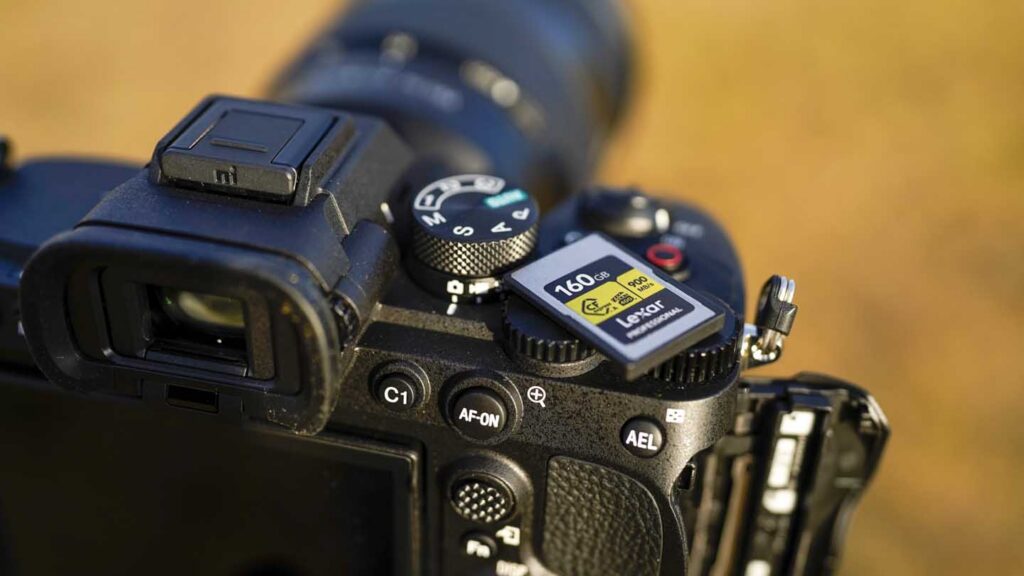
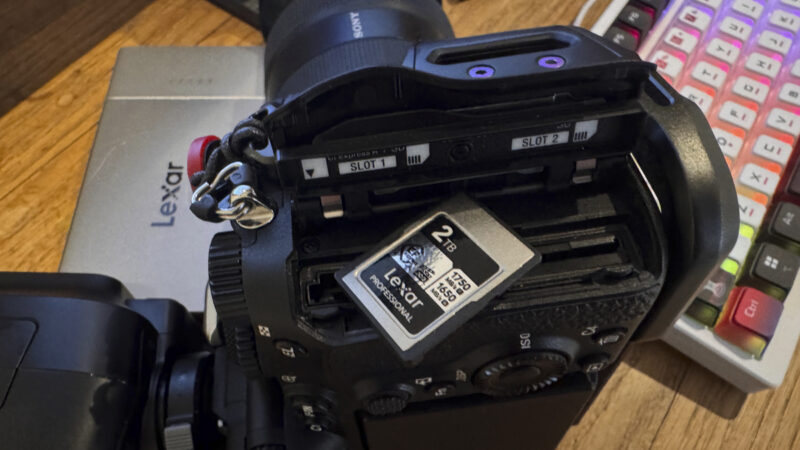
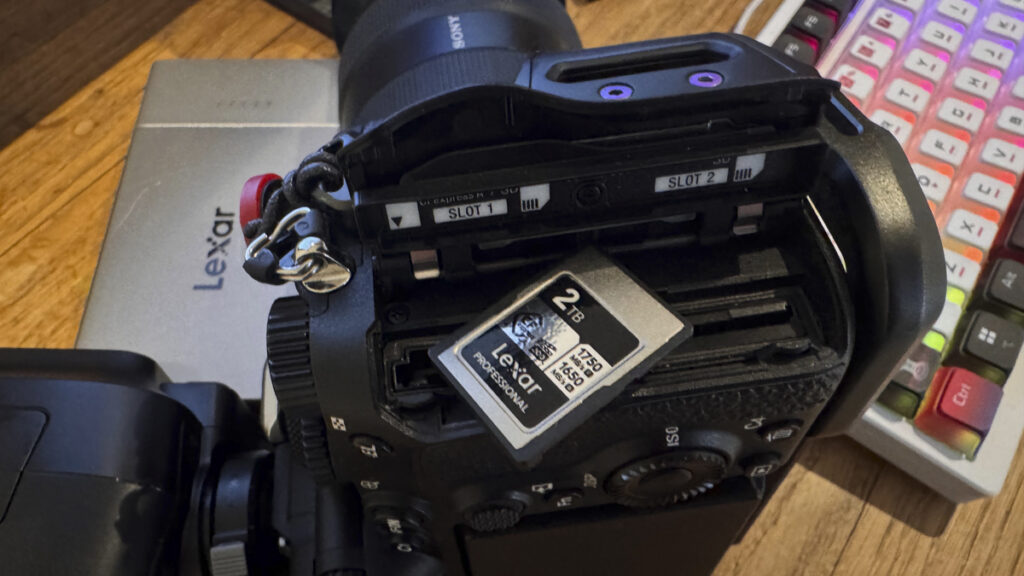
CFexpress Type A cards are slightly smaller than an SD card but thicker, and they use a single PCIe lane to deliver transfer speeds of up to 1GB/s. The format was developed largely to fit Sony’s compact dual-format card slot design, and Sony cameras are the primary adopters: the Sony A7 IV, A7 V, A7S III, A1, A1 II, A9 III, and FX series all use Type A in their CFexpress slot, with the second slot accepting standard UHS-II SD cards.
If you own one of these cameras, the Lexar Professional CFexpress Type A / SD USB 3.2 Gen 2 Reader is a practical accessory for offloading both card formats from your Sony body in a single workflow.
CFexpress Type B
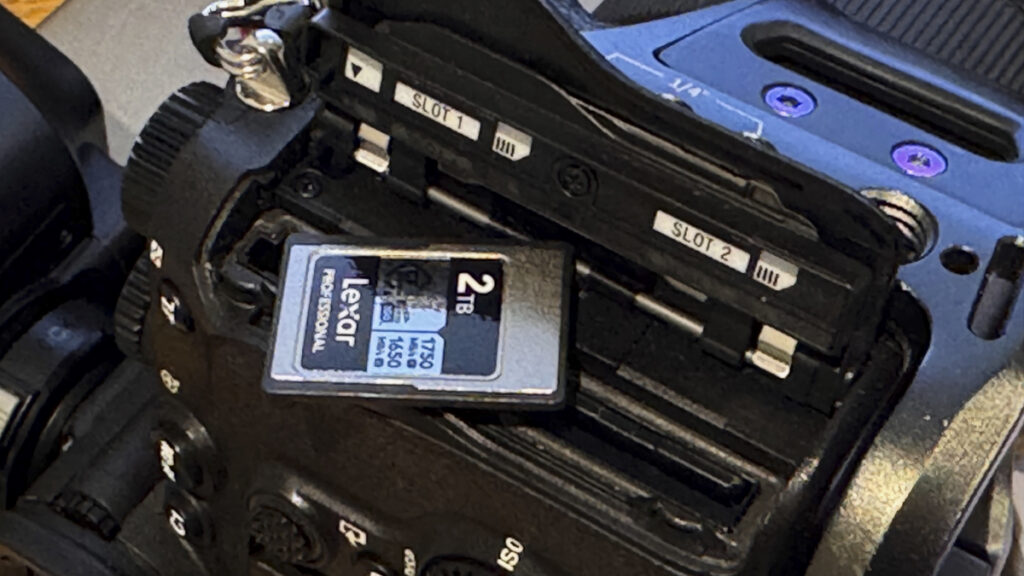
CFexpress Type B is the most widely adopted of the CFexpress formats and shares the same physical dimensions as the older XQD card. It uses two PCIe lanes for transfer speeds of up to 2GB/s, comfortably exceeding what any SD card can deliver. Type B has become the professional standard for high-end cameras, including the Canon EOS R5, R5 Mark II, R6 Mark III, R3, and R1, the Nikon Z8 and Z9, the Hasselblad X2D II 100C, and the Fujifilm GFX100 II.
CFexpress Type B is essential for professional video work at high bitrates, including 8K RAW, 4K 120fps with high-bitrate codecs, and ProRes recording, all of which exceed what UHS-II SD cards can sustain.
Camera Jabber has reviewed several CFexpress Type B cards, including the Lexar Professional CFexpress Type B Gold 2TB, the Lexar Professional CFexpress Type B Silver Series 1TB, the Nextorage NX-B1PRO VPG400, and the original Lexar Professional CFexpress Type B Gold 128GB. For deciding which Type B card is right for your camera, the best CFexpress cards guide covers the most important options.
CFexpress Type C
CFexpress Type C is the newest and largest of the three CFexpress formats, using four PCIe lanes for theoretical transfer speeds of up to 4GB/s. As of mid-2026, no consumer cameras yet use Type C cards, but the format exists in the standard and is expected to feature in future high-end cinema and stills bodies that need to handle 8K RAW and beyond.
SD Express
SD Express is the SD Association’s response to CFexpress, retaining the familiar SD card form factor while adding a PCIe interface for significantly faster transfer speeds than UHS-II. SD Express cards use the second row of pins on the back of the card for the PCIe connection, just as UHS-II does for its own faster interface.
Adoption of SD Express has been slower than CFexpress, partly because most professional camera manufacturers have already committed to CFexpress Type A or Type B for their flagship bodies. However, SD Express cards remain backwards-compatible with UHS-I and UHS-II SD slots, making them a future-proof option for users who want the fastest available SD-format card. The Nikon Z9 was one of the first cameras to support SD Express, alongside its primary CFexpress Type B slots.
Choosing the right card for your camera
The right card depends on what camera you have and what you shoot. Here is a quick guide:
• Entry-level mirrorless and DSLR (Canon EOS R50, Nikon Z50 II, Fujifilm X-T30 III): UHS-I cards are usually fine. Look for U3 V30 minimum if you shoot 4K video.
• Enthusiast and prosumer mirrorless (Canon EOS R7, Fujifilm X-T5, Sony A6700, Panasonic Lumix S5 II): UHS-II V60 is the sensible minimum. UHS-II V90 is recommended for high-bitrate 4K and 6K video.
• Hybrid full-frame (Sony A7 V, Nikon Z6 III, Canon EOS R6 Mark III): UHS-II V90 SD for the SD slot, plus CFexpress Type A (Sony) or CFexpress Type B (Canon, Nikon) for high-bitrate video and burst shooting.
• Professional flagship (Canon EOS R1, R5 Mark II, Nikon Z9, Z8, Sony A1 II, A9 III, Fujifilm GFX100 II, Hasselblad X2D II 100C): CFexpress Type A or Type B is essential for getting the most from the camera. UHS-II V90 SD remains useful as a backup or lower-priority slot.
For a more detailed look at which cards work best for video specifically, see the best memory cards for video guide, and for a comprehensive list of cameras using CFexpress, see the which cameras use CFexpress cards guide.
Final tips
A few practical points to remember when buying and using memory cards:
• Always format your card in the camera before a shoot. Formatting on a computer can leave the card in a state that the camera does not handle correctly.
• Buy cards from reputable brands. Counterfeit memory cards are a real problem, and a card from an unknown source could fail at the worst possible moment. SanDisk, Lexar, ProGrade, Sony, Delkin, Manfrotto, Nextorage, and PNY are all trusted manufacturers.
• Match the card to the camera. There is no benefit to putting a £200 V90 card in a camera that only supports UHS-I, and a UHS-I card in a camera that needs CFexpress will not deliver the performance the camera is capable of.
• Carry spares. Cards can fail, get lost, or fill up at the wrong moment. Always have at least one spare card with you on any serious shoot.
• Use a fast card reader. The speed of your card is only useful if your reader and computer can keep up. A USB 3.2 Gen 2 or Thunderbolt 3 reader is ideal for offloading UHS-II and CFexpress cards quickly.
UHS-I vs UHS-II Memory Card Guide | By Jeff Meyer, updated by Camera Jabber Staff | April 2026