
Luminar has begun rolling out what it calls one of its biggest upgrades to date, and the framing is as interesting as the features. Arriving at a moment when a good deal of the industry is anxious about AI overshadowing human craft, Skylum has pitched this release around the opposite idea: technology that stays out of the way. Details are on the Skylum website.
The upgrade comes in two phases. Phase one landed on 5 August and covers interface, performance and reworked AI tools. Phase two follows this autumn with a set of new and improved features, and Skylum is taking pre-orders for it until 31 August with savings of up to 50%.
What’s landed now
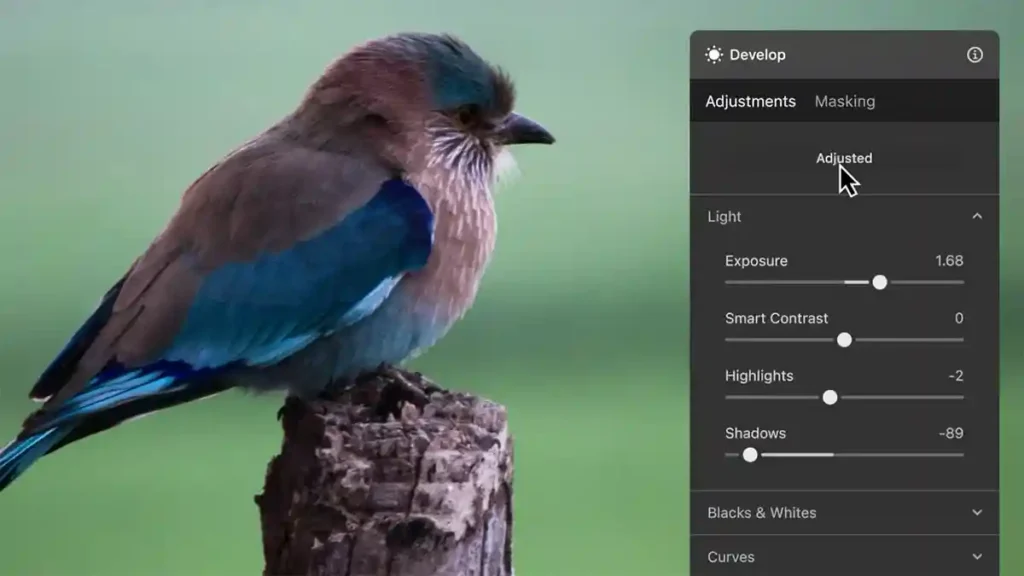
The performance figures are the part we’d pay attention to, because they address the criticism most often levelled at Luminar: that it can feel sluggish next to Lightroom or Capture One. Skylum quotes exports up to 25% faster, masking using 33% less RAM, and preset previews rendering four times quicker. That last one matters more than it sounds — if trying ten looks is as quick as trying one, you actually experiment rather than settling for the first thing that works. The reduced masking memory is aimed squarely at laptop users juggling other applications.
Alongside that there’s a redesigned interface with cleaner navigation, and a rebuilt generative AI model that Skylum says produces elements blending more naturally into the original photograph. Support has also been added for three recent cameras: the Panasonic Lumix DC-L10, Sony A7 V compressed RAW and the Sony A7R VI.
What’s coming this autumn
Phase two is the more ambitious half. An intelligent Crop tool will read an image and suggest finished compositions based on subject placement, balance, leading lines and visual weight. Atmosphere — Fog blends atmospheric effects into a scene according to its light, colour and depth, rather than dropping a flat layer over the top. An AI Assistant lets you describe the result you want and then applies the appropriate combination of Luminar’s existing tools to get there. Enhance is being rebuilt to analyse an image before adapting to it, with the aim of avoiding the over-processed look that has dogged one-click enhancement tools.
Most significant structurally is a Web Editor, extending Luminar across browsers so you can pick up an edit on any machine — a genuine gap in its offering compared with Adobe.
Our take
Ivan Kutanin, CEO at Luminar, argues that creative vision should come first with technology there only to let it shine, positioning the release against fears that AI is displacing human talent. It’s a smart piece of positioning, and the AI Assistant is the clearest expression of it — rather than generating an image, it applies Luminar’s own tools and leaves you able to see and adjust what it did.
Whether that distinction holds up in practice is exactly what we’d want to test. The performance improvements look genuinely useful and are the sort of unglamorous work that makes software nicer to live with day to day. Our one note of caution is the familiar one with Luminar: paid upgrades have been a recurring friction point with its user base, and pre-ordering an autumn release on the strength of a feature list rather than hands-on time is a leap of faith.
Luminar August 2026 update: what’s new
Phase one (5 August 2026): redesigned interface with cleaner navigation and layout; rebuilt generative AI model for more natural results; exports up to 25% faster; masking using 33% less RAM; preset previews four times faster; new camera support for the Panasonic Lumix DC-L10, Sony A7 V compressed RAW and Sony A7R VI. Phase two (autumn 2026): intelligent Crop with composition suggestions; Atmosphere — Fog; AI Assistant; improved Enhance; and a browser-based Web Editor.
Price and availability
Phase one is available now, with beta versions for macOS and Windows available for testing. Pre-orders for the autumn phase two update are open until 31 August 2026, with savings of up to 50%. Full pricing is available via Skylum.