
Our Verdict
What is the Sony ZV-E10 II?
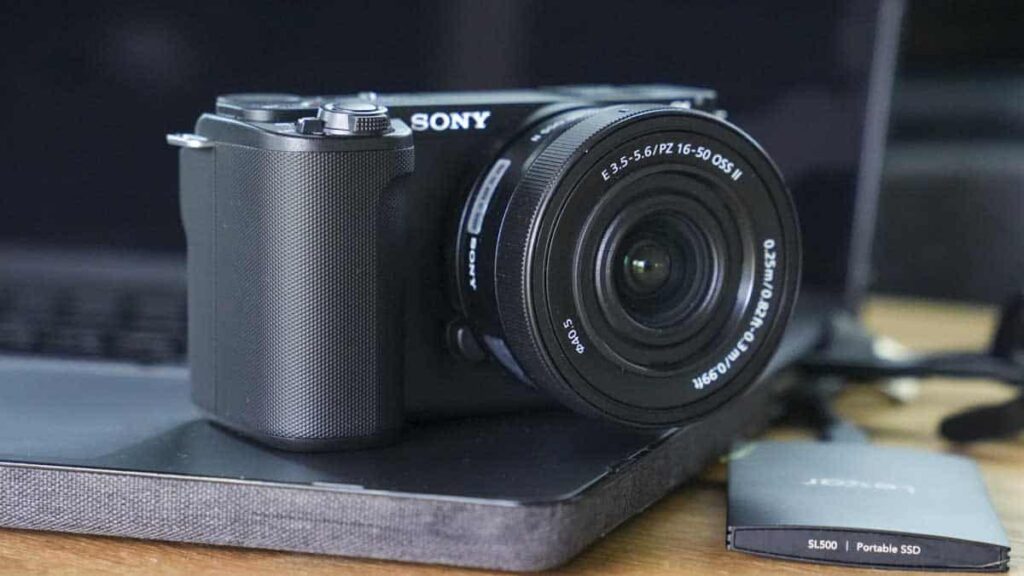
The Sony ZV-E10 II is the much-anticipated update to the ZV-E10 vlogging camera that has essentially been designed for content creators who want the convenience and lens choice of a mirrorless camera but the simplicity of a camcorder.
The Sony ZV-E10 managed to do this perfectly. Its small form is a modest step up from a mobile rig, but it offers video quality that reflects more professional productions. Being Sony, the camera is also supported by a huge range of accessories, including lenses, microphones, and more, which all help to enhance its abilities and the quality of the productions or vlogs that you’re capturing.
Inside, the camera features a 26MP APS-C Exmor R sensor, 6K oversampling for 4K60p recording, and extensive AF coverage with 759 points—all a step up from the previous models and, in many cases, rivalling or bettering what’s on offer from the larger ZV-E1.
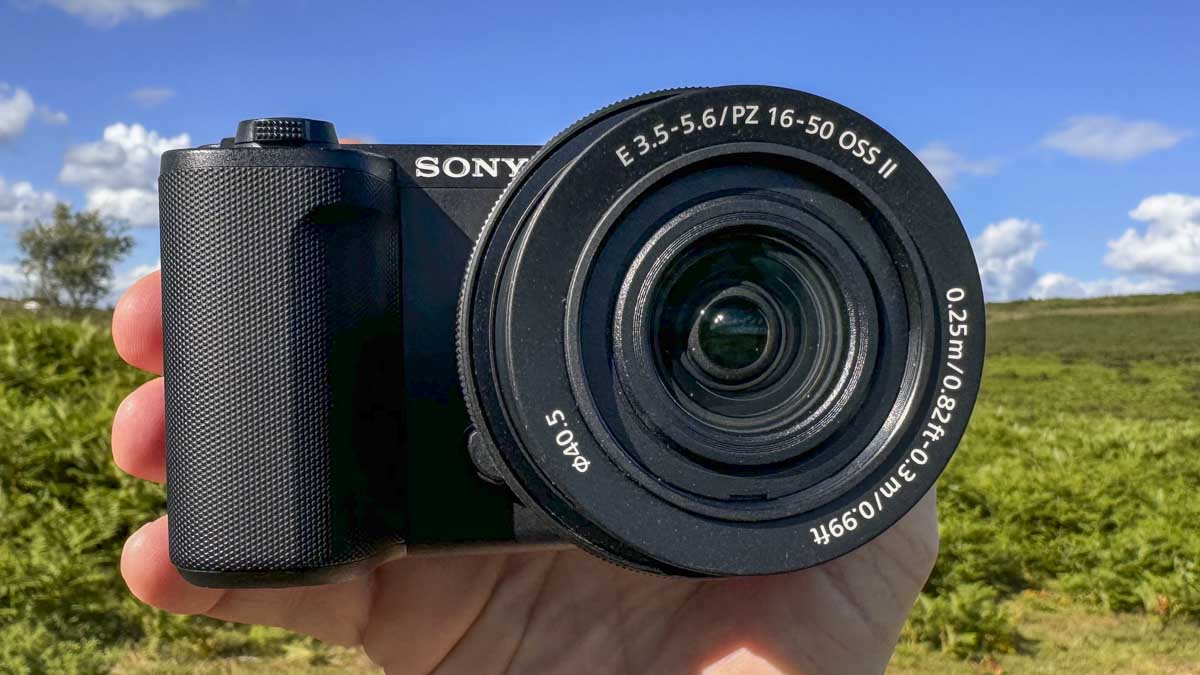
While the ZV-E10 was aimed at both beginners and experienced vloggers, new additions such as Creative Look presets, S-Cinetone and S-Log3 will start to appeal more to professional users looking for a lightweight camera with broadcast-quality footage. Further supporting this upgrade in video performance and features is support for 4:2:2 10-bit recording and a very neat new kit lens. While these features will appeal to enthusiasts and pros, the ZV-E10 II remains an entry-level camera in this sector, and Sony has worked hard to retain much of the ease of use, which means that most people can get vlogging as soon as they turn on the camera.
Specification
- Sensor: 26MP Exmor R sensor
- Image processor: BIONZ XR image processing engine
- Oversampling: 6K oversampling
- Recording: 4K60p / 4K50p recording
- Presets: Creative Look presets
- Color Profiles: S-Cinetone and S-Log3 support
- Bit Depth: 4:2:2 10-bit recording
- Autofocus: 759 AF points with 94% coverage
- Battery: Z battery for extended life
- Streaming: 4K30p and FHD60p streaming via USB-C
Build and Handling
The Sony ZV-E10 II is incredibly similar in style and design to its predecessor, with the same basic layout and a few tweaks to button position and design. When it comes to size, the camera remains compact, measuring 115.2 × 64.2 x 44.8mm and weighing just 343g.
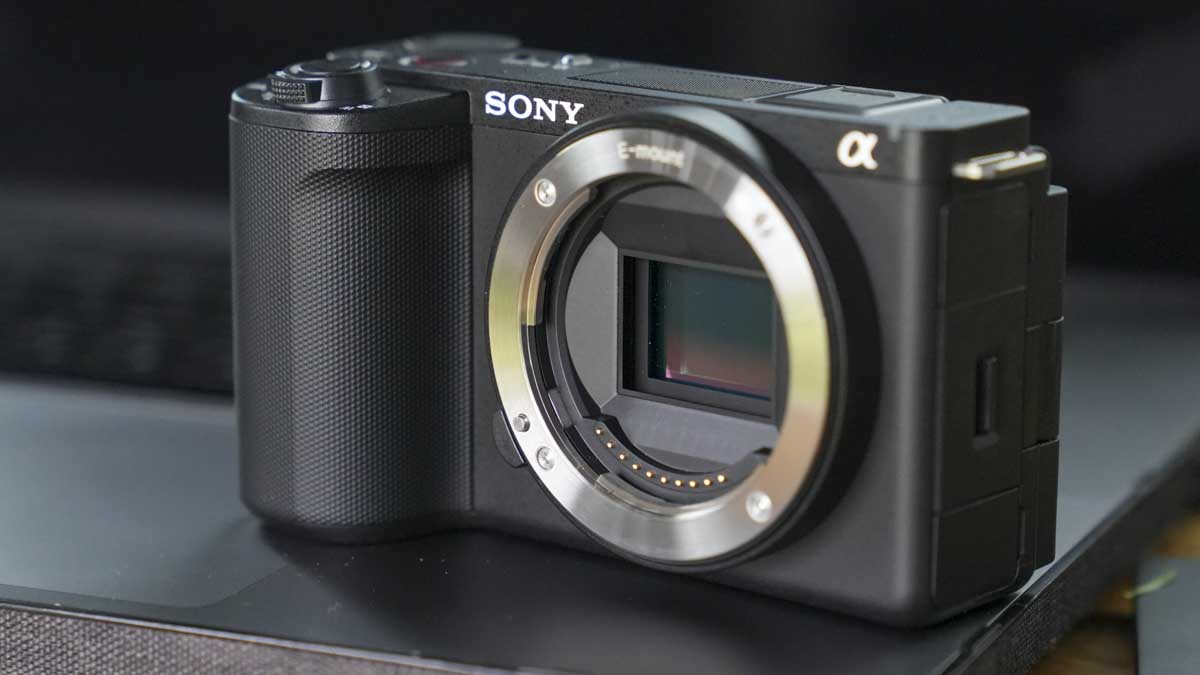
Like Sony’s previous APS-C cameras, it features a slightly boxy modern design that’s quite understated and aesthetically simple. While not inspiring or innovative, this simplicity has been finely tuned over the years and gives it a solid, if slightly small, feel in the hand.
With the absence of a viewfinder, all live view, preview, and settings options are viewed and changed through the large rear LCD screen, which is fully articulated. Again, the design and build of the screen are incredibly solid and feel strong enough to last a good few years with intensive use.
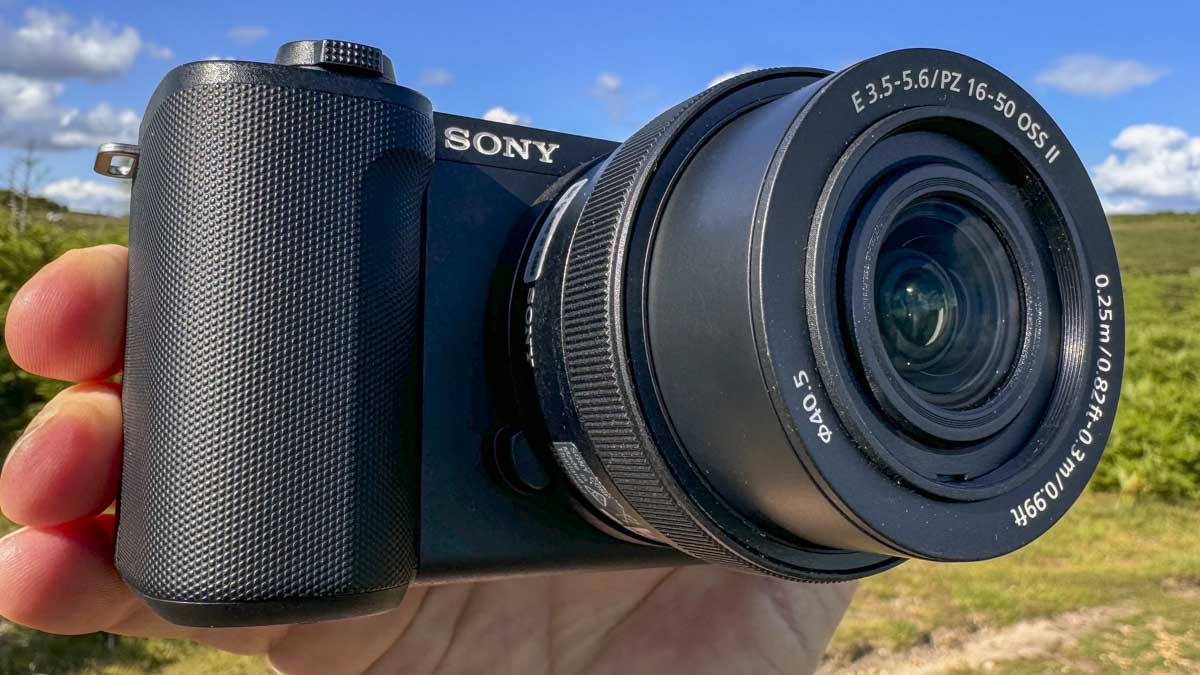
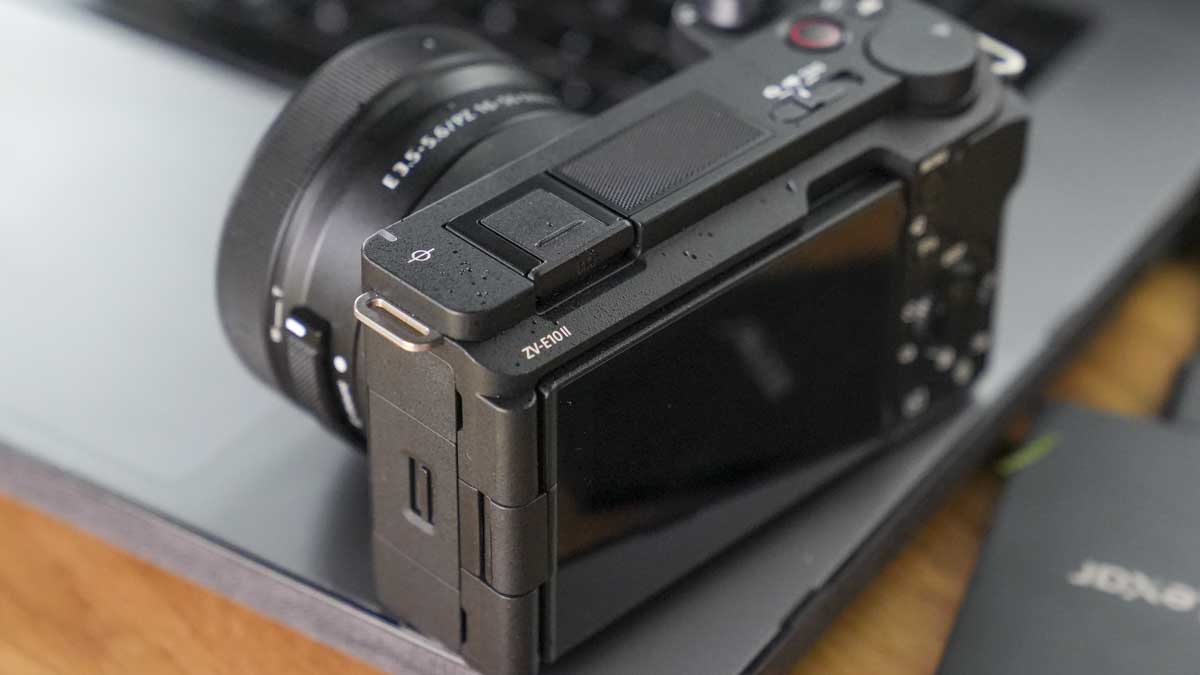
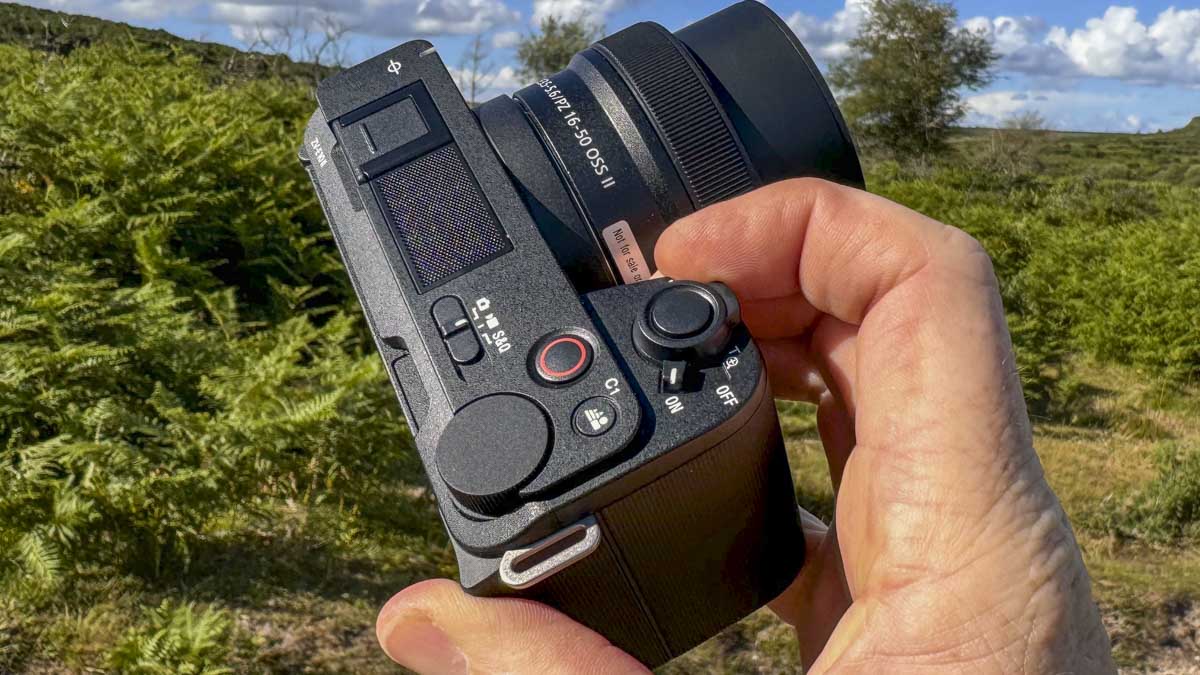
Button layout across the body remains much the same as the ZV-E10, with some small shifts in buttons, such as the large control wheel that nudges slightly closer to the edge of the body and enables easier control over the settings. Then there’s the more obvious on/off switch that now surrounds the shutter button, and the mode switch is now a nice switch rather than a slightly confusing button.
On the other hand, the camera, despite its small size, feels well-balanced, with a decent-sized grip that enables you to handle the camera comfortably in normal use. One issue is that with people now filming many of their vlogs and social content vertically, the traditional design of the camera is less comfortable to hold in this position, especially when filming with a camera.
One of the big vlogging features is the fully articulated screen, which flips a full 180 degrees so that you can see what you’re filming when filming bits to the camera. The new 16-50mm lens with zoom control is a nice addition to this lens, and at 16mm or 24mm (35mm equivalent), it’s an ideal point of view for vlogging. The screen, as you would expect, is also touch-sensitive.
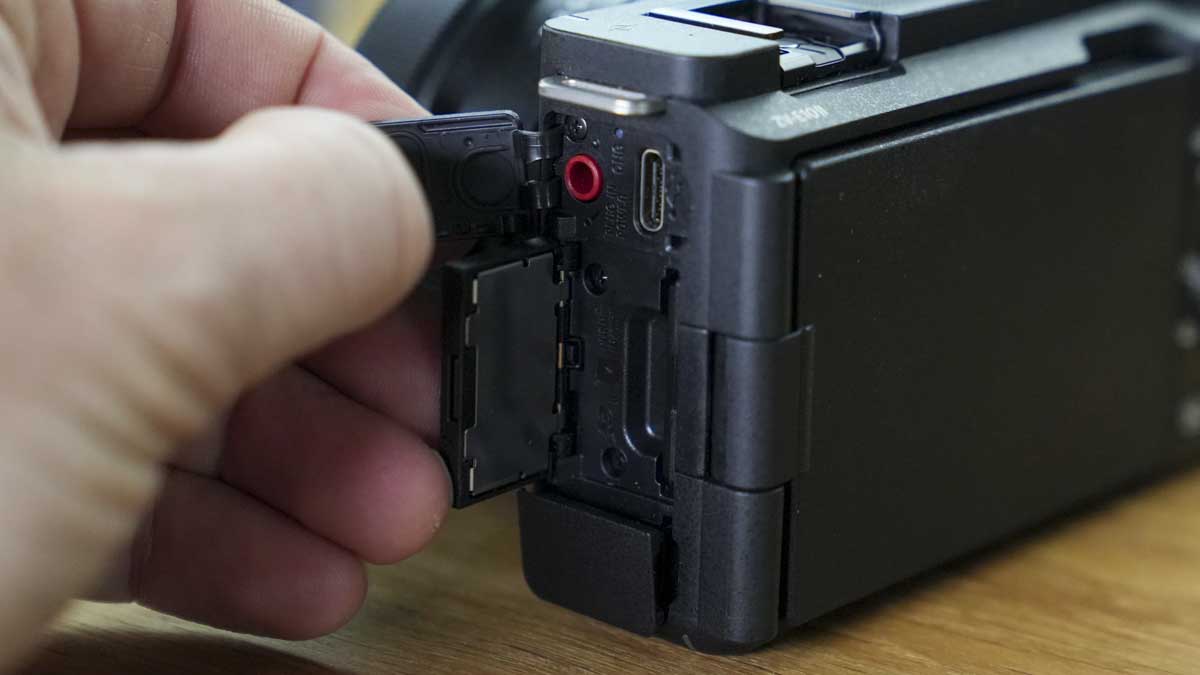
A nice feature is that the UI automatically adjusts to the orientation of the camera, so when you’re shooting vertically, the UI is also accessible in vertical orientation. Likewise, when you film vertically, the video saves in a vertical orientation, ready to be edited for social media. This is a small but extremely useful feature.
Features
The Sony ZV-E10 II is packed with features designed to help make the vlogging process easy, and for the most part, the camera does this. Central to its capabilities is the 26MP APS-C Exmor R sensor, which, coupled with the BIONZ XR image processing engine, ensures stunning image quality and low-light performance for both video and stills. The 6K oversampling for 4K60p recording allows for incredibly detailed and crisp video footage, and the fact that you can now use Cinetone and S-Log3 further extends the abilities of this camera.
One of the standout aspects is the selection of Creative Look presets, including Film, Instant, Portrait, Vivid, and Soft Highkey. These can be used in both video and stills and have been well-balanced to suit various content types. As previously mentioned, the camera supports advanced colour profiles such as S-Cinetone and S-Log3, as well as LUT import, which is really exciting. This means you can essentially grade in camera, helping creators pitch their videos at a higher level than you could achieve with a mobile device.
The ZV-E10 II also offers 4:2:2 10-bit recording, ensuring rich colour depth and flexibility in post-production. If you select S-Cinetone and S-Log3, the footage has huge potential.
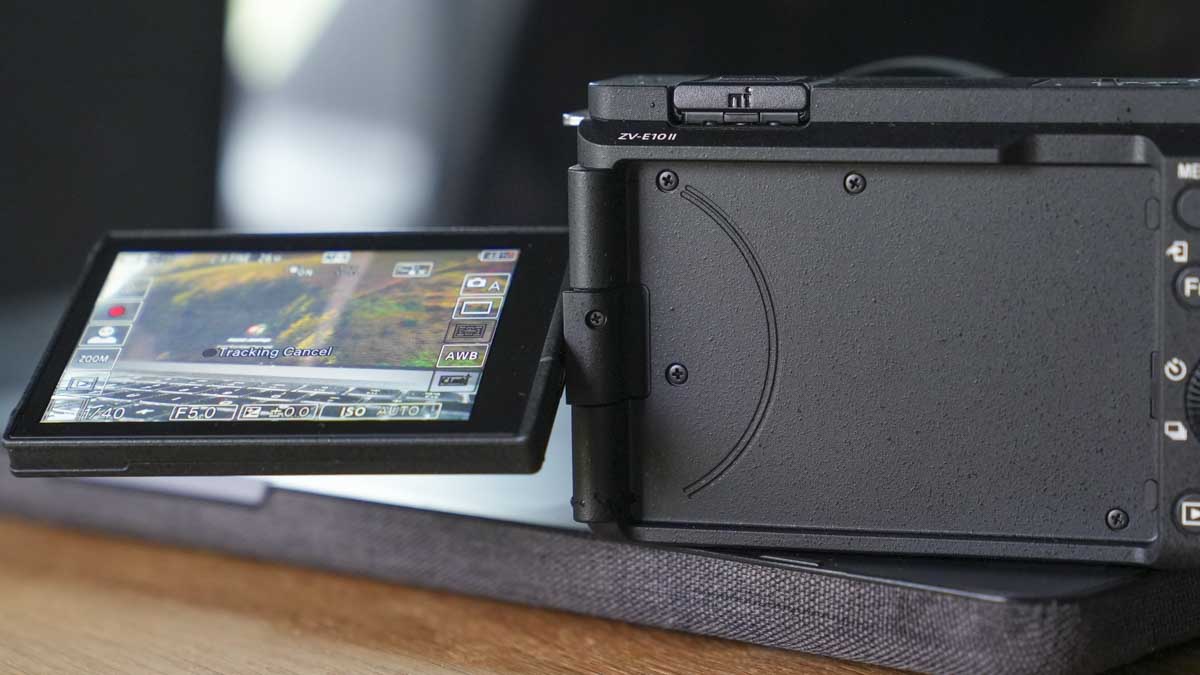
AF, for both stills and video, is a world apart from what it was a couple of years ago, and the boost that AI and advanced algorithms have given cameras is really apparent here. The Sony ZV-E10 II features an incredible 759 autofocus points covering 94% of the frame, meaning that there’s practically nowhere in the frame where anything can escape from being focused on, and this proved true in the test.
Other notable features include the vertical UI and touch interface for intuitive control, 4K30p and FHD60p streaming via USB-C, and the new 16-50mm kit lens with image stabilisation and enhanced tracking AF during zooming. Just as a note, this is really excellent. The Z battery extends shooting times, making the ZV-E10 II, after a look through these features, a rather exciting proposition.
Performance
The ZV-E10 II is an exciting piece of kit. Considering its price and small size, the quality of the video it can capture is absolutely outstanding, and the images aren’t bad either. From the outset, you can tell that this small camera is far from entry-level. The price is a bit of a giveaway, but really, this is for content creators, students, and filmmaking enthusiasts.
For a camera that is so small, there’s plenty to get excited about all the Cine and Log modes, the fully articulated screen, the kit lens (which is a bit of a surprise as to how good it actually is), the creative effects, and AF are all outstanding and worthy updates and upgrades to the ZV-E10. However, there are plenty of small additions to the ZV-E1 that differentiate the two. Well, actually, the ZV-E1 is full frame, and to be honest, that and the stabilisation options are about it.
Getting straight into a quick test of the camera, the boxy design feels fine, with the large grip enabling a decent enough purchase on the camera. It all feels just fine, as a small stills camera should, but as you start to use the camera, you start to feel that the design needs something a little more. Really, this is where rigs, etc., come in, but here we want something nice and lightweight for vlogging, which this camera instantly reveals it does, just not that comfortably. Mounting a Mantis on the base instantly makes handling it a bit easier. Although for vertical video, I would have liked to see a 1/4″ thread on the side, thankfully, the large grip makes it easy enough to handle.
With the 16-50mm OSS II lens fitted, the camera feels complete, and the lens, although small and kit-like, works extremely well. I was also impressed with the image quality when reviewing the images. With an aperture range of f/3.5-5.6, there’s plenty of flexibility, although, like all kit lenses, if you want to blur out the background, you’re going to have to work with the camera in order to get it!
Another nice touch on the motorised zoom kit lens is the very neat zoom button around the shutter button, which enables you to zoom in and out at will. The lens also has a zoom slider on the side, which works equally well. A nice feature for the zoom is that you can adjust the speed in six steps, with 1 being slow and 6 being fast; 3 is the default.
A quick dive into the extensive menu system starts to highlight exactly what this camera is—far more than it looks. Most users who have spent some time with Sony’s menu systems will be able to unpick familiar sections and options. However, as I’ve found in workshops, the extensive menu systems of many manufacturers absolutely baffle anyone new to photography. However, for the majority of users getting started, and for the audience this camera is intended for, delving into the touchscreen menus shouldn’t prove too much of an issue.
Throughout the test, I flipped between the various recording modes, setting the File Format to XAVC S 4K and then using the OSD to select CineVlog and then selecting the profile I wanted. Then, to switch to the new Creative Looks, you need to switch out of the Picture Profile mode required to use the Exposure/Color > Color Tone options to switch off Picture Profile and switch on Creative Look, at which point you can access all the new looks through the main OSD once set. This is for stills as well as video. Again, in the video, you need to switch off the Log mode shooting in order to apply the Creative Looks.
Using the camera out and about, the small size made it easy to carry and manoeuvre around to get both the stills and video that I wanted. In both cases, during filming, I felt quite confident that the camera was capturing what I wanted. For the most part, the AF tracked extremely well using the kit lens and found focus well, especially when selecting a face, animal, etc.
Back in the studio, it was time to flick through the images to see what I had captured and whether the quality of the images was actually any good. The first thing to note is the high rate of successful shots with the AF system really keeping up with the rate of images that I was taking. Then there was the dynamic range, which, considering the first day I was out with the camera, was extremely bright; the camera, although contrasty, had managed to retain a good amount of shadow and highlight detail. Looking over the images, I see that the quality of the pictures and video is excellent and of a quality that will be high enough to suit most.
Final Thoughts
When it comes to using the camera for video, I really cannot recommend it enough. It’s a solid performer, easy to use once you get over the huge volume of menus, and actually great fun to use. My only comments are on the physical design with the small size, which, although easy to handle, isn’t that comfortable. A side 1/4″ thread for an add-on grip would make a real difference.
Regarding the subtle design changes, especially the mode switch, I really like this. It’s easy to use and intuitive. Less so is the fact that the shutter button on the grip is for photos, and the button behind is for video. It makes sense but isn’t overly user-friendly. Why is it that when you’re in video mode, the shutter button just becomes redundant?
Out and about, the camera works well. The onboard mic is okay, but plug in a decent set of mics, and the sound quality is, of course, suddenly boosted. There’s absolutely no doubt that this is a fantastic camera, and if you’re looking to push your creative filmmaking or vlogging, then this small and relatively inexpensive camera is absolutely superb.