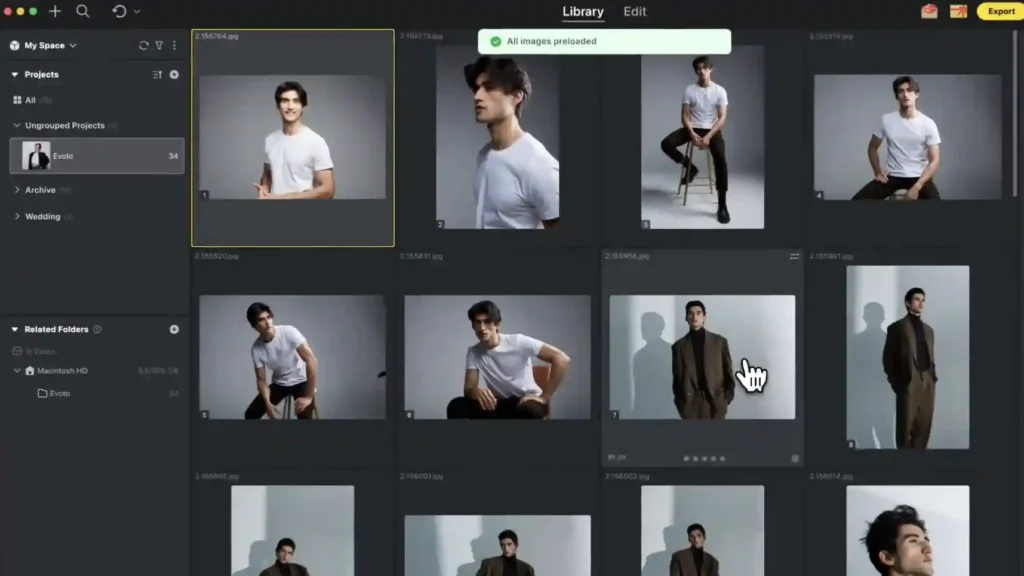

AI photo editing platform Evoto has released Evoto 8.0, an update that spans its desktop, mobile and video tools. The highlights for working portrait and wedding photographers are portrait retouching for video inside DaVinci Resolve, a new story-based approach to culling, and tethered shooting on the Evoto mobile app.
Evoto is also opening a creator marketplace called Asset Hub, backed by a $500,000 rewards programme, where photographers can sell their own presets and AI Looks.
Video retouching
Evoto’s portrait retouching now works as a plugin directly inside DaVinci Resolve, so skin and portrait edits can be applied to footage without leaving the edit. New video tools include Hair Shine, teeth whitening, Facial Fullness and Color Match, and Evoto says adjustments can be applied consistently across multiple clips.
Desktop and culling
On the desktop, Evoto has refined its blemish removal so that it preserves freckles and moles, and added Face Shadow Removal and Clothing Moiré Removal. There’s also a Generative Expand tool for extending the frame to fit different formats.
Culling gets a new story-based mode designed to organise high-volume shoots such as weddings and events, grouping images by the moments in the day rather than simply rating them one by one.
Mobile tethering and workflows
The Evoto App now supports tethered capture, allowing clients to review images in real time during a shoot. Reusable workflow templates can be set up for recurring jobs, and an SDK is available for larger production teams.
Asset Hub marketplace
Asset Hub lets photographers publish and sell presets, AI Looks, backdrops and skies. Creators keep 60% of net sales and there are no listing fees. More than 400 official assets are available at launch, with presets priced from $8 to $30, AI Looks from $49 to $199 and backdrops from $2 to $8. Photographers who apply between 22 September and 31 December 2026 receive $50 when their first asset is approved.
Our take
Bringing the same retouching look to stills and video is a real time-saver for hybrid wedding and portrait shooters, and doing it inside Resolve rather than a separate app makes a lot of sense. Tethering on mobile is a smart addition too, particularly for location portrait work where a laptop isn’t practical.
Evoto 8.0 key features
- Portrait retouching plugin for DaVinci Resolve with Hair Shine, teeth whitening, Facial Fullness and Color Match
- Improved blemish removal that preserves freckles and moles
- Face Shadow Removal and Clothing Moiré Removal
- Generative Expand
- Story-based culling
- Tethered capture in the Evoto App
- Reusable workflow templates and enterprise SDK
- Asset Hub creator marketplace
Evoto 8.0 price and availability
Evoto 8.0 is available now from the Evoto website.