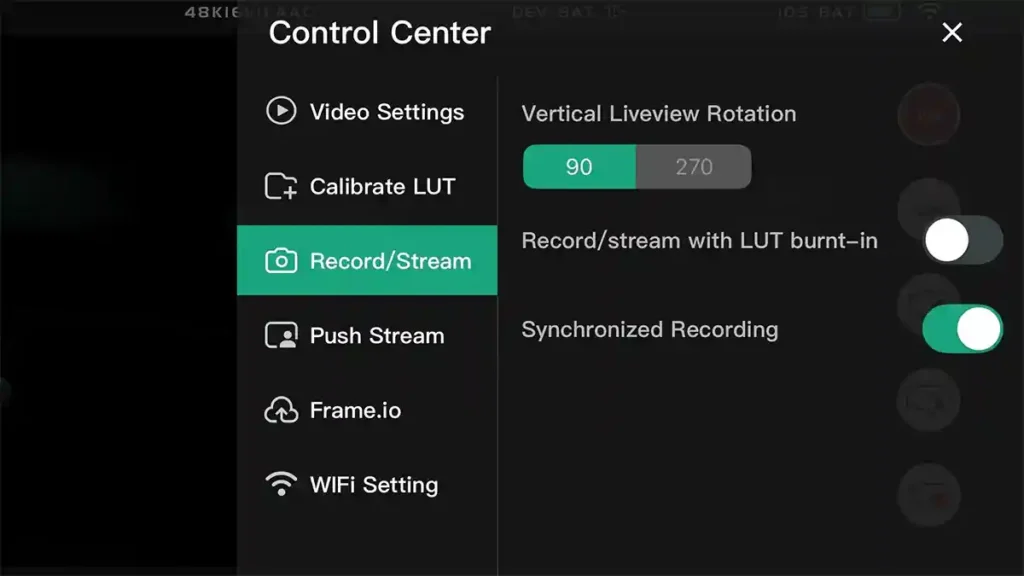

Accsoon has launched a dedicated Camera Control resource that explains how to adjust camera settings from its monitors and mobile app, and lists which cameras are supported. It covers direct control on the CineView M7 series monitors, wireless control through the Accsoon SEE app, and a combined workflow using both.
Three ways to control your camera
The CineView M7 series supports direct control from the monitor via USB-PTP or IP. The CineView SE 4K and CineView Master 4K Lite offer remote control through the Accsoon SEE app. A combined workflow pairs the M7 or M7H Pro with transmitters for monitoring and wireless control together.
Accsoon lists ISO, shutter speed, aperture, white balance, focus control and bi-directional recording as controllable, with some cameras also supporting EI mode, shutter angle or dB gain.
Supported cameras
CineView M7 and M7H Pro
- Sony: FX3, FX30, FX6, A7 IV, A7S III, A9 III, A7C II
- Canon: EOS R5, R5 Mark II, R6, R6 Mark II, R7, R8, C50, C70, C80, C400
- Nikon: Z9, Z8, Z5, Z50, Z6, Z6 II, Z7 II
Accsoon SEE app
- Sony: FX3, FX30, A7C II, A7S III, A7 IV, A9 III
- Canon: EOS R5, R5 Mark II, R6, R6 Mark II, R7, R8
The page also includes step-by-step tutorials and workflow guidance.
Our take
Camera control has been added to Accsoon products gradually through firmware and app updates, so having one page that sets out what works with which camera is useful for anyone deciding whether a CineView monitor fits their kit.
Accsoon Camera Control key features
Direct control on CineView M7 series: via USB-PTP or IP
Wireless control: via Accsoon SEE app with CineView SE 4K and Master 4K Lite
Controls: ISO, shutter, aperture, white balance, focus, recording start/stop
Supports: selected Sony, Canon and Nikon cameras
Price and availability
The Camera Control resource is available now on the Accsoon website.